Build AI Agents From Scratch: 2026 Developer Guide
Learn how to build AI agents from scratch using Python and LLMs. Step-by-step guide covering architecture, tools, memory, and deployment. No frameworks needed.
Apr 10, 2026



Shopify gets thrown around a lot in conversations about e-commerce, and for good reason. It's one of those platforms that quietly powers a massive chunk of the online stores you probably browse every day – from indie t-shirt shops to global beauty brands. But what actually is Shopify? And how does it go from "sign up" to "I just made my first sale"?
Whether you're curious about starting a store or just trying to understand what all the Shopify hype is about, this guide breaks it down in plain language – no tech-speak, no fluff. Just a real-world look at how Shopify works and why so many sellers rely on it.
At its core, Shopify is a tool for building and managing an online store. It gives you a way to sell products (physical or digital), take payments, manage inventory, and handle shipping – all from one place. You don’t need to code, hire a developer, or stitch together a bunch of different software. It’s built to work out of the box.
But unlike marketplaces like Amazon or Etsy, Shopify doesn’t own the store or control your branding. You're building your own storefront on your own domain. Think of it more like renting a really solid space to open a shop where you control the layout, signage, and how customers move through it.
There are dozens of ways to sell online, so why has Shopify become the go-to platform for over 4 million stores?
Shopify isn’t a magic button that guarantees success, but it does take a huge chunk of the technical overhead off your plate so you can focus on actually running your business.
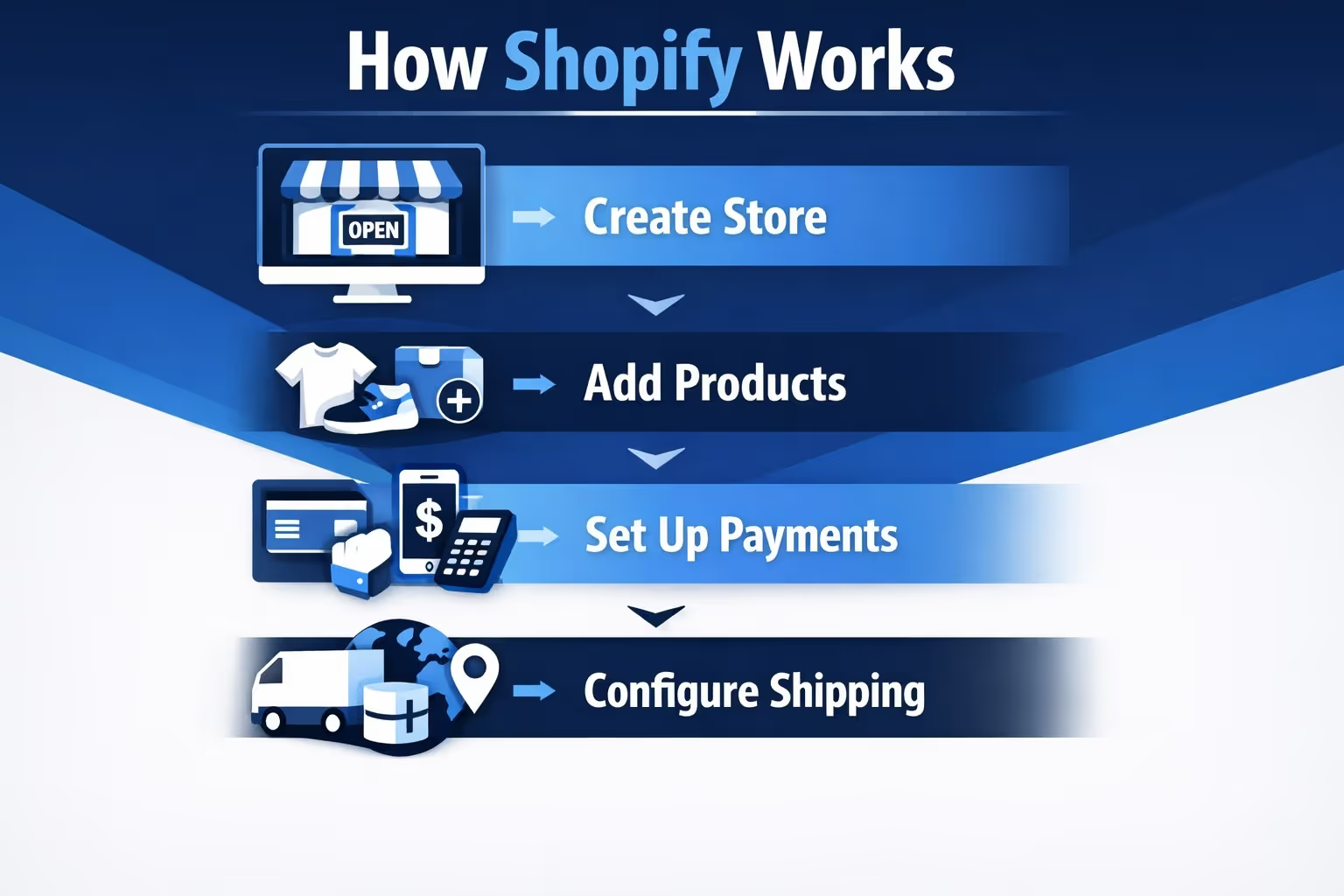
If you’re wondering what it’s like to use Shopify day-to-day, here’s a simple breakdown of how the whole thing flows.
First, you sign up with a free trial. From there, you’ll pick a pricing plan (more on that later) and choose a theme for your store. Themes control the layout, style, and structure of your site. You can pick a free one or pay for a premium version.
The store editor is drag-and-drop, which means you can move things around, add product pages, write your About page, set up menus, and tweak the design without touching code.
Once the store looks how you want, you add products. Each product has a title, description, price, image, and optional variations (like color or size). Shopify also handles stock tracking, so you won’t oversell what you don’t have (unless you want to allow backorders).
This part is key. Shopify lets you accept credit cards, PayPal, Apple Pay, Google Pay, and more. If you use Shopify Payments (their built-in processor), you avoid extra transaction fees. If you use a third-party processor like Stripe, Shopify charges a small percentage on top.
Shopify supports custom shipping zones, real-time carrier rates (FedEx, UPS, USPS, etc.), and local delivery or pickup. It also handles sales tax automatically based on your region, which saves a lot of manual headaches.
Once everything is in place, you remove password protection and go live. Customers can now buy from your site, and Shopify takes care of the checkout, payment processing, confirmation emails, and order tracking.
Setting up your store is just the beginning. Here’s what ongoing store management looks like.
When someone buys something, you get a notification. You can fulfill it yourself, work with a warehouse, or use a dropshipping supplier. Shopify keeps track of what was sold, where it’s going, and when it’s been shipped.
Shopify shows your stock levels in real time. If you sell the same item on Instagram and in-store with Shopify POS, everything stays in sync.
Shopify builds a customer database automatically. You can tag customers, see past orders, segment by location or behavior, and use this data to run smarter marketing campaigns.
Built-in tools include:
You can also expand with apps like Klaviyo, Omnisend, or Google Shopping integrations.
You’ll see data on:
Advanced plans offer more in-depth reports, but even the basics give you a clear idea of what’s working.
Shopify offers multiple pricing tiers, depending on where you are in your business:
Keep in mind: there are also payment processing fees and potential app/theme costs to factor in. It’s best to review pricing closely to match your budget and features.
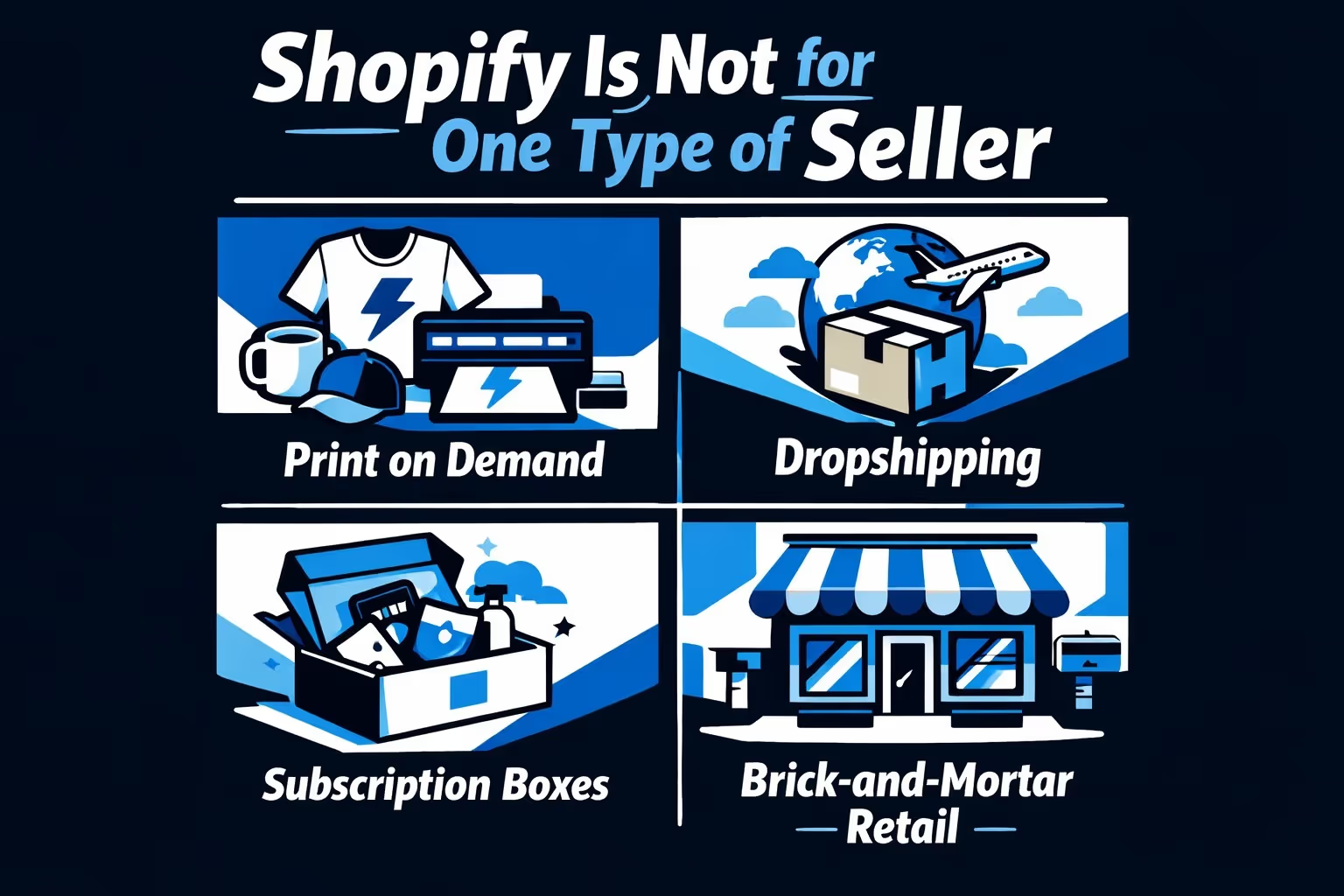
The platform supports a wide range of business models. Here are a few real-world use cases:
This is perfect if you’re creative but don’t want to deal with storing or shipping products. You design items like t-shirts, hoodies, mugs, or posters, and when someone buys one, a third-party service handles the printing and delivery. You never touch the product. Apps like Printful and Printify make the whole process smooth – you upload the design, they do the rest. It’s great for artists, content creators, or anyone with a niche audience looking to monetize through merchandise.
With dropshipping, you don’t carry inventory either, but the product selection is typically broader. You browse a supplier catalog, import products into your Shopify store, and once a customer places an order, the supplier ships it directly to them. This model is all about smart sourcing and marketing. It's a good choice for testing different product ideas without committing to bulk orders.
If your products make sense on a recurring schedule – like coffee beans, vitamins, skincare, or even educational kits – subscriptions can lock in steady revenue. You can offer flexible options (weekly, monthly, quarterly), manage billing, and automate shipments.
Running a physical shop? Shopify POS (Point of Sale) lets you handle in-person sales while keeping everything synced with your online store. That means inventory updates in real-time, customer profiles stored in one place, and unified sales tracking. Whether you’re selling pastries at a bakery or clothes in a boutique, it all connects through your Shopify dashboard. This setup is especially useful for small teams that want to offer pickup, local delivery, or loyalty rewards across locations.
You don’t need to ship anything to run a Shopify store. Many people sell things like ebooks, online courses, software licenses, stock photos, or digital templates. Ideal if you’re a creator, coach, or developer selling knowledge or media directly to an audience.
If you sell in bulk to other businesses – retailers, resellers, or corporate clients – Shopify has tools for that too. Shopify Plus lets you build a separate wholesale portal that’s password-protected and designed specifically for B2B orders. You can set up custom pricing, offer bulk discounts, and invoice customers manually or automatically. It’s a way to serve large buyers without disrupting your consumer-facing storefront.
To keep it real, here’s what Shopify doesn’t offer out of the box:
None of these are deal-breakers, but they’re good to know up front.
One of the platform’s strengths is its app marketplace. You can extend your store’s features in pretty much any direction.
Popular categories include:
Just be careful not to overload your store with too many apps, especially ones that affect page speed.

We built Extuitive because we saw how hard it is for small teams to get ad testing right without burning through their budget. When you're running a Shopify store, you're already juggling a dozen things, from product updates to shipping questions, and figuring out which ad creative will actually convert shouldn't slow you down.
That’s where we come in. Our platform connects directly to your Shopify store, then uses AI-powered agents to test your ads before you spend a dollar on live campaigns. We don't just guess what works – we simulate how real people with real behaviors are likely to respond. Within minutes, you can generate targeted ad creatives, predict purchase intent, and validate which direction is worth pursuing.
The goal is simple: faster decisions, better performance, and way less guesswork. Whether you're selling protein shakes, dog beds, or bamboo bedding, we help you find the right message, the right visuals, and the right audience – all before launch.
It’s a good fit if:
You might want to look elsewhere if:
Shopify isn’t just another e-commerce tool. It’s a full ecosystem built to support sellers from day one to enterprise scale. It won’t magically do the selling for you, but it will give you the infrastructure to move fast, test ideas, and adapt as you go.
And honestly, that’s why it works. It doesn’t try to force you into a rigid system. Whether you’re running a local bakery or launching a global lifestyle brand, Shopify bends to fit your business – not the other way around.
Just know what you’re signing up for, take the time to learn its tools, and you’ll be in a good position to make the most of what it offers.


