Best Facebook Cloaking Agencies to Explore
What Facebook cloaking is, why some agencies offer it, and the risks advertisers should understand before running sensitive campaigns on Meta.
Mar 20, 2026



Sales tax is one of those areas that can quietly become a headache if you’re not paying attention. It varies by location, changes often, and usually comes with a good amount of fine print. If you're running a Shopify store, you might be wondering just how much of that Shopify takes care of for you. The short answer is: quite a bit, but not everything.
This article walks through how Shopify handles sales tax across different tools, regions, and sales channels, what’s automated and what’s not, and what you, as the store owner, are still responsible for.
Shopify helps you calculate and collect sales tax using default or custom rates, depending on where you sell. It can also generate reports to help you file taxes, and in some cases, like U.S. orders through the Shop app or if you've enabled automated filing with Shopify Tax, it will also file and remit tax on your behalf. But unless you’ve set up automated filing, you’re still responsible for registering, filing, and staying compliant with local tax rules.
Shopify can calculate sales tax at checkout using default rates or services like Shopify Tax or Basic Tax, depending on your region. These services are only available in select countries. It can generate reports to help you file your taxes. But unless you’ve explicitly set up automated filing, Shopify does not file or remit your taxes on your behalf.
Also, your obligations don’t go away. You still need to:
In short, Shopify handles the logistics and math, but not the compliance.
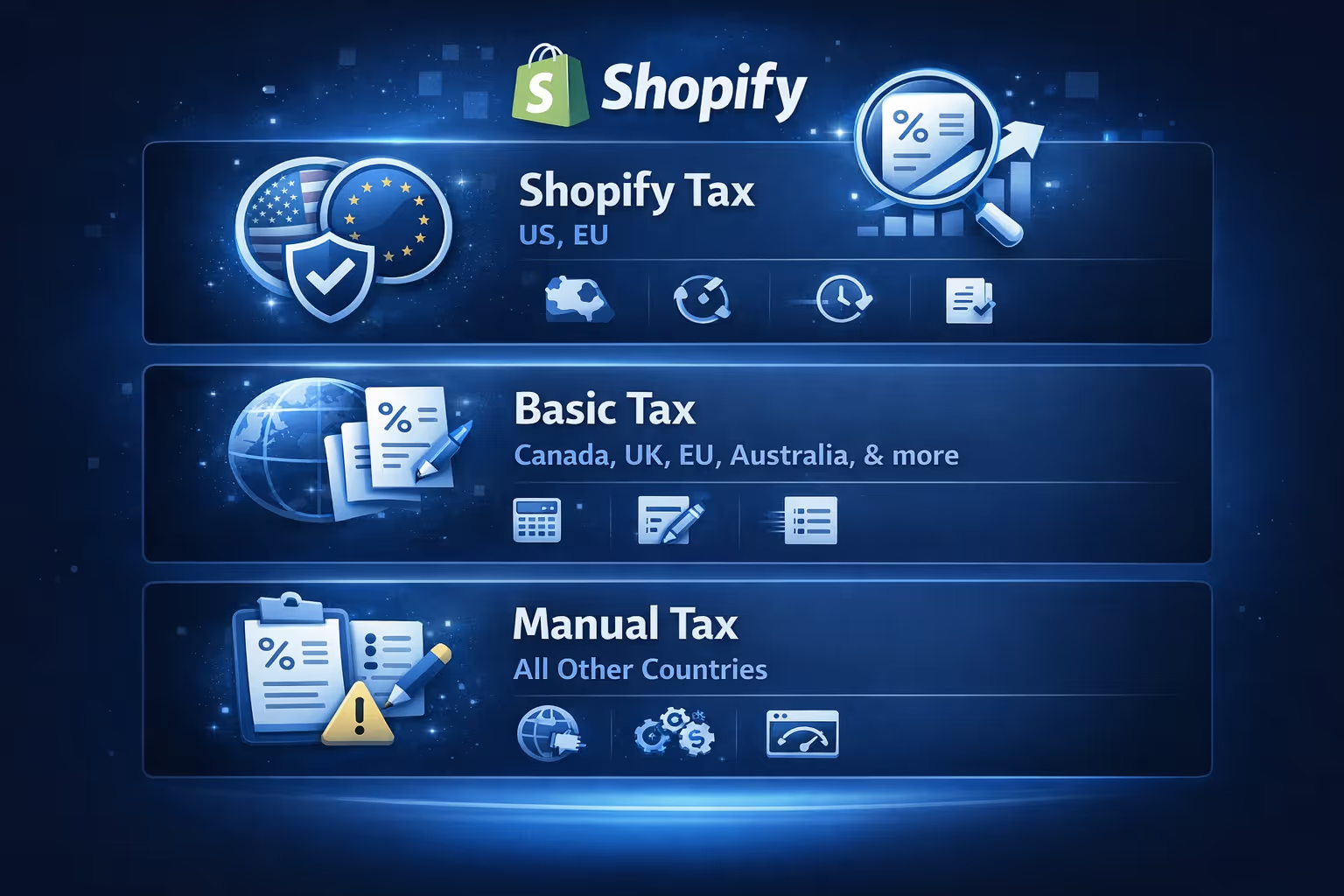
Shopify offers several tax services, and which one you get depends on where your business is based.
Shopify Tax is the most advanced option and is available in the United States, European Union, and the United Kingdom. It includes features like state-by-state or country-level sales tax calculation, nexus insights, automatic tax updates, and automated filing (only in some cases if you set it up).
Shopify Tax is particularly useful in the U.S. because sales tax rules vary widely between states and cities.
Basic Tax offers automatic tax calculations but without features like economic nexus detection or filing support. It’s available in countries like Canada, Australia, and Switzerland. In the U.S., Basic Tax is no longer supported for new stores and is being replaced by Shopify Tax.
You can still override rates manually if needed.
If you're in a region that doesn’t support Shopify’s built-in tax services, you’ll have to set everything up manually. This means:
You can also use third-party tax apps to streamline the process.
One part that’s often misunderstood is how Shopify handles sales tax on the Shop app, which is a separate sales channel from your online store.
Starting January 1, 2025, Shopify began automatically collecting, remitting, and filing sales tax for all U.S. orders made through the Shop app. Here's how that works:
Even though Shopify is filing and remitting for you in the Shop app:
It’s a different system from your main store, so make sure you adjust your bookkeeping accordingly.
One of the easiest ways to mess up your tax collection on Shopify is by having missing or incorrect product categories.
When using Shopify Tax in supported regions like the U.S., product categories help determine the correct tax rate, especially in cases with exemptions like clothing or food. If you don’t assign a category, Shopify will try to infer one from your product description, which is less reliable.
Categories are important when using Shopify Tax, especially in the U.S., as they help apply the correct rate for specific product types. However, for orders made through the Shop app, tax is calculated independently by Shopify and product categories are not factored in.
Go through your product list regularly and check that each item has the correct category assigned.
You can apply tax overrides and exemptions in your main Shopify store, but these settings do not apply to orders made through the Shop app, which uses a centralized tax system.
You can set overrides based on:
Just remember that these settings only apply to your regular store, not the Shop app.

Tax refunds follow specific rules in Shopify.
When dealing with Shop app transactions, the same rules apply. Tax is only refunded when a specific item is refunded inside Shopify’s system.
Shopify provides tax details in a few places:
If you're using Shopify Tax with automated filing, these reports are more integrated and help identify where Shopify is taking action and where you're still responsible.
This is the part many merchants miss. Even when Shopify collects and reports sales tax, you might still be required to file your own returns, especially if you:
Each region treats Shopify differently. In many states, sales made through the Shop app still count toward your economic nexus thresholds, even if Shopify is responsible for collecting and remitting the tax.
So don’t assume you're off the hook. If you’re unsure, talk to a tax professional or accountant familiar with eCommerce.
Some U.S. states might ask for Shopify’s tax collection certificate (SC Commerce Services Inc.) if you're audited. You can get this document by contacting Shopify Support.
This certificate proves that Shopify (not you) collected and remitted sales tax on orders from the Shop app.
For all other channels, you're responsible for keeping your own tax records and filings in order.
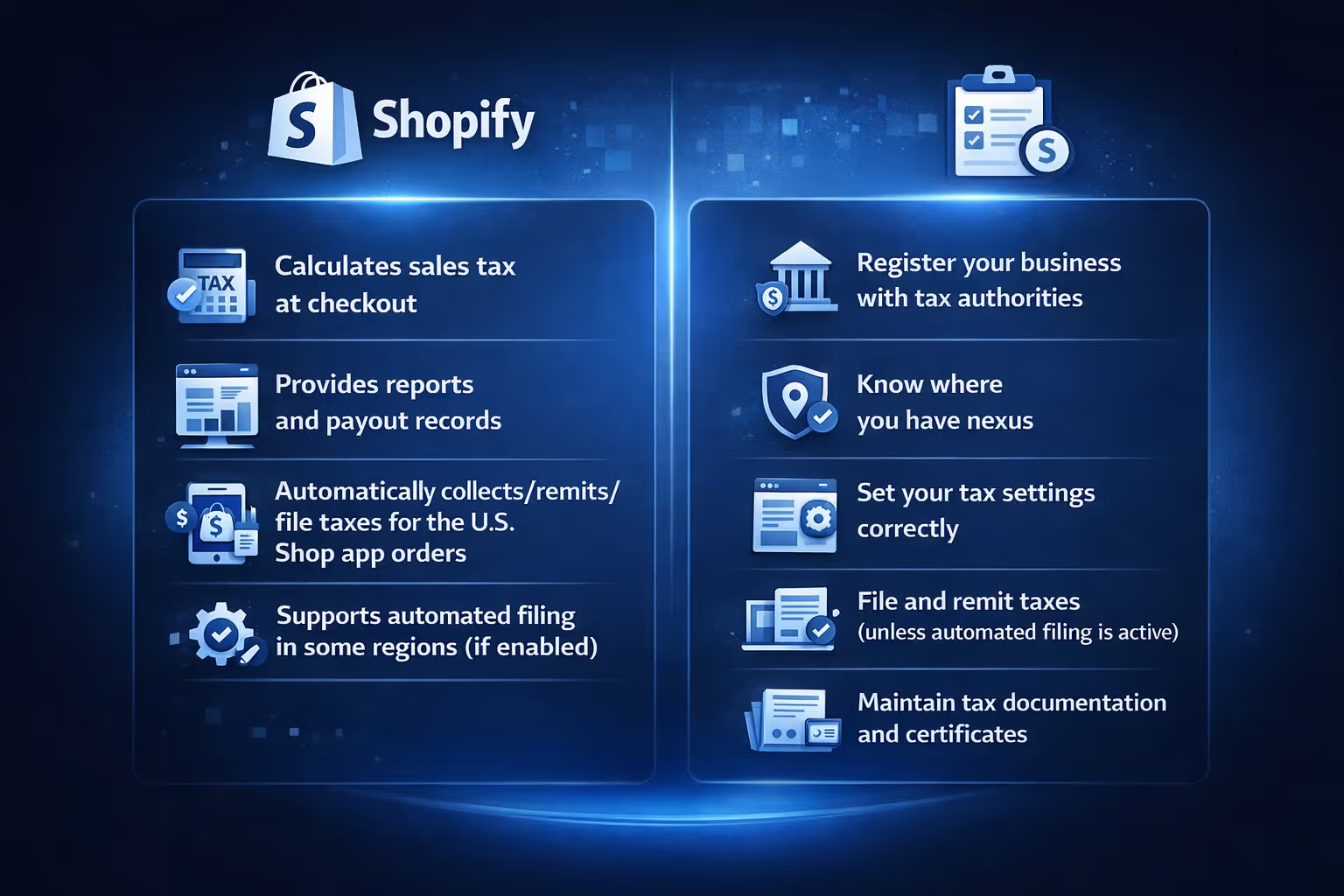
Here’s a quick breakdown to keep things clear:

While Shopify helps you keep taxes in check, running a profitable store involves more than just getting the tax part right. Knowing which ads will actually convert before you spend real money is a big part of staying ahead. That’s where we come in.
At Extuitive, we help Shopify brands stop guessing when it comes to ad performance. Our AI-powered prediction engine shows you how your ad creatives are likely to perform before you launch anything. That means fewer wasted clicks, better targeting, and more predictable returns. Whether you're testing 5 creatives or 500, our platform can scale with you and tie results back to real campaign outcomes.
We’ve built our tool for teams who want to move fast without gambling on what might work. If you're handling taxes, margins, and fulfillment already, there's no reason your ad strategy should be the wild card. Forecast before launch, not after. That's how we see it.
Shopify gives you the tools to manage sales tax, but you’re still the one steering the process. It can handle calculations at checkout, offer reports to help you stay organized, and even automate collection and filing in some cases, like with Shop app orders. That said, things like registering with tax authorities, staying compliant, and filing returns are still up to you unless you've enabled specific services.
To avoid problems down the line, it's worth staying proactive. Make sure your product categories are accurate, and activate Shopify Tax or Basic Tax if those are options in your region. Keep tabs on where you have nexus and whether that requires registration. Each sales channel handles tax a little differently, so it's important to know how the Shop app, online store, and POS each operate. And if you're selling across several regions with complicated rules, using a third-party tax tool might make things smoother. Staying on top of it now means fewer surprises later.


