How to Add Social Media to Your Shopify Store Without the Guesswork
Simple ways to connect your Shopify store with social media links, icons, and feeds that actually work.
Feb 4, 2026



If you’re selling through Shopify and making some money, you’ve probably had this question pop into your head: does Shopify tell the IRS how much I made?
It’s a fair thing to wonder. With all the talk of taxes, forms, and reporting rules, it’s easy to get tangled up in half-truths or panic over something you’re not even sure applies to you. The short version? Yes, Shopify can report your earnings to the IRS, but only under certain conditions, and it usually depends on whether you’re using Shopify Payments to process orders.
Let’s break it down clearly so you know what actually gets reported, when it happens, and what you’re responsible for. No scare tactics, no fluff, just the facts.
Shopify doesn’t report all seller activity to the IRS by default. It depends on whether you’re using Shopify Payments, and whether your earnings cross a certain threshold.
If you’re using a third-party payment processor (like PayPal or Stripe), then that processor is responsible for IRS reporting, not Shopify. But if you’re using Shopify Payments, the story changes.
Shopify, like any Payment Settlement Entity (PSE), is required to send Form 1099-K to the IRS on your behalf if you meet or exceed the reporting threshold set for a given tax year.
Here’s what that looked like over recent years:
If you crossed these thresholds using Shopify Payments, Shopify generated a Form 1099-K and sent it to both you and the IRS.
Keep in mind that these thresholds are federal, but individual states may have their own rules that are lower. In that case, you might still get a 1099-K even if you didn’t hit the federal limit.
Form 1099-K is an informational tax form used in the United States. It summarizes the gross payment volume processed through a payment platform on your behalf during the year.
That total doesn’t account for refunds, fees, or expenses. It’s purely the total incoming payments.
The IRS uses it to track who’s making income from digital sales platforms, so if your Shopify earnings hit the threshold, this form is what helps them know you exist.
It’s also what helps you (or your accountant) report your business income properly.
If you’re eligible for a Form 1099-K through Shopify Payments, you’ll get notified by email once it’s available in your admin dashboard.
You can download it from your Shopify Admin under Finance > Documents > 1099-K.
You’ll also be able to export a CSV of all transactions that contributed to the 1099-K total, which can help with your own bookkeeping or tax filing.
No. And this is where a lot of sellers get tripped up.
If you don’t meet the reporting threshold, Shopify won’t issue a 1099-K. That doesn’t mean you’re off the hook for taxes. It just means Shopify isn’t required to report it on your behalf.
You're still responsible for reporting all income to the IRS, whether or not a form shows up in your inbox.
A few other scenarios to keep in mind:

Shopify checks your tax identity information before issuing your 1099-K. This includes:
If anything is missing or incorrect, you’ll get a notice in your admin and by email asking you to update your details.
If you don’t update in time, your payouts may be paused, and Shopify won’t be able to submit your 1099-K.
The way Shopify reports your income depends on how you set up your business in Shopify Payments.
Here’s a breakdown:
If you’re unsure which category applies to you, it’s worth checking with your accountant or tax preparer before tax season rolls around.
This is the part many newer sellers overlook: you still have to report your earnings to the IRS, even if you didn’t receive a 1099-K.
The IRS requires all income to be reported, regardless of form. That includes:
The 1099-K is just a reporting tool, not a permission slip.
While Shopify takes care of generating and sending the 1099-K when required, you still have responsibilities as a seller:

A big part of staying on top of tax reporting is being proactive about how you manage your store’s performance in the first place. That’s where we come in.
At Extuitive, we help Shopify sellers get ahead of ad performance before a single dollar is spent. Our platform forecasts how your ads will perform using AI models trained and tested against real campaign results. Instead of guessing what might work or wasting budget on trial-and-error testing, you can predict what’s likely to convert and act on it confidently.
Better forecasting doesn’t just mean better results. It also means cleaner reporting, fewer surprises in your revenue data, and a clearer picture of what to expect when it’s time to reconcile sales and submit your 1099-K. Whether you’re managing one campaign or hundreds, we make it easier to scale without losing control of what’s coming in.
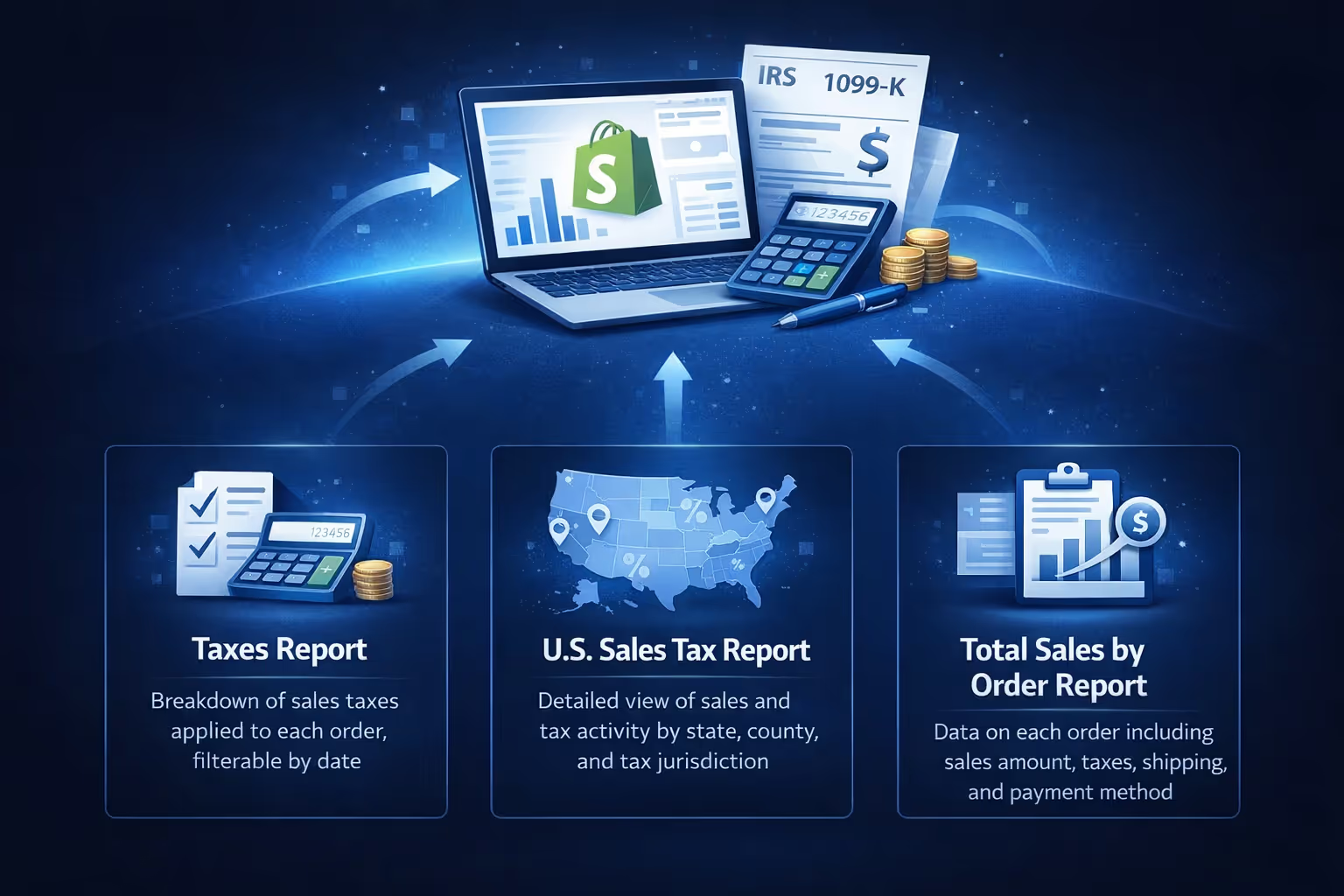
Even beyond the 1099-K, Shopify gives you access to a few useful reports that can support your filings:
This report shows a clear breakdown of the sales taxes applied to each order in your store, making it easy to see how much tax was collected and where it was applied. It’s useful when you’re reviewing tax liability across different regions or preparing to file with local tax agencies. You can filter by date to get exactly what you need for a given period.
If you're using Shopify Tax, this report provides a detailed view of sales and tax activity broken down by state, county, and tax jurisdiction. It’s designed to help US merchants meet reporting requirements at multiple levels of government. This is especially handy if you operate across several states with different sales tax rules.
This is one of the most flexible reports Shopify offers. It includes detailed data on each order, such as the total sale amount, taxes collected, shipping costs, billing and shipping locations, and payment method used. You can export the full report as a CSV, which makes it easier to sort, analyze, or hand off to your accountant during tax season.
Always filter reports by calendar year when doing tax work. That’s what the IRS cares about.
Here’s a simplified checklist to keep in mind:
If your store is growing, taxes are part of the journey. Shopify helps by handling the paperwork when thresholds are met, but the ultimate responsibility lands on you as the business owner.
The good news is you don’t have to guess. Between Shopify’s built-in reports and clear guidelines on 1099-Ks, it’s pretty easy to stay informed and stay compliant.
Just don’t wait until April to figure it out.


