Hair Salon Name Ideas: 200+ Creative Names for 2026
Discover 200+ unique hair salon name ideas and expert tips to create a memorable brand. Stand out from competitors and attract ideal clients today.
Apr 10, 2026



Tracking a Shopify order should feel straightforward, but it does not always go that way. Sometimes the email gets lost. Sometimes the tracking link looks unfamiliar. And sometimes customers are not even sure where to check in the first place.
The good news is that Shopify has a few clear ways to follow an order from checkout to delivery. Whether you are a customer waiting for a package or a store owner explaining the process, it helps to know where the information lives and how it updates. This guide walks through the basics in plain language, without overcomplicating things.
Once you complete a checkout on a Shopify store, the system generates an order confirmation. The order confirmation email usually contains your order number and a link to the order status page. Real-time shipping and tracking updates only appear on that page after the merchant adds valid tracking numbers and uses supported carriers.
This confirmation is usually sent to your email or phone (depending on what you entered at checkout). The order status page is where you’ll get real-time updates as the store processes and ships your order.
If the store uses supported shipping carriers, tracking can get pretty detailed. You’ll see when your package leaves the warehouse, where it’s headed, and when it’s likely to arrive.
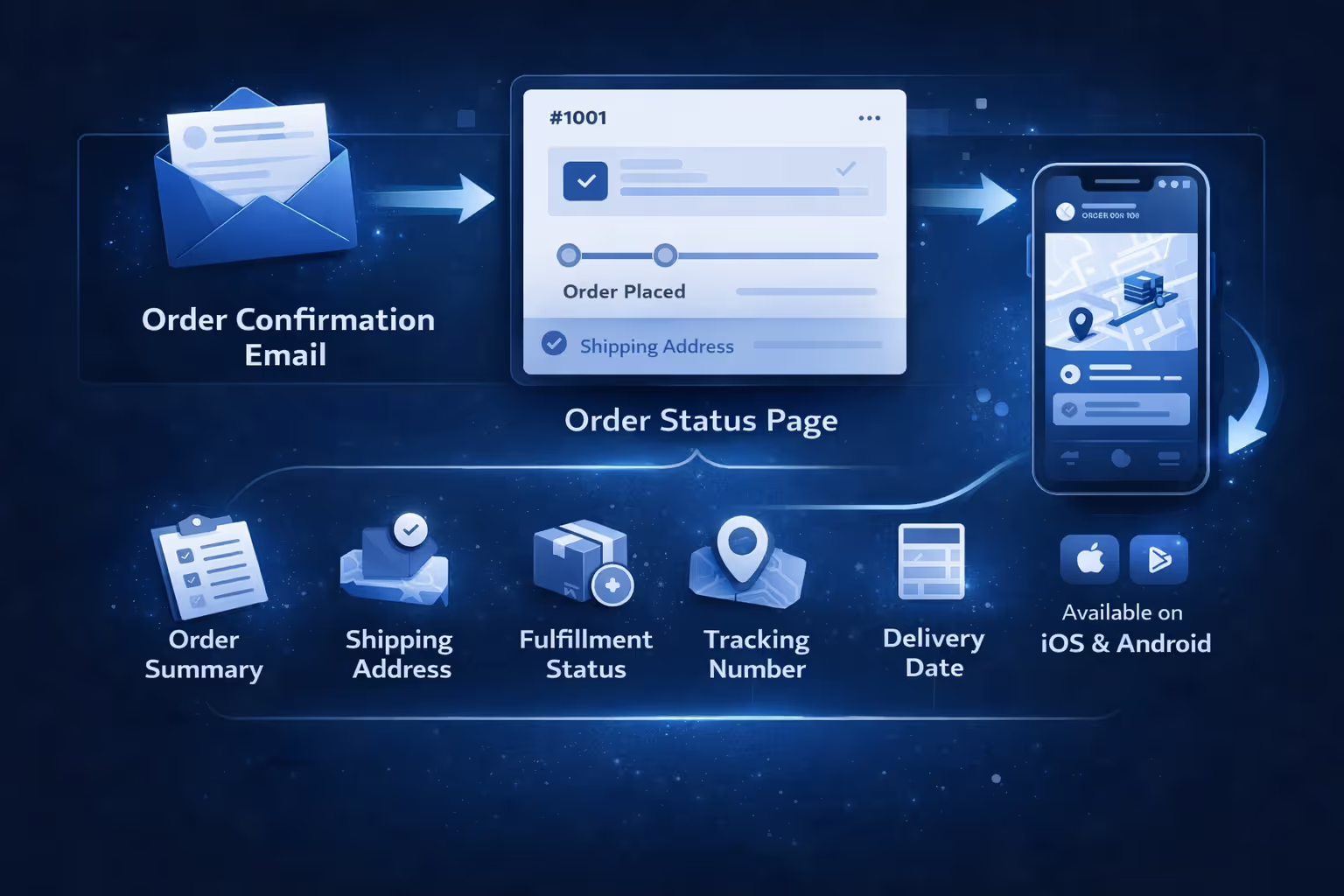
When you place an order online, it helps to know exactly where to find updates, what information to expect, and how tracking actually works behind the scenes. Shopify stores offer a few ways to check your order status, either through a direct page or with the Shop app. Here’s how the process works from start to finish.
There are two main ways to get to your order status page:
If you didn’t create an account, Shopify might still let you access the page by confirming your email or phone number along with your order number. This extra step helps protect order details from being accessed by the wrong person.
Once you’re on the order status page, it serves as a single source of truth. Here’s what’s usually shown:
Some stores also include a link or prompt to download the Shop app, which adds more features like live map tracking and push notifications.
Shopify offers its own mobile app called Shop. It’s free, available for iOS and Android, and helps customers track orders from multiple Shopify stores in one place.
Here is how it works. After you place an order, the app syncs it automatically if your email is connected. You’ll see your recent orders in one place, with tracking updates when merchants provide complete tracking information through supported carriers. If the merchant provides tracking info, the app pulls it in and shows a map-based tracking interface (for supported carriers). You can get alerts when something ships, when it's out for delivery, and when it arrives.
You can install the app through links provided on the order status page or directly from the App Store or Google Play.
For customers, tracking looks simple. But store owners have to do a few things right for it to work smoothly:
If these steps aren’t followed, the customer might see limited info or nothing at all, which often leads to extra support questions.
Yes, but it depends on how the store handles fulfillment. If your order includes multiple items shipping from different locations, each shipment should have its own tracking number. The order status page will usually show all shipments separately, each with its own timeline and tracking link.
This setup is common when some items are backordered, the seller uses third-party fulfillment services, and the store splits large orders into separate packages.
If something looks missing, double-check your order confirmation email or contact the store.

Sometimes things don’t go as expected. If you placed an order and never got any tracking information, here’s what you can do:
If you still can’t find any info, contact the store directly. Merchants can resend order confirmation emails or update tracking numbers manually if needed.
If you're running a Shopify store and want to reduce the “Where’s my order?” messages, make sure you're doing the following:
Why it matters:

At Extuitive, we work with Shopify brands who want more predictability from the start. Tracking an order is one part of the customer experience, but everything that happens before that – your ad performance, your audience targeting, the creative you launch – sets the tone for how confident shoppers feel after they click “buy.”
We built a prediction engine that lets you test and forecast ad performance before you go live. No guesswork, no relying on gut feeling. You can see how well your campaigns are likely to perform based on real-world data and AI models trained on live campaign results. That means fewer wasted impressions, better click-through rates, and a smoother transition from ad to checkout to delivery.
When buyers feel like the brand has it together – from the first ad to the final tracking update – they’re more likely to come back. We're here to help you make that happen.
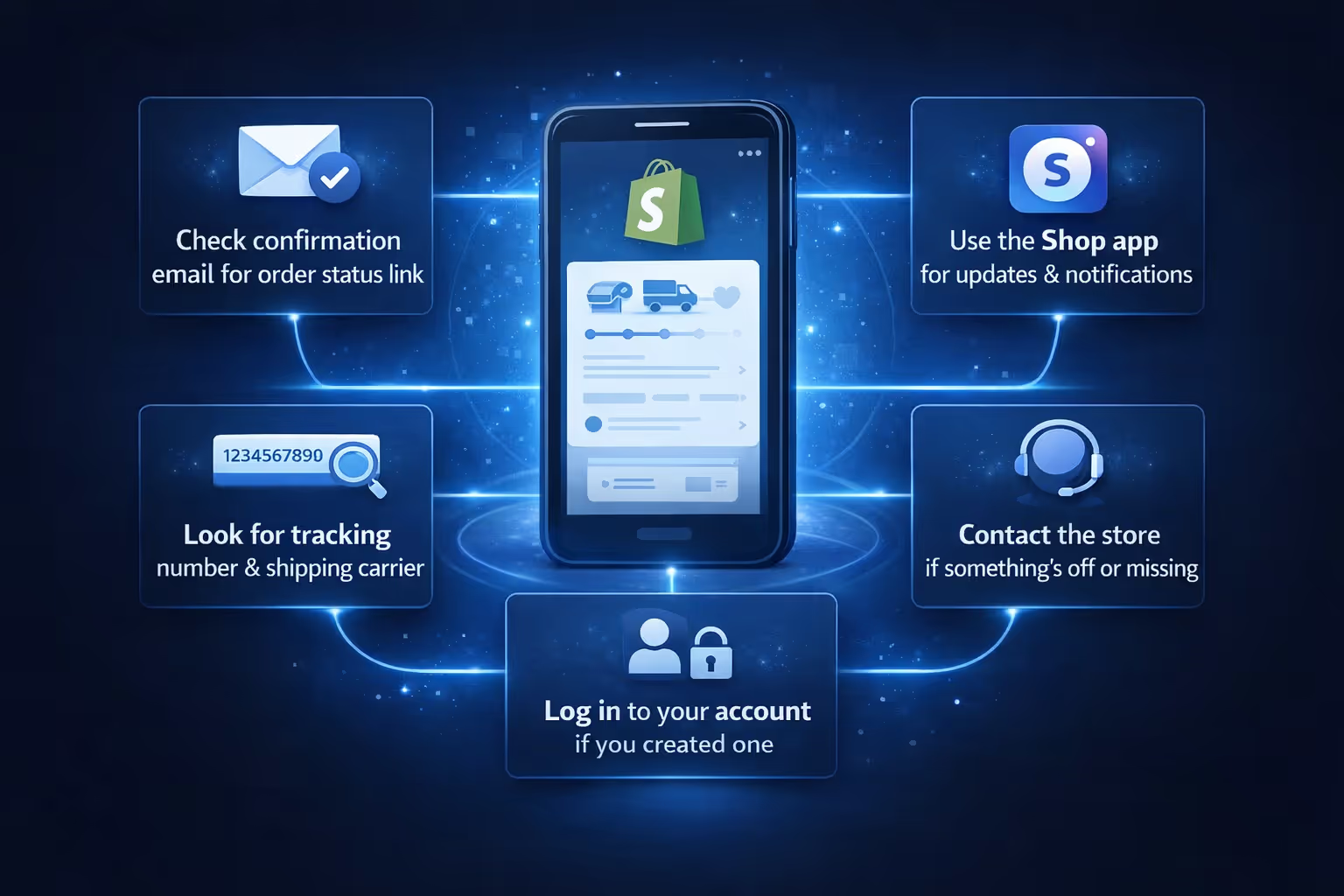
Here’s a recap of what to do when you want to track a Shopify order:
Tracking a Shopify order isn’t complicated once you know where to look. Between the order status page, tracking numbers, and the Shop app, there are multiple ways to stay in the loop. The trick is making sure the store provides the right info and the customer knows where to find it.
If you’re a buyer, bookmark the order status page or install the Shop app. If you’re a seller, take a few extra steps to make sure every order has tracking details added at fulfillment. It’s a small task that saves a lot of back-and-forth later.
Have questions that still aren't covered? It’s always okay to reach out directly to the store. Most Shopify merchants are quick to help when something goes missing.


