Leading Facebook Marketing Agencies in Singapore
Planning to scale in Singapore? Here’s a practical look at Facebook marketing agencies focused on real performance results.
Mar 21, 2026



Importing products from AliExpress to Shopify used to be a clunky, manual process. Lots of tabs. Copy-pasting. Hoping nothing breaks. But these days? You’ve got better tools, cleaner workflows, and a much faster path to getting your store live.
Whether you’re starting from scratch or testing a new niche, this guide walks you through how to pull products from AliExpress straight into your Shopify store, without overcomplicating it. We’ll cover both quick-start options and smarter ways to manage inventory, pricing, and fulfillment once the orders start rolling in.

AliExpress is a massive global marketplace full of low-cost products. But what makes it especially useful for Shopify store owners is how easy it is to test ideas, list new items quickly, and run a store without handling physical stock.
Why it pairs well with Shopify:
This setup means you can build a store, experiment with product lines, and scale without managing a warehouse or shipping center.
Before importing anything, make sure your store and accounts are ready to go. Rushing into product uploads without a clear plan usually creates more problems than progress.
Make sure you’ve got:
Also, check that your store includes a few essentials – like a refund policy, contact page, and working SSL certificate. These small things help build trust with first-time customers and reduce support issues later.
Since AliExpress doesn’t offer a built-in integration with Shopify, you’ll need to connect them using a third-party app or browser extension. These tools are designed to help you import products with one click, sync pricing and inventory with suppliers, automatically place orders when customers buy, and send tracking numbers back to Shopify.
Many of these tools offer free starter versions with basic functionality, along with paid tiers for bulk actions and advanced features. While you’re free to work manually, using one of these tools will save hours once you’re managing multiple products.
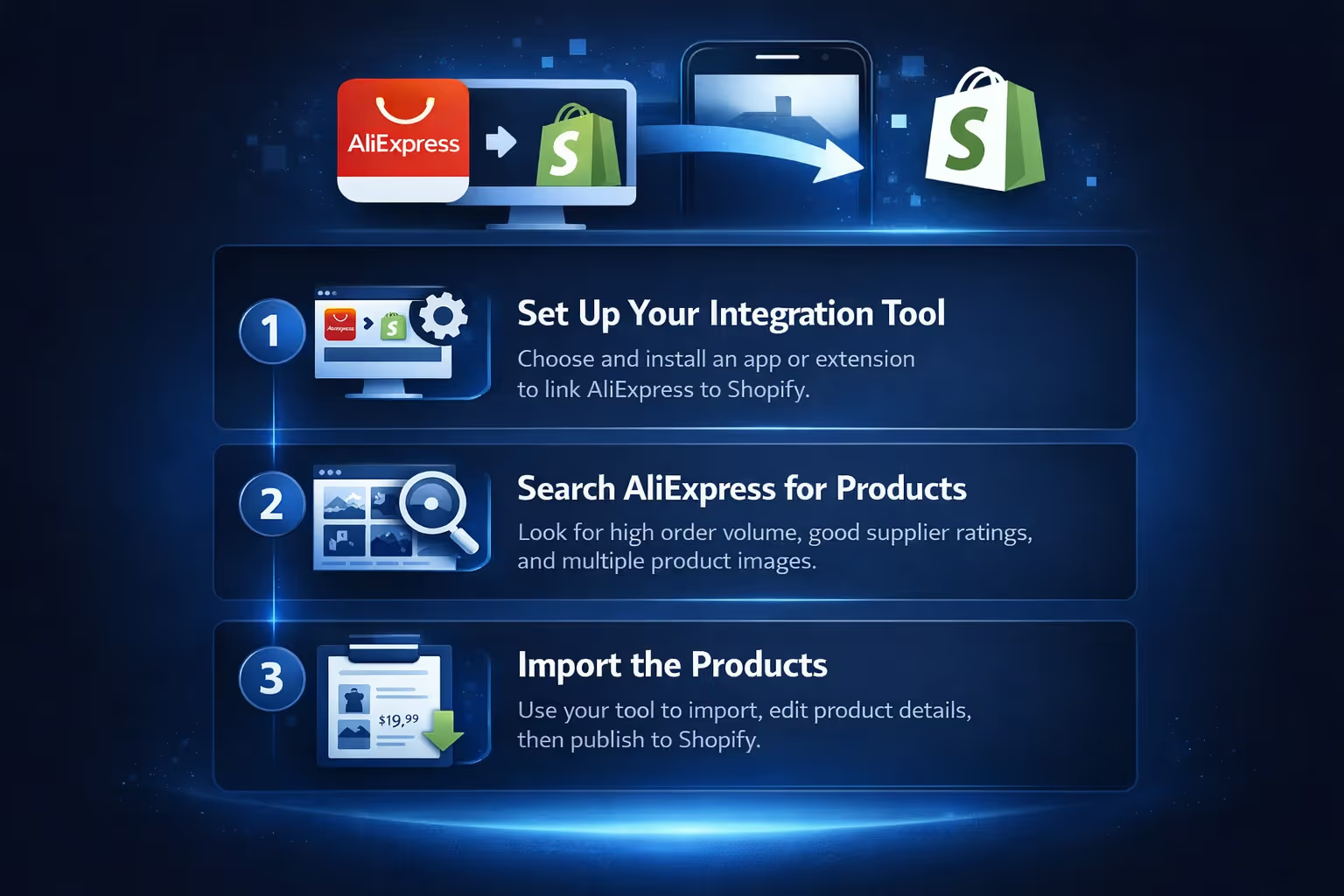
Here is a clear instruction you can use:
First, install a tool that lets you connect AliExpress to Shopify. You’ll find these in the Shopify App Store or via browser extension marketplaces. Once installed, follow the instructions to link your AliExpress account to the tool.
This creates a dashboard or interface inside your Shopify admin, giving you a place to manage imported products, orders, and sync settings.
Use the main AliExpress search bar or category filters to look for products that match your niche. Keep an eye out for:
It’s also smart to avoid branded items or anything that might violate copyright or trademark laws. Stick with generic, unbranded goods unless you have resale permission.
Once you’ve found an item, use your chosen tool to import it. Most tools let you do this with a single click or by pasting the product’s URL. The product is then added to your import list, where you can edit the following product title, description, images and media, pricing, variants, and sizes.
Once everything looks good, you can publish it directly to your Shopify store. Don’t rush through this. Every product listing is a chance to make a real impression.
If you manage the previous stages, it’s time to:
AliExpress product pages aren’t exactly known for compelling copy. Many listings are cluttered, awkwardly translated, or just plain confusing.
Instead of publishing them as-is, rewrite your product descriptions to reflect your brand voice and help potential buyers understand what they’re getting. A few tips:
If you want to go further, you can add custom images, graphics, or videos to help show the product in action.
You can price however you want, but most sellers apply a simple formula to make sure they’re covering costs and earning a margin.
For example:
Most tools allow you to set pricing rules that automatically apply your markup to any imported product. That means you don’t have to tweak prices one by one, especially if your supplier changes pricing later.
One of the biggest risks with dropshipping is selling something that’s no longer available. That’s why it’s important to keep your inventory synced.
Most import tools monitor stock levels and price changes on AliExpress and update your Shopify store automatically. If a product runs out, it’s marked as out of stock or hidden. If the price changes, your pricing rules can adjust your store price in real time.
This sync helps you avoid overselling, incorrect pricing, and refund headaches.
Once you’ve made a sale, the next step is fulfillment. This is where things can get messy if you’re doing everything manually. But with the right setup, the order process looks more like this:
Depending on your tool, some or all of this can be automated. At a minimum, your customer will be able to track their package without needing to ask you for updates.

Once your products are live and orders are flowing, the real challenge begins: figuring out which ones deserve more of your time, energy, and ad spend.
That’s where we come in. At Extuitive, we help Shopify brands forecast ad performance before anything goes live. You don’t need to launch ten campaigns and wait for the results. Our platform uses predictive models – trained on real-world ad data – to tell you which creatives and offers are likely to convert, and which ones won’t. That means fewer wasted clicks, faster test cycles, and more confidence in the campaigns you actually choose to run.
We know how tight margins can get in a dropshipping setup, especially when you're buying traffic to validate product ideas. By predicting CTR, ROAS, and audience performance before launch, we give you a clear signal of what to push and what to skip. It’s not just about saving money. It’s about moving faster and scaling what works without the guesswork.
AliExpress products usually ship from overseas, and delivery isn’t always fast. Expect 10 to 20 days for most standard shipments. That’s not a problem unless you fail to mention it.
Here’s how to handle it:
Some sellers also offer free shipping as an incentive, even if delivery takes a little longer. Just make sure expectations are aligned.
Dealing with returns in a dropshipping setup is a bit different. Since you don’t handle the inventory, you can’t inspect returned products or easily re-ship replacements.
Here’s what most stores do:
You’ll still need to communicate with your supplier in cases of defective items or shipping issues. Most AliExpress sellers are used to this and will either issue a refund or ship a replacement if the issue is valid.

If you’re testing a small number of products, you could technically:
It works, but it doesn’t scale. As soon as you’re getting regular orders or want to manage a large catalog, automation becomes essential. The time saved is better spent on marketing, branding, or customer service.
Importing products is just the beginning. To run a profitable, low-stress store, focus on building a process that runs smoothly over time.
Here’s what helps:
If you find a product that sells well, double down. Order samples, improve the product page, and consider branding the item over time.
Importing products from AliExpress to Shopify is one of the simplest ways to launch an ecommerce store without upfront inventory. But doing it right means more than just clicking “Import.”
It’s about choosing the right products, making them your own, automating the boring stuff, and building trust with every order. The tools are there to help you streamline the work, but your decisions are what turn a basic store into a real business.
Start with a handful of products. Focus on quality over quantity. And keep improving as you go.


