Marketing Ideas for Plastic Surgeons That Generate Leads
Discover proven marketing ideas for plastic surgeons in 2026. Learn strategies to attract more patients, boost online presence, and grow your practice ethically.
May 15, 2026



If you’ve ever needed help while running a store, live chat is usually the first thing you look for. It’s quick, direct, and doesn’t involve waiting days for an email reply. So it’s fair to ask the simple question most store owners eventually ask – does Shopify actually offer live chat?
Yes, but it’s a little more layered than it sounds. Depending on who’s asking and what kind of support they need, “live chat” can mean very different things. In this article, we’ll break it down in plain English so you know exactly what’s available, how to access it, and where it makes the most impact, whether you’re a store owner needing help or a merchant looking to chat with your customers.
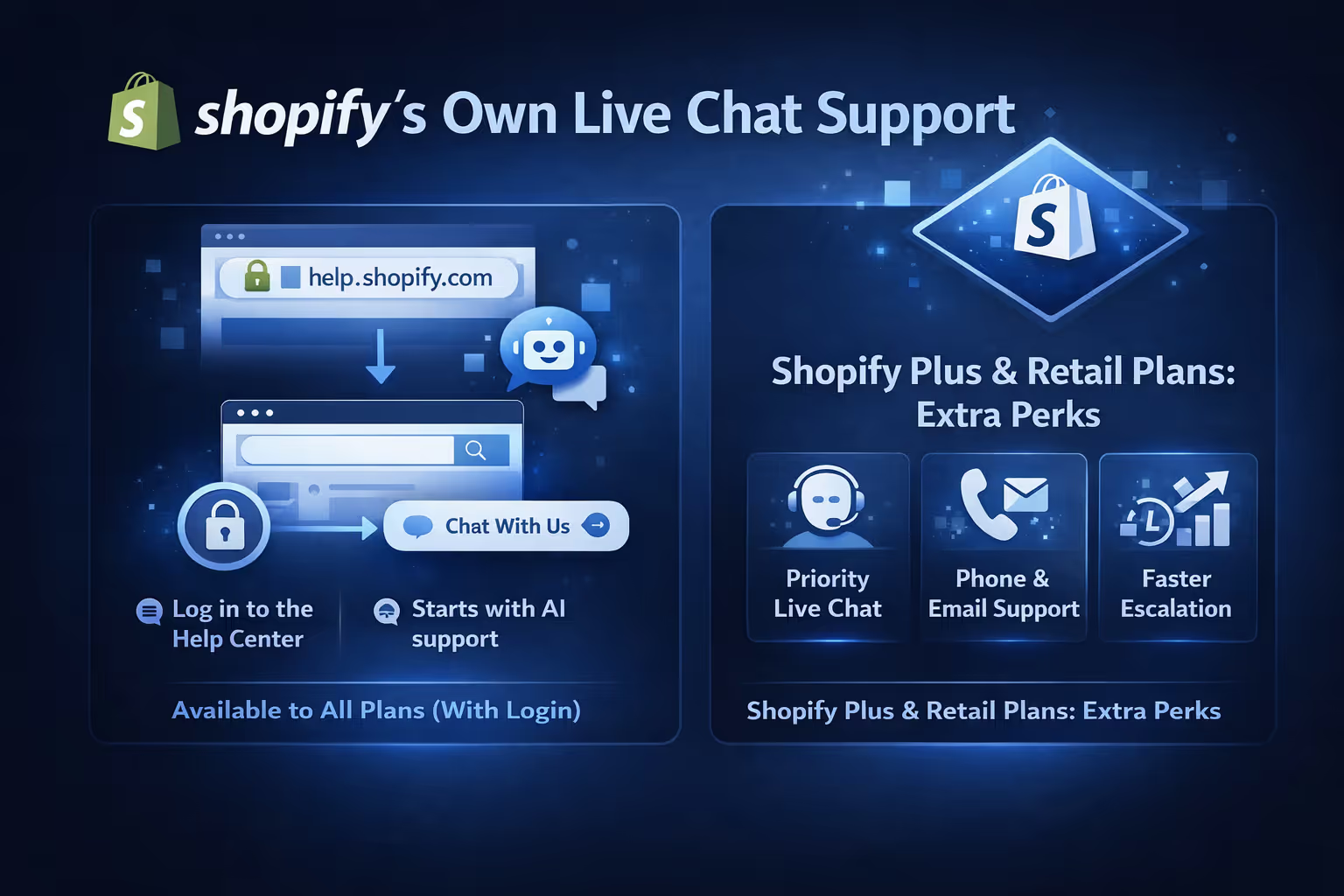
If you're running a store and you hit a technical issue, billing problem, or something strange with checkout, it’s natural to look for a live chat option. Shopify does offer 24/7 chat support, but how you access it and what you get depends on your plan.
It’s not a direct chat box right from the homepage. You’ll go through a process:
This setup filters out minor questions that don’t really need human input and helps prioritize actual issues.
If you’re on Shopify Plus or a Retail plan, you get:
These plans come with dedicated reps or enhanced support channels that go beyond the typical Help Center experience.
If you’re locked out of your store, you can still fill out a login issue form at help.shopify.com. However, submitting the form won’t automatically create a support ticket. You’ll need to wait for a response or try to recover access manually.
Live chat requires login, but if you’re locked out, you can fill out a recovery form. While this doesn’t start a live chat, it initiates the process of getting support.
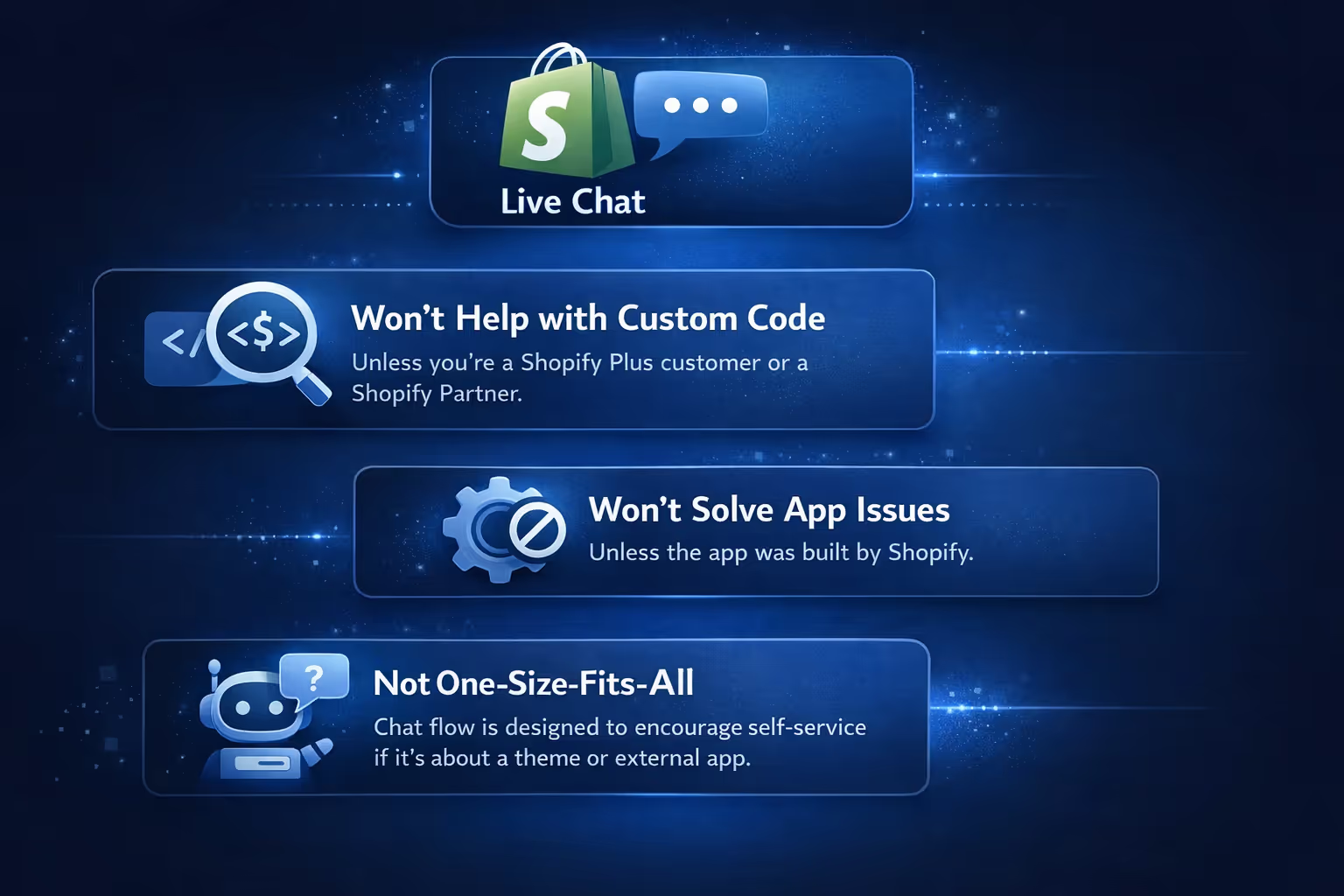
While the live chat support is helpful, it’s worth knowing what it doesn’t do:
In practice, this means that if your question is about something like a third-party theme or an external app, you’ll be redirected to contact those developers directly.
If you’re wondering how to offer your customers live chat on your Shopify store, the answer is yes, you can. Shopify provides its own native tool called Shopify Inbox, and it’s free.
Shopify Inbox is a messaging app that lets you:
It’s a simple but functional way to stay in touch with site visitors in real time. Messages go straight to your Shopify admin or the mobile Inbox app.
This tool is a good fit for small and medium stores that want to keep messaging under one roof without juggling third-party tools.
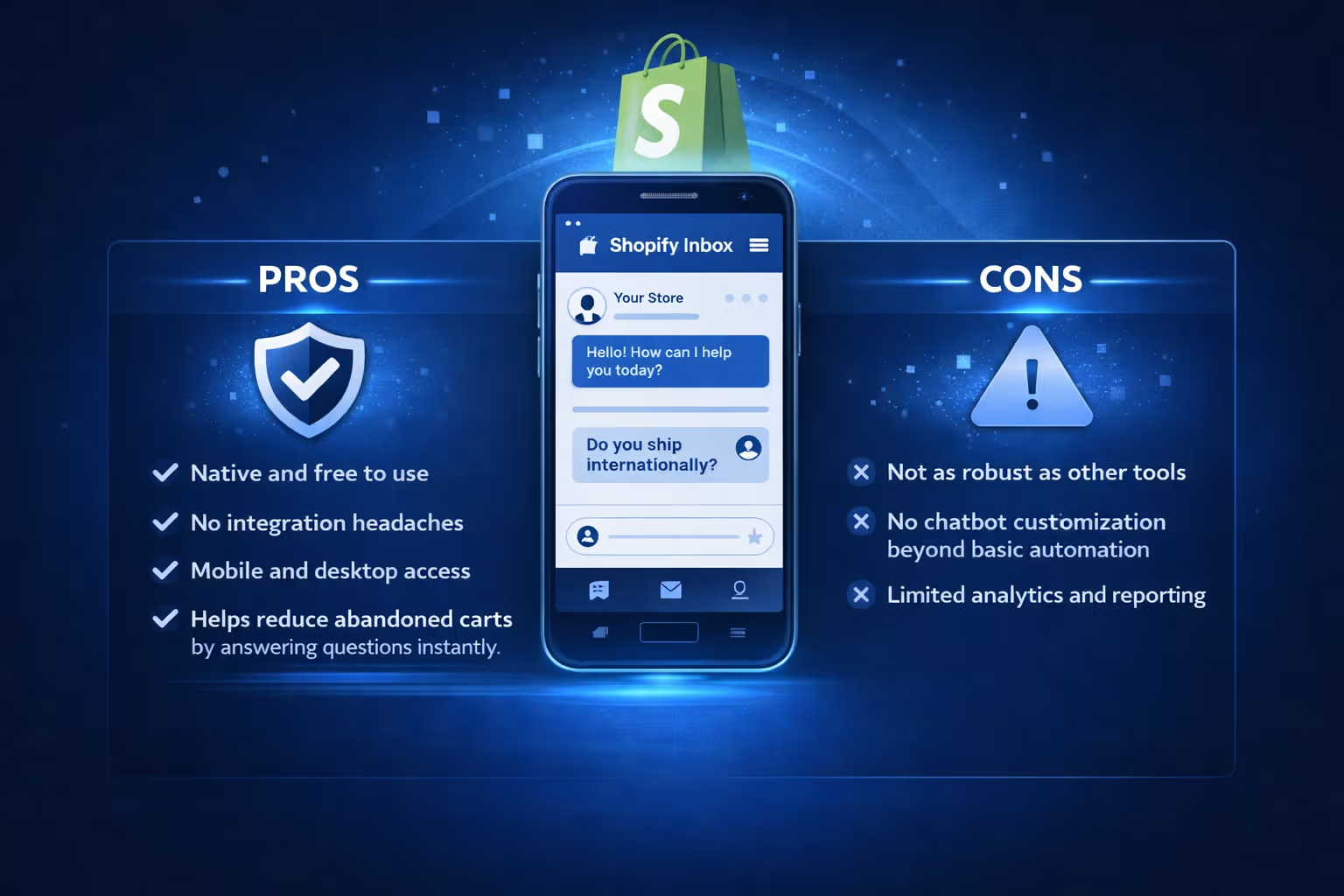
Pros:
Cons:
If you're running a high-volume support operation or want a more advanced ticketing system, you may still need a third-party solution.
Shopify also supports integration with external live chat platforms. If Shopify Inbox doesn’t give you the tools you need, you can try third-party apps.
These platforms often come with features like full support team collaboration tools, helpdesk and ticketing systems, deep analytics and tagging, and multi-channel messaging (email, chat, SMS, etc.).
Keep in mind that you’ll usually need to pay for these apps, and setup might involve more configuration.
Adding Shopify Inbox to your store is easy:
If you're using another app, follow their setup guides. Many offer Shopify-specific tutorials or one-click integrations.
Whether you're the one chatting with Shopify support or the one offering chat to your own visitors, it’s good to understand what people expect:
The truth is, even a short delay or a cold reply can cost a sale. Chat feels personal, and people expect a human on the other side, even if it starts with automation.
If you want to use live chat well, make sure:

If live chat is about helping customers in the moment, ad performance should be just as real-time. That’s where we come in.
At Extuitive, we help Shopify brands predict ad performance before they even hit publish. Using validated AI models, we forecast real-world results across your creatives so you’re not left guessing which ad will flop and which one might carry your next sales spike. You don’t need to run five versions and wait days for data. You can test thousands of creatives at once and get feedback on what’s likely to work before it costs you.
We built Extuitive for fast-moving brands that can’t afford wasted spend or delayed insights. Our tools help you reach the right people with the right message while your support team handles the rest in real-time. Live chat builds trust on your site. Extuitive makes sure your ads are doing the same before they even go live.
So, does Shopify have live chat? Yes, but it depends on the context. If you’re looking for help from Shopify, there’s 24/7 chat support for all logged-in users, with extra features for Plus and Retail customers. If you’re trying to chat with your store’s visitors, Shopify Inbox gives you a built-in option to handle conversations directly.
It’s not just about whether live chat exists – it’s about how well it fits your workflow. And in most cases, whether you're solving problems or closing sales, chat does more than just fill a support gap. It builds trust in real time.
If you're using Shopify, knowing where live chat fits on both sides of the equation helps you make the most of it – both as a merchant and as a customer.


