200+ Beauty Store Name Ideas That Convert
Discover 200+ creative beauty store name ideas for makeup, skincare, and wellness brands. Get inspired with naming tips that help you stand out.
Apr 9, 2026



If you are choosing between WordPress and Shopify, SEO is usually one of the first things that comes up. Both platforms promise solid visibility in search, but they get there in very different ways.
Shopify focuses on speed, structure, and simplicity. WordPress leans into flexibility, content depth, and control. Neither approach is wrong, but they suit different types of businesses and different SEO strategies.
This article looks at WordPress and Shopify through a real SEO lens. Not feature lists or marketing claims, but how each platform actually behaves when you are trying to grow organic traffic over time.
Before diving into the SEO battle, let’s clear up what each platform actually is.
WordPress.org is an open-source content management system (CMS) known for its flexibility and massive plugin ecosystem. It's not just for blogs – many eCommerce sites use WordPress with plugins.
Shopify is a hosted eCommerce platform. It's designed specifically for online selling, with hosting, security, and sales tools all built in.
Both support SEO, but they go about it in very different ways.
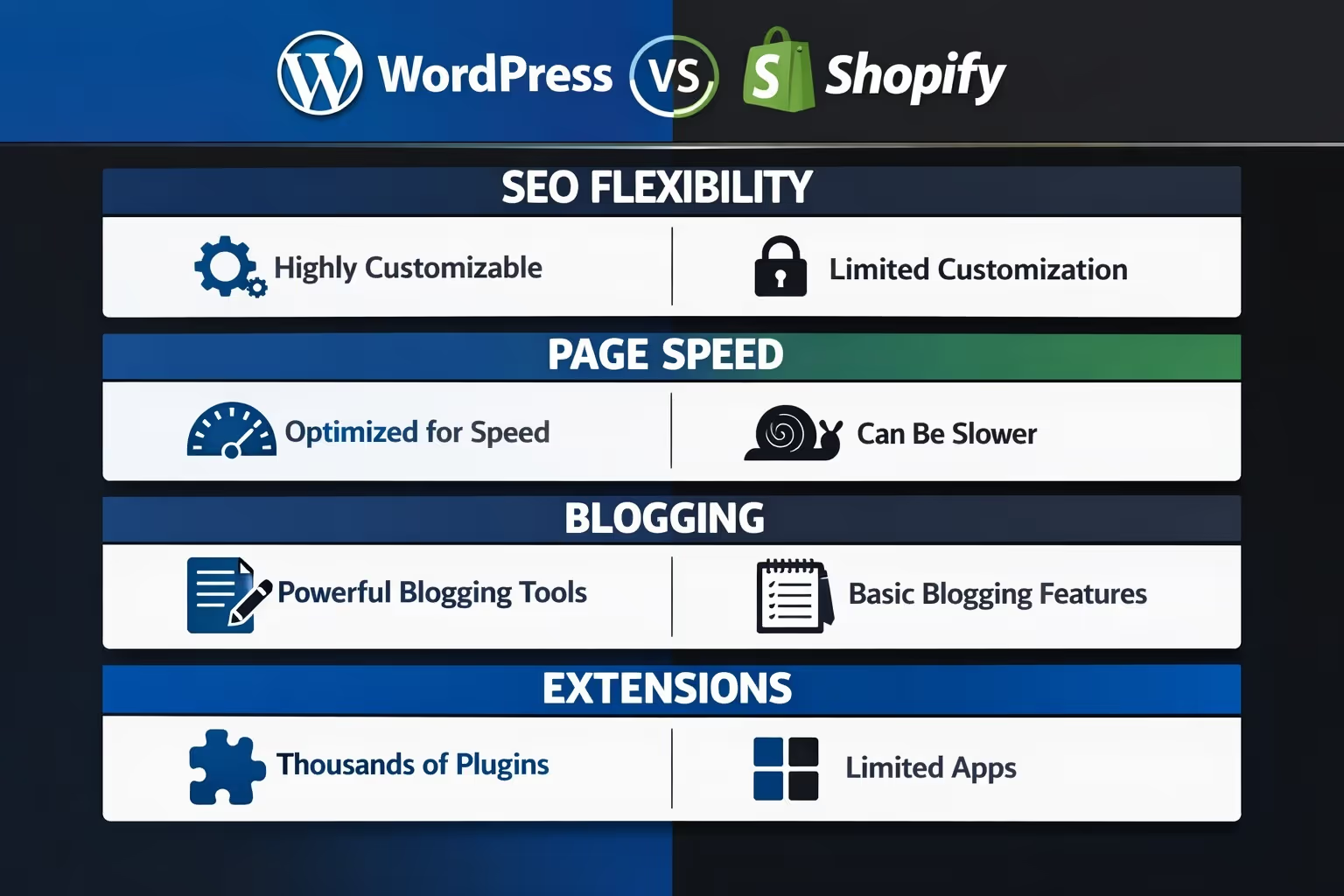
While both platforms offer ways to build a strong SEO foundation, they go about it differently. WordPress gives you more flexibility, but it often requires hands-on work or plugins to reach full potential. Shopify, on the other hand, simplifies things with built-in SEO tools, though that can come with some trade-offs. Let’s break down the core differences so you know what to expect before committing.
One of the most important things in SEO is having full control over how your pages are structured and optimized. Let’s compare:
With WordPress, you get nearly full control. You can:
WordPress gives you access to the actual code and database of your site, which means you can tweak just about anything if needed. For advanced users or SEO pros, this is a big plus.
Shopify also lets you set meta titles, descriptions, alt text, and URLs for most pages. But there are limits. For example:
Shopify is simpler, but it comes at the cost of flexibility. For beginners, the limited options might actually be helpful, but for more seasoned SEOs, WordPress offers more room to work.
Site speed is a ranking factor and impacts user experience. Let’s talk about tech.
Shopify handles all hosting and performance optimization for you. Its themes are generally fast, and you don't need to worry about caching plugins or server setups. Plus:
So for users who just want something fast and reliable without tinkering, Shopify makes things easy.
With WordPress, performance is your responsibility. That’s not a bad thing – it just means:
With the right setup, WordPress can be just as fast or even faster than Shopify. But it does take more work.
If content is part of your SEO strategy, blogging tools matter.
This is where WordPress shines. It started as a blogging platform and still leads the way. Features include:
If long-form content, tutorials, or guides are part of your strategy, WordPress is hard to beat.
Shopify includes a basic blog feature, but it’s not the platform’s focus. You can still:
It’s fine for occasional posts or announcements, but it’s not ideal for large-scale content marketing.
Both platforms offer add-ons, but the ecosystems are different.
WordPress has thousands of plugins – free and paid – covering just about everything in SEO:
You can stack plugins, use code snippets, or hire a developer to extend functionality however you like.
Shopify’s app store is more curated and mostly focused on eCommerce:
The app selection is solid, but not as deep or customizable as WordPress. Also, many apps come with monthly fees.
Clean, logical URLs help SEO. Here’s how each platform handles them:
WordPress: You can create custom permalinks for posts, pages, and products (if using WooCommerce). It’s easy to keep things clean and descriptive.
Shopify: Certain URL structures (like /products/, /collections/, /blogs/) are locked in. You can customize slugs, but not the full path.
This isn’t a dealbreaker, but if you’re picky about URL structure, WordPress wins on flexibility.
Rich results like star ratings or FAQs in Google search often depend on schema.
WordPress: You can add custom schema manually, use plugins, or work it into your theme. Full control is possible.
Shopify: Some themes and apps add product schema by default. Adding custom schema across other parts of your site requires workarounds or developer help.
So again, Shopify handles basics well, but WordPress gives you more control and precision.
Controlling what search engines index matters for SEO hygiene.
WordPress: You can control indexing at a granular level with plugins or robots.txt edits. You can also create XML sitemaps via plugins.
Shopify: It auto-generates sitemaps and handles indexing rules, but you can’t edit everything directly. Some rules are baked in.
WordPress provides more options for technical SEO. Shopify offers convenience and automation.
Going global? Here’s what you need to know.
WordPress: With plugins, you can build fully localized sites with hreflang tags, custom domains, or subdirectories. It’s more work but highly flexible.
Shopify: You can translate your store using Shopify Markets or apps. Shopify has improved here recently, but advanced control is still limited compared to WordPress.
If multilingual SEO is a core strategy, WordPress is better equipped.
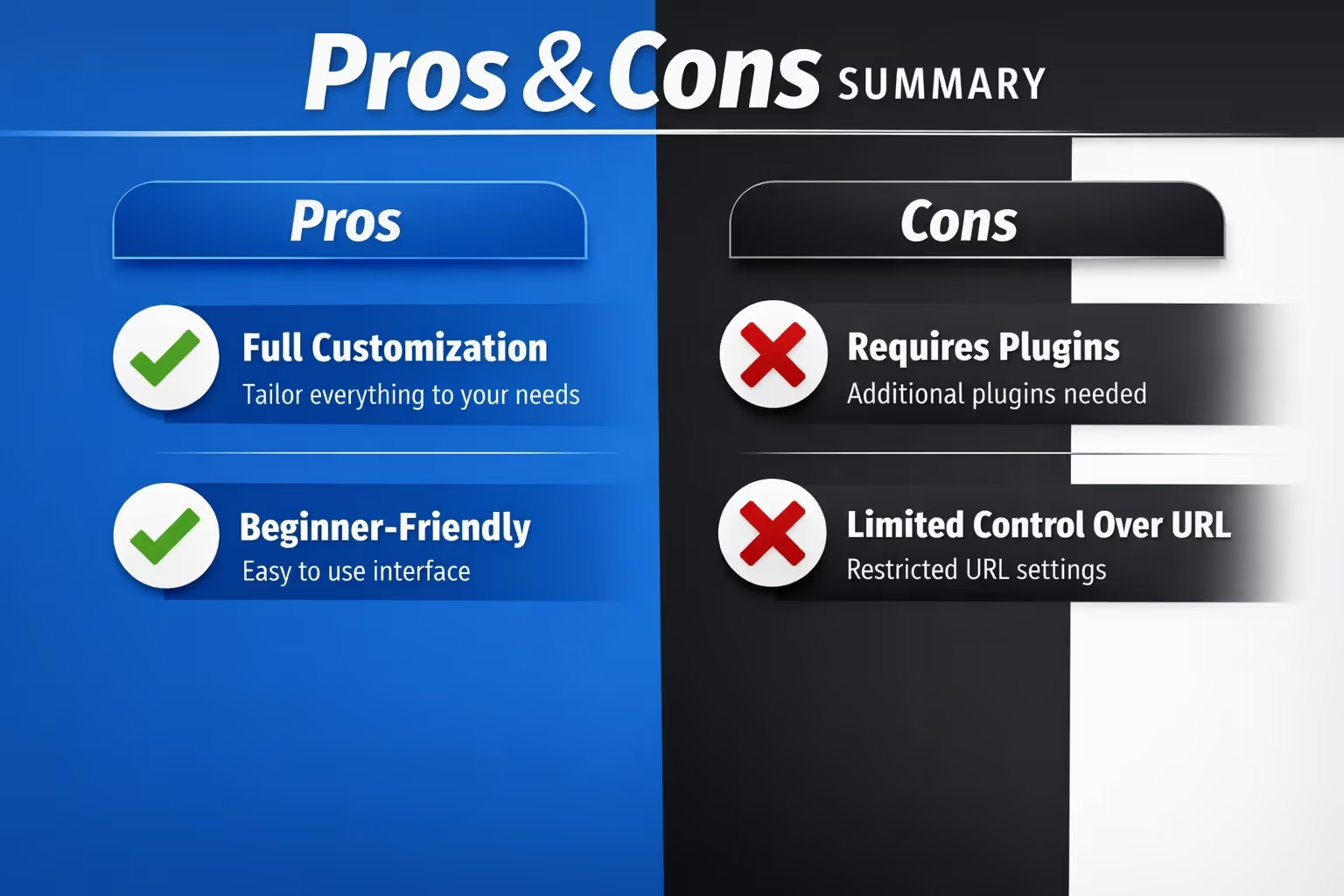
At the end of the day, Shopify takes more of a “done-for-you” approach. WordPress leans toward “do-it-yourself” – for better or worse.
Shopify is built for eCommerce first and SEO second. It handles the essentials and avoids complexity, but you hit walls if you want to push deeper.
WordPress gives you a blank canvas. It takes more time and technical effort but gives SEO specialists everything they need to fine-tune.

At Extuitive, we don’t directly change how Shopify or WordPress handle SEO on a technical level. What we focus on is what happens right before traffic even gets to your store. Our AI-powered prediction engine helps you figure out which ad creatives are worth launching in the first place, so you're not spending budget driving traffic to pages that aren't ready or aligned with user intent.
Because our platform integrates directly with Shopify, we’re able to analyze your products, target audiences, and creative assets to forecast real-world ad performance before anything goes live. This kind of pre-launch insight helps teams avoid the guesswork that often leads to poor click-through rates or irrelevant visitors landing on your product pages.
In the context of SEO, this matters more than you’d think. If your ads send the wrong people to your site, metrics like bounce rate and dwell time can suffer, which search engines pick up on. We help close that gap between audience interest and on-site experience, supporting your SEO goals before the user even reaches your homepage.
If SEO is a major focus and you want full control over every ranking factor, WordPress is the better platform. It’s especially strong if content marketing, blogging, or technical SEO are core to your strategy.
If you want a simple, solid SEO setup out of the box with minimal effort, Shopify does a great job, especially for smaller stores or those who don’t want to get into the weeds.
Ultimately, the best platform for SEO isn’t just about features – it’s about fit. Think about how hands-on you want to be and how central SEO is to your long-term growth.


