Best CRM for Shopify: Top Platforms to Level Up Your Store in 2026
Looking for the best CRM for Shopify? Discover top platforms that sync data, automate marketing, boost retention, and drive sales for your store in 2026.
Mar 24, 2026



If you search for opinions about Shopify and SEO, you will quickly find strong takes on both sides. Some say Shopify is perfectly fine for ranking on Google. Others claim it quietly holds stores back once they start growing. The truth sits somewhere in the middle.
Shopify is not bad for SEO in the way people often mean it. It does not block rankings or sabotage search visibility. But it does make certain decisions for you, and those decisions matter more as your store gets bigger and more complex.
This article looks at Shopify SEO without hype or fear. Not to sell tools. Not to defend a platform. Just to explain what Shopify actually does well, where it creates friction, and when those trade-offs start to matter.
Shopify comes with several SEO-friendly features by default. You can:
For most small to medium-sized stores, that’s enough to get started. You can optimize products, collections, and blog pages with standard SEO tactics. Many themes are responsive and load quickly, which helps with mobile performance and Core Web Vitals.
But while Shopify checks some SEO boxes automatically, that doesn’t mean it’s perfect.
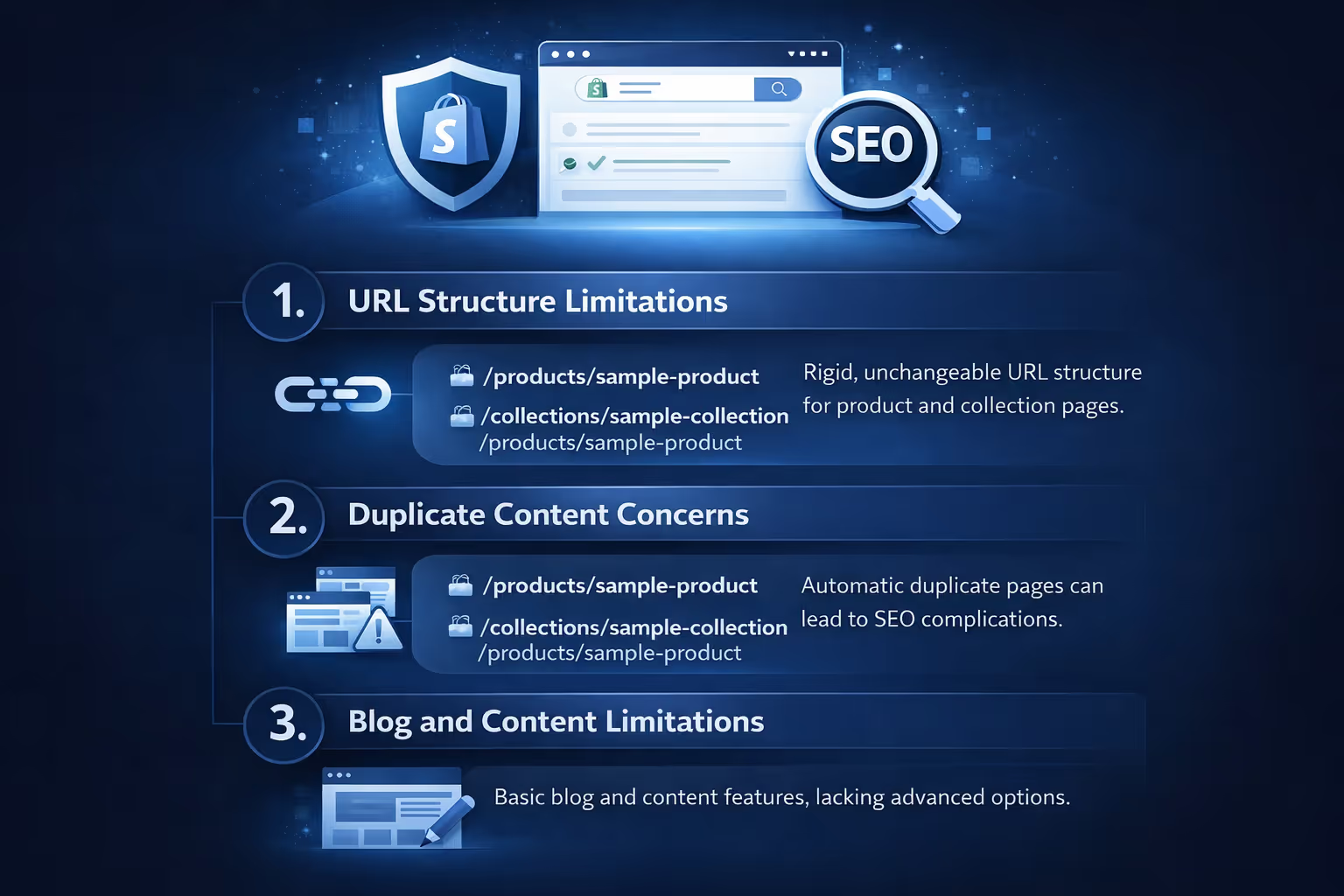
No platform is perfect, and Shopify’s no exception. While it covers a lot of the basics out of the box, there are some quirks and restrictions that can quietly hold you back if you’re not paying attention. Here’s where things can get a little frustrating, especially from an SEO perspective.
This is one of the most widely mentioned SEO drawbacks. Shopify forces a rigid URL format for product and collection pages. For example:
You can’t remove /products/ or /collections/ from the URLs. This may not destroy your rankings, but it gives you less control over site structure and keyword placement. Some SEOs consider cleaner URLs to be better for both users and crawlers, though Google has said the structure itself won’t tank rankings.
Shopify automatically generates multiple versions of some pages. For instance, the same product can appear at multiple URLs:
By default, canonical tags point to the product URL, which helps reduce issues. Still, if you’re not careful, you might end up with overlapping content on collections or filtered views. SEO-conscious merchants often need to review canonicals and limit indexing of unnecessary pages.
Shopify’s built-in blog tool works, but it’s basic. You can publish posts and add meta info, but you don’t get advanced content layout options or structured data support without custom coding or apps.
If content marketing is a big part of your strategy, you may find Shopify’s blog restrictive. Some users even run their blogs on separate platforms like WordPress to get more flexibility.
Shopify stores often load fast, especially on well-coded themes and with good image optimization. But not all themes are created equal. Some third-party themes or apps can slow things down significantly.
Site speed matters for SEO, and Shopify does try to help here. Features like global CDN, lazy loading, and automatic image compression are useful. But you still need to be mindful about app bloat – every app adds scripts, and too many scripts can impact load times and interactivity.
If performance is a key concern, go for leaner themes and avoid unnecessary third-party add-ons.
Shopify has made progress in supporting multilingual and multi-region SEO, but it still isn’t perfect.
If you're running a store targeting several countries or languages, expect to spend extra time on proper structure, tagging, and ensuring you’re not confusing Google with conflicting signals.
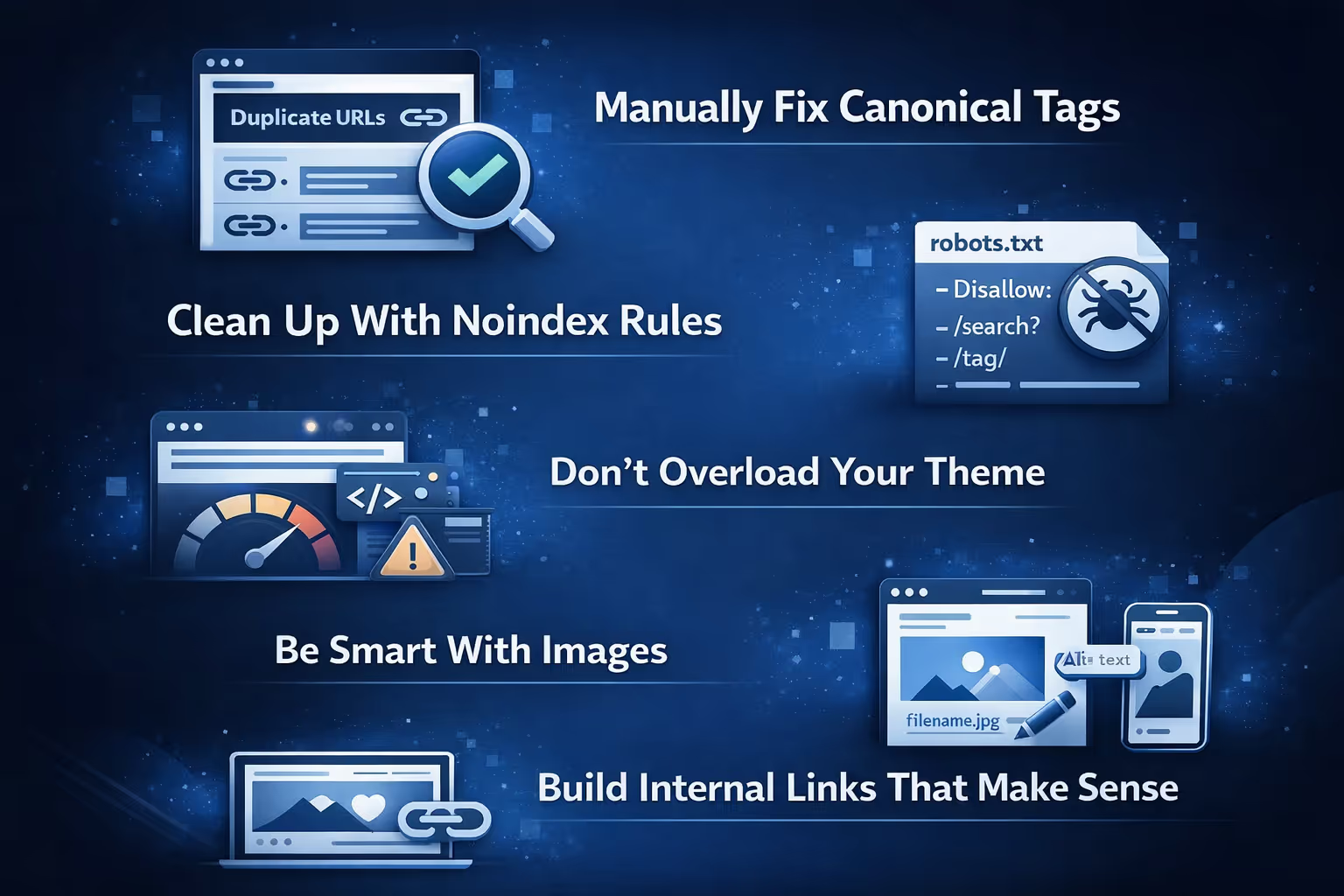
Shopify isn’t broken from an SEO perspective – it just needs a bit more hands-on care in certain areas. Here are some things that store owners and SEO pros commonly do to improve their Shopify SEO setup:
Shopify generates canonical tags automatically, but sometimes they’re not ideal. For example, a product might live in multiple collections and end up with duplicate URLs. Adding custom canonical tags can help consolidate ranking signals and avoid duplicate content issues.
You don’t need Google indexing every filtered collection or tag page. Shopify now lets you edit your robots.txt file, so you can add noindex rules to low-value pages like internal search results or thin tag pages. This focuses search engine attention where it matters.
Too many apps and scripts can make your store sluggish. That hurts your Core Web Vitals, which are now part of Google’s ranking signals. Try to keep your theme clean and only use apps you actually need. Faster sites not only rank better, they feel better to shop on.
Every image on your site should pull its weight. Use clear, descriptive filenames instead of random numbers. Fill in the alt text for every image manually. It helps with accessibility and gives search engines more context for image rankings.
Don’t just rely on your navigation menu. Use links between related collections and product pages to help both users and search engines move around your site. This can improve crawl depth, page authority, and time on site.

We’ve spent a lot of time talking about the technical side of SEO on Shopify, but let’s not ignore how creative decisions play a role in your store’s visibility. Titles, descriptions, hero images, and value props all influence clicks. And yet, most brands test these things only after the page is live, or worse, once paid ad dollars are already spent. That’s where we come in.
At Extuitive, we help Shopify sellers validate ad and page concepts before launch. Instead of A/B testing in front of real customers or relying on gut feelings, our platform shows you which version of a message or visual is most likely to work across different audience profiles. We simulate engagement and preference testing, giving you clarity on how your ideas might perform before they ever go live.
This kind of insight matters because Shopify doesn’t always make it easy to iterate quickly. Whether you're stuck in a rigid theme or working with limited app functionality, testing can feel like a bottleneck. We aim to remove that friction. You can bring your ideas to the table, run them through our system, and get confident answers on what’s worth rolling out. It’s one less blind spot in your SEO and conversion strategy.
No, it’s not bad, but it’s not perfect either. For most e-commerce brands, Shopify offers enough out-of-the-box SEO tools to compete in search. But if you’re serious about SEO, especially technical SEO, you’ll hit some walls.
What matters most is knowing those walls exist and having a plan to work around them. SEO on Shopify isn’t automatic, and it’s not something you “set and forget.” But with the right approach, it’s more than capable.
If you’re running a small store, sticking to basic optimization (titles, descriptions, alt text, etc.), you’ll probably do fine. Shopify’s built-in tools and app ecosystem can take care of most of what you need.
If you’re scaling into multiple markets, publishing content aggressively, or need fine-tuned technical SEO controls, you’ll start to feel the platform’s limits.
It’s not about Shopify being “bad” for SEO. It’s about understanding the trade-offs. And like with any platform, success comes from knowing how to use the tools you have.


