Agentic AI vs AI Agents: Key Differences in 2026
Discover the critical differences between agentic AI and AI agents, their architectures, use cases, and how to choose the right approach for your organization.
Apr 10, 2026



Short answer: yes, Shopify is a website builder. But it doesn’t behave like the typical ones people usually have in mind.
When most people hear “website builder,” they think of tools made mainly for pages, layouts, and visuals. Shopify approaches the idea from the opposite direction. It starts with selling, then wraps the website around that goal. That difference matters, especially if the site is meant to make money rather than just exist.
At its core, Shopify gives you the tools to build a full website without code. You can design pages, customize layouts, publish content, and connect a domain. The key distinction is that everything is built around commerce first. The site, the checkout, the payments, and the backend all come as one system, instead of separate pieces you have to stitch together later.

Before looking at Shopify specifically, it helps to clarify what most people expect from a website builder.
In general, a website builder is a tool that lets you create and publish a website without writing code. That usually includes:
For many builders, the website itself is the main product. You design pages, add text and images, publish, and that is essentially the end goal. Any extra features like forms, blogs, or stores are often added later as optional modules.
Shopify approaches this from a different angle.
At its foundation, Shopify is built for running an online business. The website is not the final output. It is one part of a larger system that includes products, payments, checkout, shipping, taxes, customer management, and reporting.
This is why Shopify feels different from traditional website builders the moment you start using it. Instead of beginning with a blank page, you begin with a store structure. Products exist before pages. Checkout is already there. Payments are ready to be connected. The website builder then wraps design and content around that core.
You still get visual editing, themes, and page customization. But every design choice is anchored to commerce by default.

At Extuitive, we work with Shopify stores every day, and we see the same pattern over and over. Merchants can build a solid website quickly, but knowing which messages, visuals, and offers actually convert is where things slow down.
That’s where we come in.
We connect directly to your Shopify store and help you create, test, and launch ads without relying on guesswork or expensive consumer research. Instead of running ads blindly and waiting for performance data to trickle in, we simulate real customer reactions using AI agents modeled after thousands of real consumer profiles. This lets us predict how ads are likely to perform before real budget is on the line.
For Shopify merchants, this fits naturally into how the platform works. Shopify gives you the infrastructure to sell. We help you decide what to say and how to say it so the website actually does its job once people land on it.
Our approach focuses on a few core advantages:
When your website is built to support the business, the next step is making sure people arrive with the right expectations. That’s the gap we’re designed to close. Shopify handles the store. We help make sure the traffic hitting it is primed to buy.
Yes, it is. Shopify allows you to:
From a functional standpoint, it meets every requirement of a modern website builder.
The difference is not whether Shopify can build a website. The difference is why it builds one.
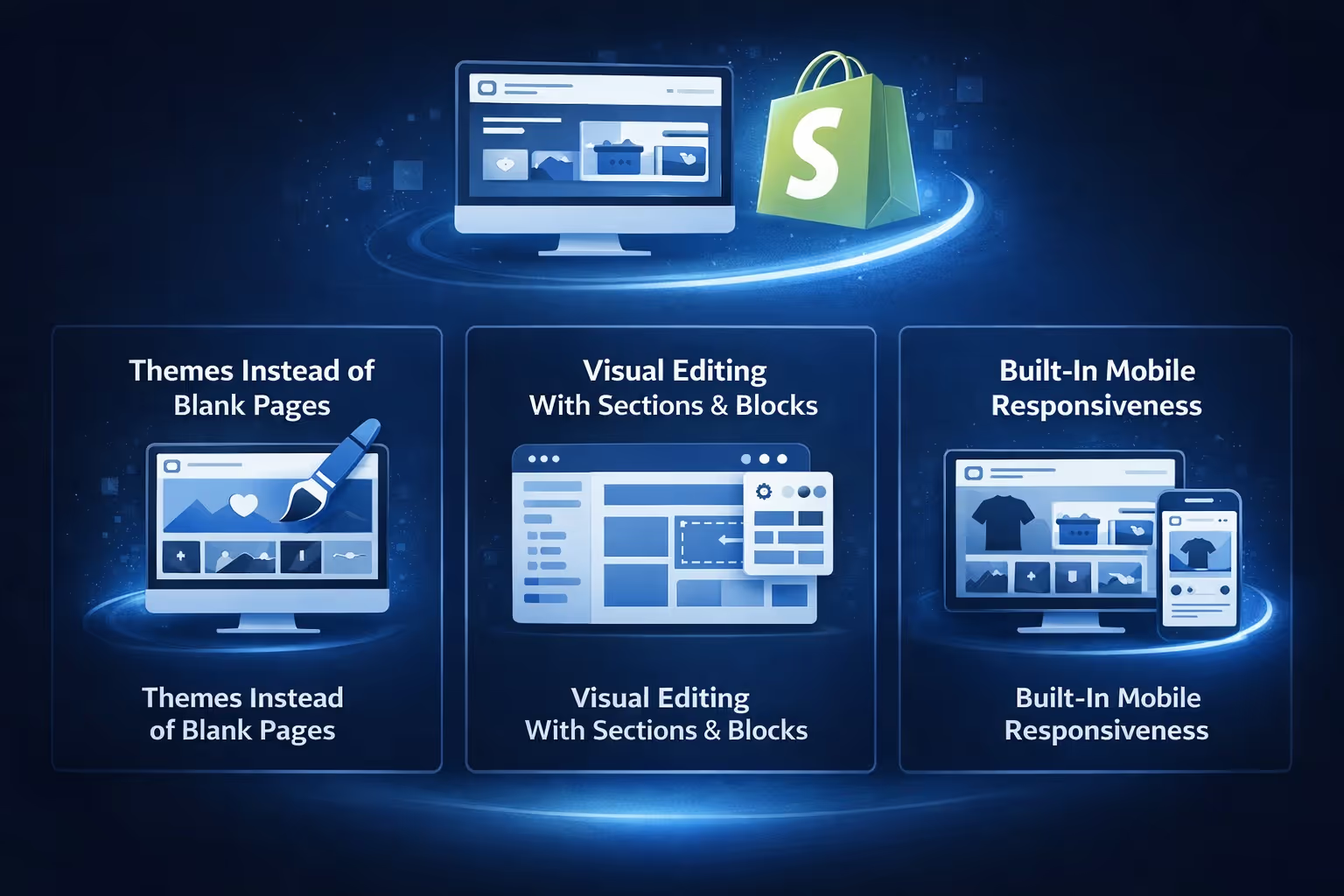
To understand Shopify as a website builder, it helps to walk through how the system is structured.
Shopify websites are built on themes. A theme defines the overall layout, styling, and structure of your site. This includes typography, spacing, product grids, headers, footers, and responsive behavior.
You can start with a free theme or purchase a paid one. Either way, themes are designed specifically for ecommerce. Product pages, collections, carts, and checkout flows are already considered in the layout.
This means you are not designing everything from scratch. You are adapting a structure that already understands how online stores work.
Instead of a traditional drag-and-drop canvas, Shopify uses sections and blocks. Pages are built from predefined components like hero banners, product grids, text blocks, image galleries, and featured collections.
You can reorder sections, hide them, duplicate them, and adjust their settings. Colors, fonts, spacing, and content can all be changed without touching code.
This approach is more controlled than free-form editors, but it also reduces the risk of breaking layouts or performance.
Shopify themes are mobile-first by default. You do not design a separate mobile site. The theme automatically adapts layouts, images, and interactions for different screen sizes.
This matters because a large share of ecommerce traffic comes from mobile devices. Shopify’s website builder treats that as a baseline requirement, not an optional setting.
Shopify is not limited to product pages. You can create standard content pages such as:
The built-in blog editor is simple but effective. It supports rich text, images, SEO fields, and basic organization. For stores that rely on content marketing or educational articles, this is often enough without needing external tools.
The key point is that content lives inside the same system as products and customers. There is no need to connect a separate CMS.
One reason many people choose Shopify as a website builder is that it removes technical overhead.
Every Shopify site includes:
You do not manage servers, performance tuning, or software updates. The website builder is tied directly to Shopify’s infrastructure, which is designed to handle traffic spikes, checkout loads, and global visitors.
For business owners, this changes how much time is spent on maintenance versus growth.
Shopify’s website builder includes basic SEO tools out of the box. You can edit:
Sitemaps are generated automatically, and themes follow SEO-friendly structures by default.
This does not mean Shopify replaces advanced SEO strategy, but it covers the fundamentals without requiring plugins or manual configuration. For many stores, that is enough to get visibility while focusing on products and marketing.
This is where the distinction becomes clearer.
Traditional website builders are designed to help you publish pages. Ecommerce features are often added later.
Shopify is designed to help you sell. The website exists to support that goal.
This affects everything from page layouts to navigation to how content is structured.
In many website builders, checkout functionality relies on third-party integrations. Shopify’s checkout is native, deeply optimized, and consistently updated.
This is one of the biggest differences. Even if two websites look similar on the surface, the underlying purchase experience can be very different.
Shopify’s app ecosystem allows you to extend the website builder in specific ways. You can add tools for reviews, subscriptions, personalization, translations, landing pages, and more.
Instead of building everything manually, you layer functionality on top of the core site.
In these cases, Shopify’s website builder is not a compromise. It often removes complexity instead of adding it.
Shopify prioritizes stability, performance, and conversion over total design freedom. That tradeoff is deliberate, and for the right use case, it is a strength rather than a limitation.
While Shopify’s website builder is designed for non-technical users, it does not block advanced customization.
Developers can:
This means a site can start simple and grow more complex over time without switching platforms.
From a long-term perspective, that flexibility is part of why Shopify is often described as more than just a website builder.
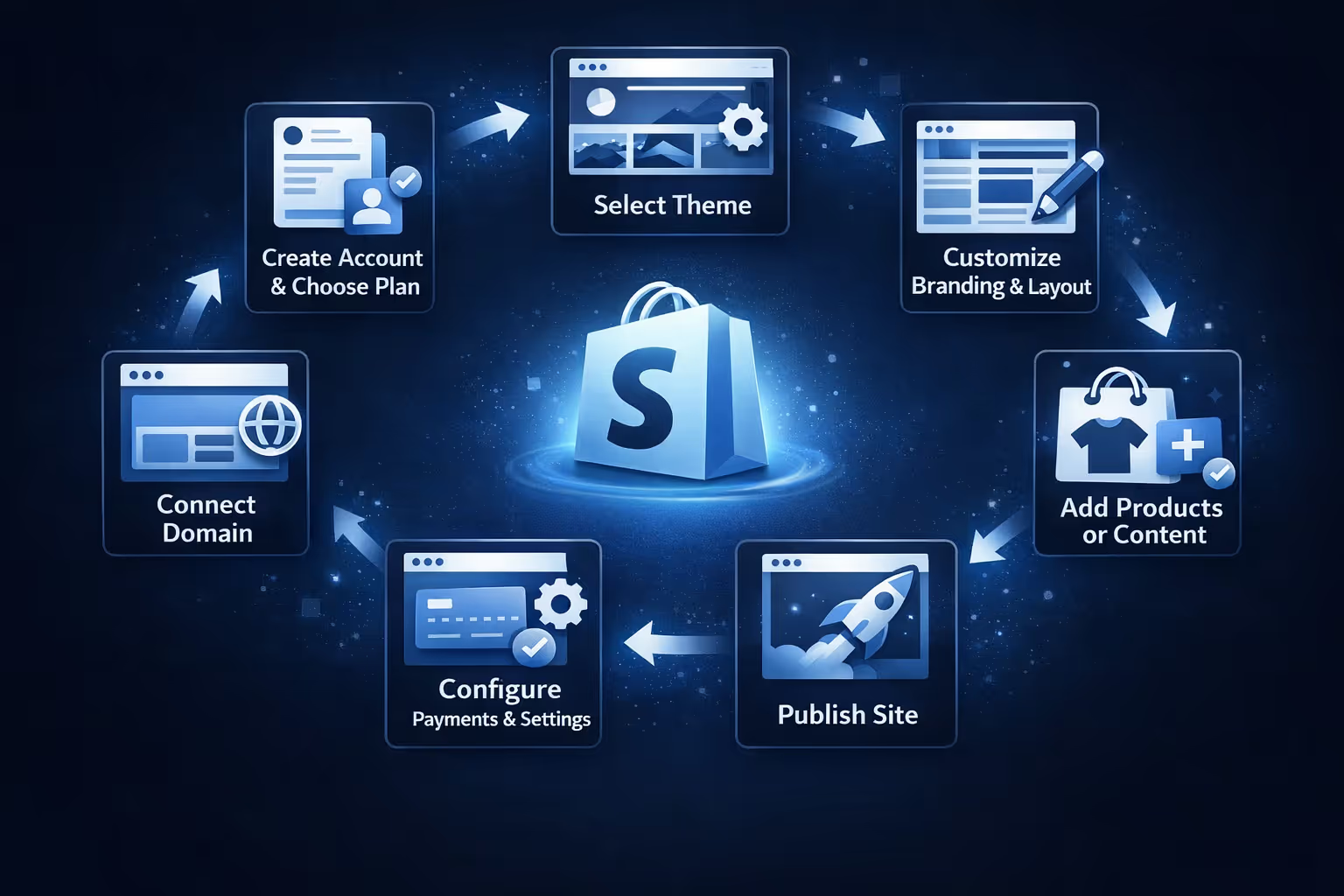
From a practical standpoint, building a website with Shopify usually follows this flow:
For a simple store, this can happen in a day. For more complex sites, it scales gradually without forcing a rebuild.
This is where Shopify’s website builder shows its strength. You do not outgrow it quickly.
If the question is purely technical, the answer is straightforward. Shopify is a website builder.
If the question is practical, the answer depends on intent.
Shopify builds websites that are meant to operate as businesses. Design, content, performance, and infrastructure are all aligned around that purpose. It does not try to be everything for everyone, and that focus is exactly why it works well for ecommerce.
For anyone whose site needs to do more than just look good, Shopify’s version of a website builder often makes more sense than traditional alternatives.
Asking whether Shopify is a website builder is a reasonable starting point, but it does not fully capture what the platform offers.
Shopify builds websites, yes. But more importantly, it builds systems where the website, checkout, payments, and operations work together without friction.
If your goal is to publish pages, there are many tools that can do that. If your goal is to build something that sells, grows, and holds up over time, Shopify’s website builder is designed with that reality in mind.
That difference becomes clearer the longer you use it.


