Marketing Ideas for Insurance Agents That Actually Convert
Discover proven marketing ideas for insurance agents including digital strategies, referral tactics, and automation tools that boost sales and profitability.
May 15, 2026



Selling digital products on Shopify sounds simpler than it feels. On paper, there’s no shipping, no inventory, no packing tape. In reality, most people get stuck on small things that aren’t obvious until something breaks. A missing setting. A confusing delivery email. A customer who paid and doesn’t know what happens next.
Shopify is very capable here, but it doesn’t hold your hand. It gives you the tools and expects you to assemble the workflow yourself. That’s not a bad thing, but it means the details matter more than the platform marketing suggests.
This guide walks through how selling digital products on Shopify actually works. Not the dream version. The practical one. What to set up, what to double-check, and what usually causes friction if you skip it.

Shopify does not have a dedicated digital product category. Every product starts as physical. A digital product is simply a standard product with shipping disabled and delivery handled elsewhere.
This distinction explains many common issues. Sellers assume Shopify understands intent. It does not. You must explicitly tell it what the product is and how it should be fulfilled.
In practice, digital products on Shopify usually fall into three functional groups:
Each group uses the same foundation but differs in delivery and communication. Treating them all the same usually leads to friction.

Before a digital product ever reaches Shopify, there is usually a lot of uncertainty around messaging, pricing, and what will actually convert. That is the gap we built Extuitive to handle.
Our platform uses an ecosystem of 150,000 AI consumer agents to pressure-test product ideas, ad concepts, pricing options, copy, and visuals in parallel. Instead of guessing which version might work, teams can explore multiple directions at once and see which ones consistently perform better based on real behavioral signals.
For digital products, this is especially useful. We help teams refine how a product is positioned, how it is priced, and how it is introduced to the market before they invest time in storefront setup, delivery apps, or subscriptions. By the time a product goes live on Shopify, the core decisions around framing and offer structure are already informed.
Extuitive handles the heavy lifting around ideation, iteration, and comparison across concepts, ads, and pricing models. That means fewer rewrites, fewer false starts, and a clearer path from idea to launch, while Shopify handles the commerce side.
Shipping is enabled by default for all products. If you forget to turn it off, Shopify behaves as if something needs to be shipped.
Leaving shipping enabled can lead to unexpected charges at checkout, orders stuck in unfulfilled status, or customers waiting for something that will never arrive. None of these feel like technical errors to customers. They feel like broken stores.
Every digital product and every variant must have shipping disabled. If your store has multiple digital products, the bulk editor is the safest option. It reduces human error and ensures consistency across your catalog.
This step is simple, but skipping it causes more issues than almost anything else.
Shopify does not deliver digital products on its own. This is a design choice, not a limitation.
Delivery logic lives in apps. That means no app, no delivery. Customers can pay successfully and still receive nothing if this step is skipped.
The free Shopify Digital Downloads app covers basic needs. It allows file uploads, attaches them to products, and emails download links automatically after purchase.
However, not every digital product should be delivered as a file. Before choosing an app, it helps to clarify what the customer expects immediately after checkout.
Not all digital products should be delivered the same way. Problems start when delivery methods are chosen for convenience instead of clarity.
For files, speed matters. Customers expect instant access. Delays feel like failures.
For ongoing access, downloads often feel awkward. Logging into an account is usually clearer and more intuitive.
For services, delivery is mostly communication. Customers need to understand what happens next, when it happens, and whether they need to take action.
Trying to force everything into a download link usually creates confusion and support tickets.
Most digital product issues are not technical. They are communication problems.
Customers pay, then wait. If the email they receive is vague, delayed, or unclear, they assume something broke.
Shopify sends order confirmation emails. Delivery apps often send their own messages. If these are not reviewed together, customers may receive conflicting instructions or duplicate notifications.
Every store selling digital products should review its emails from the customer’s perspective. Ask whether it is obvious what to do next and where the product lives.
For services, this step is critical. Customers need to know whether they must book something, wait for contact, or prepare in advance.
Digital products sold to customers in the EU are subject to VAT based on the buyer’s location, not the seller’s.
This rule applies regardless of where your business is registered. Ignoring it does not eliminate the obligation.
Shopify can calculate and apply VAT correctly, but only if tax settings are configured properly. Sellers planning to sell internationally should review these settings early, especially if digital products are the primary offering.
This is not an exciting part of the setup, but handling it correctly avoids serious problems later.
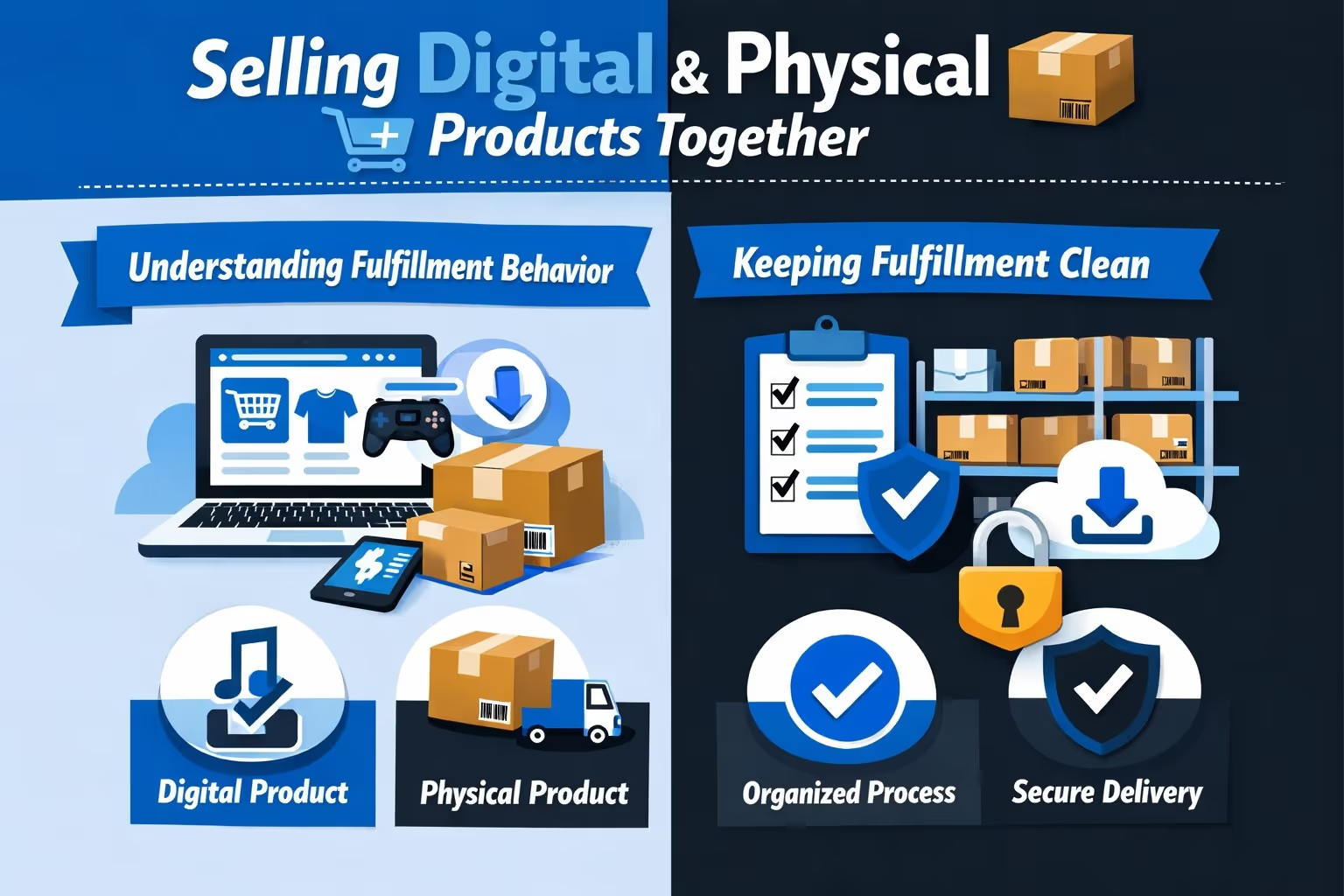
Many Shopify stores sell a mix of physical and digital products. This setup is fully supported, but it does introduce a few extra moving parts behind the scenes. The main difference shows up in how orders are fulfilled and how Shopify groups items once a purchase is made.
When an order contains both physical and digital items, Shopify decides how to display and process that order based on your fulfillment setup. If you use a third-party logistics provider, physical and digital items may appear together in a single fulfillment flow. In other cases, Shopify splits them into separate fulfillment steps, treating digital delivery and physical shipping as distinct actions.
This behavior is not random. It depends on how fulfillment locations are configured and whether an external provider is involved. If you are not aware of this, it can feel inconsistent from order to order.
If mixed orders are common in your store, assigning digital products to a dedicated fulfillment location is a simple way to reduce confusion. It creates a clear separation between items that need shipping and items that do not.
This separation helps prevent accidental fulfillment actions, such as marking an entire order as shipped when only the physical items have been sent. It also makes order management easier for anyone else who has access to your Shopify admin, keeping delivery logic predictable and reducing avoidable mistakes.
A product can look perfectly configured in the Shopify admin and still fail once a real customer tries to buy it. Settings that seem correct on the backend do not always translate into a smooth experience at checkout or after payment.
Before launching any digital product, place a test order from start to finish. Use a real email address, not a placeholder. Go through checkout exactly as a customer would, then slow down and review what happens next. Read every email that arrives. Click every link. Download or access the product the same way your buyer would.
Testing should be repeated whenever:
Most customer complaints do not come from edge cases or complex bugs. They come from small breaks in the purchase flow that would have been obvious during a simple test order.
Organization matters more with digital products than many sellers expect, especially once a store moves beyond one or two items. Early on, it is easy to remember where everything lives. Over time, that clarity fades.
Files get updated. New versions replace old ones. Products get renamed, bundled, or slightly reworked. Customers, however, expect uninterrupted access to exactly what they paid for, not whatever happens to be current today.
Clear product naming helps more than it seems. Customers should be able to recognize what they bought just by looking at their order history. Internally, consistent file naming and folder structure make updates safer and faster. This becomes critical when multiple products share files or when the same asset appears in several bundles.
Basic internal documentation also goes a long way. Knowing which app delivers which product, which files belong to which listings, and how updates are handled prevents accidental breakage. A messy digital catalog rarely breaks all at once. It erodes slowly, then becomes painful to untangle later. Setting things up cleanly from the start is far easier than repairing confusion at scale.
Pricing digital products often feels abstract because there is no inventory cost and no obvious baseline. That uncertainty pushes many sellers to underprice, hoping volume will make up the difference.
Digital products compete with free content. What customers are paying for is not the file itself, but the structure, clarity, and time saved by using it. File size, production effort, or page count rarely matter as much as the outcome the product delivers.
Pricing works best when it reflects how people actually use the product. Common approaches that tend to scale better include:
Price sends a signal. Too low can suggest low value or incompleteness, while too high without justification creates hesitation. The goal is not to guess perfectly, but to price in a way that aligns with the product’s role in the customer’s workflow and the problem it solves.
Digital products are easy to copy, and there is no setup that fully prevents this. Trying to eliminate piracy entirely usually leads to complicated systems that frustrate paying customers more than they stop misuse.
Shopify apps offer basic protection options such as download limits, expiring links, or license keys. Used thoughtfully, these features discourage casual sharing without getting in the way of legitimate access. For most stores, this level of protection is enough.
Problems tend to appear when protection becomes the main focus. Excessive restrictions can make honest customers feel punished, especially if they need to re-download a file or access content across multiple devices. In many cases, piracy is better addressed by delivering clear value and maintaining a positive experience. People are less likely to misuse products they find genuinely useful and easy to access.
Subscriptions work best when the value of a digital product continues over time. Regular updates, expanding libraries, ongoing education, or continuous access to tools and communities are all strong reasons for recurring payments.
For products that are meant to be downloaded once and used independently, subscriptions often create friction. Customers may feel locked in or confused about what they are paying for after the initial purchase. In these cases, a one-time price or optional upgrades usually feel more fair and transparent.
Shopify supports subscription products well, but the technical ability to charge monthly does not mean every product should. The model should match how the product evolves and how customers expect to use it. Choosing the right structure matters more than maximizing lifetime value on a spreadsheet.
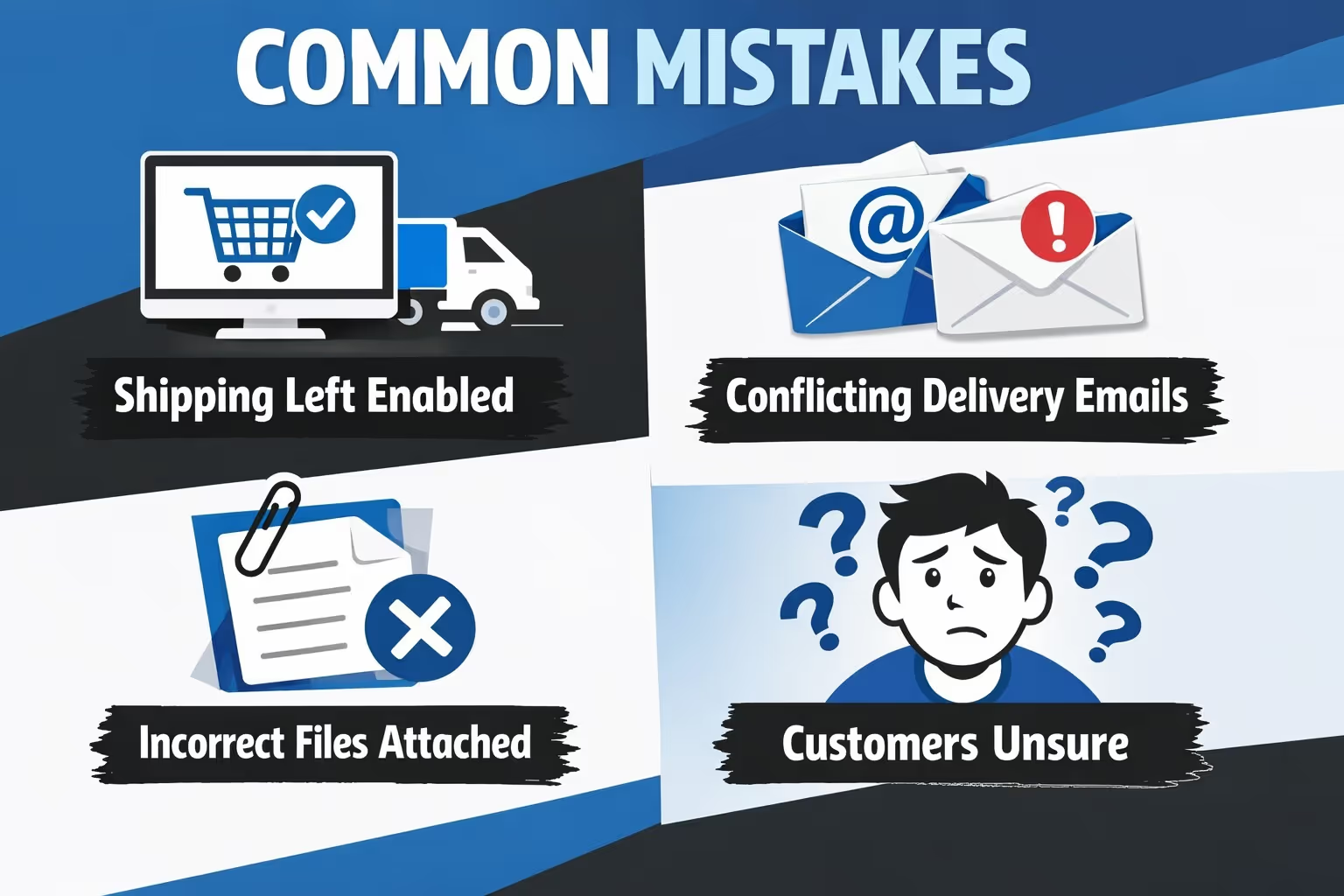
Most problems with digital products on Shopify are not technical edge cases or platform limitations. They are small setup issues that quietly undermine the customer experience and then surface as support tickets.
These are not advanced problems that require complex fixes. They are basic setup and communication issues. Catching them early saves far more time than resolving them repeatedly through customer support.
Selling digital products on Shopify does not require complex systems or clever workarounds. In most cases, the platform already has everything you need. What makes the difference is how carefully those pieces are connected. Correct settings, a delivery method that matches the product, clear communication with customers, and regular testing do far more than any advanced customization ever will.
When something starts to feel complicated, it is usually a sign that a basic element has been overlooked or misconfigured. Fixing that one missing piece often simplifies the entire setup. Digital products work best when the system stays quiet in the background and customers can focus on using what they purchased, not figuring out how to get it.


