Does Shopify Integrate with QuickBooks Desktop: Everything You Need to Know
Shopify doesn’t natively integrate with QuickBooks Desktop, but third-party tools can bridge the gap. Here’s how it works.
Feb 3, 2026



Reconciling Shopify in QuickBooks sounds straightforward until you actually sit down to do it. One payout shows up in your bank account, but behind that single number sits a mix of sales, fees, refunds, taxes, and timing gaps that don’t always line up neatly.
If you’ve ever stared at a Shopify payout wondering why QuickBooks won’t balance, you’re not doing anything wrong. This is one of those tasks that looks simple on paper and gets messy in real life, especially as order volume grows.
In this guide, we’ll walk through how Shopify reconciliation actually works, what usually causes the mismatches, and how to approach the process in a way that keeps your books clean without turning accounting into a second full-time job.
Reconciliation is not about checking that your sales match your revenue in a general sense. It is much more specific.
When you reconcile Shopify in QuickBooks, you are verifying that:
all represent the same financial reality.
That sounds obvious, but the challenge comes from how Shopify structures payouts. Shopify does not send one clean transaction per order. It sends payouts that combine multiple moving parts into a single deposit.
A single Shopify payout usually combines many different things into one number. It can include sales from multiple days, refunds processed earlier, payment processing fees, occasional adjustments or chargebacks, and sales tax that Shopify collected during checkout. All of that gets bundled together before the money ever reaches your bank account.
QuickBooks, on the other hand, expects clarity. It wants to know what is income, what is an expense, what is tax, and what belongs in clearing accounts. When those expectations collide, reconciliation issues show up.

One of the biggest misconceptions is that Shopify payouts should match daily sales totals. They almost never do.
Here is why.
Shopify groups activity together based on payout schedules, not order dates. A payout today can include:
If you compare payouts directly to daily sales reports, you will always see mismatches.
Shopify deducts payment processing fees before sending funds to your bank. If those fees are not recorded properly in QuickBooks, your deposit will look smaller than expected.
Depending on your setup, Shopify may collect sales tax, VAT, or GST. In some cases, it acts as a marketplace facilitator and withholds tax before payout. If QuickBooks records gross tax amounts without adjusting for withheld taxes, your liability accounts will be wrong.
Bank deposits do not always appear on the same day Shopify marks a payout as paid. This timing gap causes confusion if reconciliation is done too early or without proper clearing accounts.
None of this means something is broken. It means the systems are doing different jobs and need structure to communicate properly.
Before touching reconciliation, your QuickBooks setup matters more than most people realize.
At minimum, you should clearly separate:
Lumping everything into one income account might feel easier short term, but it guarantees reconciliation pain later.
A clearing account acts as a holding space between Shopify activity and your bank account. All sales, fees, refunds, and taxes flow into the clearing account first. When the payout arrives, it clears that balance.
Without clearing accounts, QuickBooks has no reliable way to match payouts accurately.
QuickBooks needs to know how Shopify handles tax. If Shopify is collecting and remitting tax in some cases, QuickBooks should not treat that tax as payable by you. Misaligned tax settings are one of the most common sources of reconciliation errors.
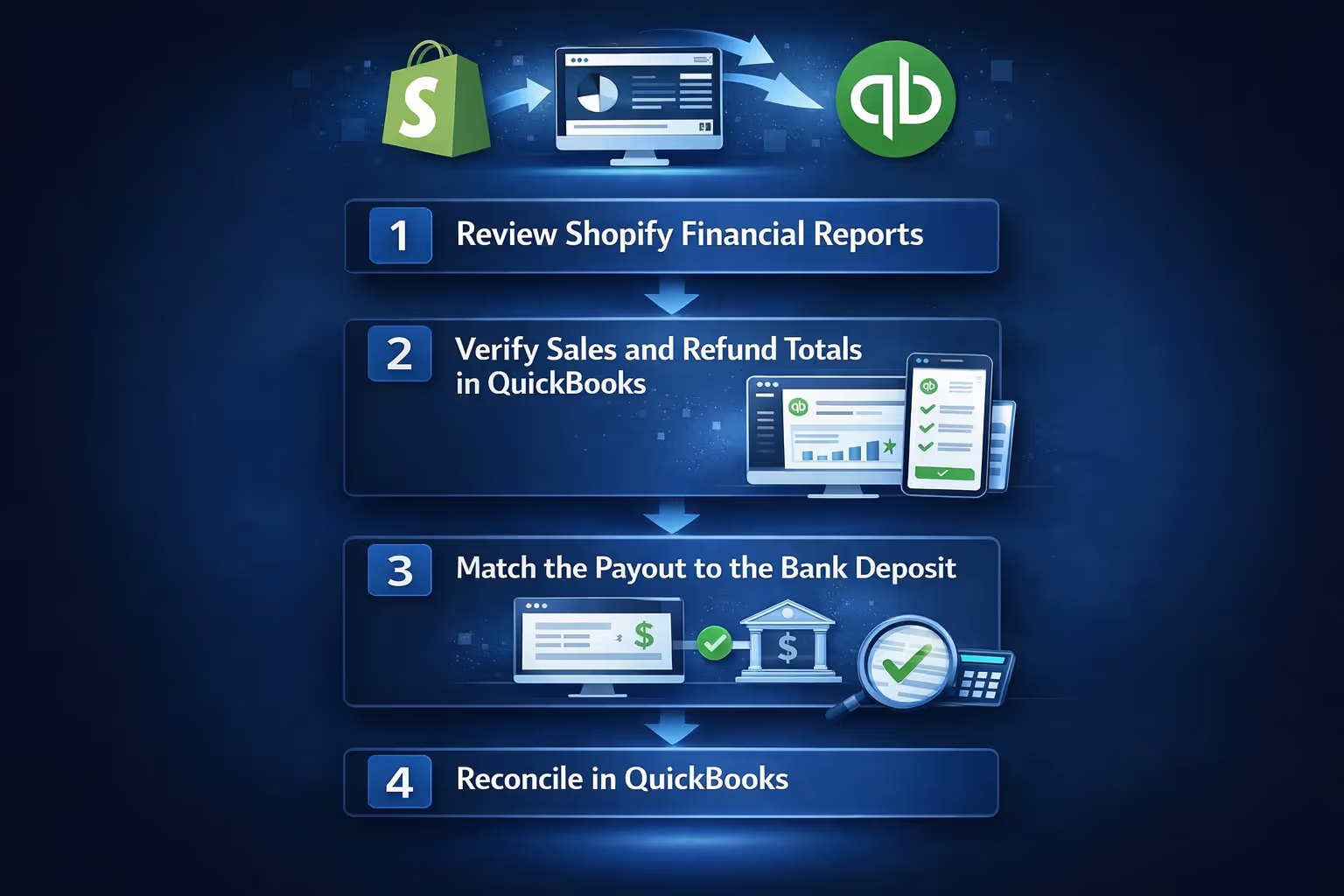
Manual reconciliation is still useful to understand, even if you plan to automate later. It helps you see where things usually go wrong.
Start with Shopify’s finance summary and payout reports. These reports give you a complete picture of what actually happened during a payout period, including your total sales, any refunds that were issued, the fees Shopify deducted, the taxes involved, and the final amount that was sent to your bank. This is why order lists on their own are not enough. Payout reports reflect real cash movement, and that is what reconciliation is based on.
Check that QuickBooks recorded:
If sales are higher than deposits, fees or refunds are likely missing.
The payout amount from Shopify should match the bank deposit exactly. If it does not, stop and investigate before forcing reconciliation.
Once the clearing account balance matches the payout, reconciliation becomes straightforward. The payout clears the account, and the books stay balanced.
This process works, but it breaks down quickly as volume increases.
Manual reconciliation fails for the same reasons manual bookkeeping always fails at scale. Volume increases, complexity builds, and human limits start to show.
At this point, automation becomes less about convenience and more about accuracy.
Automation does not remove accounting logic. It enforces it consistently. A proper automation setup pulls Shopify data into QuickBooks in clean, structured summaries, separates sales, fees, refunds, and taxes correctly, posts everything through clearing accounts, and matches payouts to bank deposits automatically.
Instead of reconciling individual transactions, you work with complete, accurate summaries that actually reflect how money moves. The biggest benefit is not speed. It is confidence. When reconciliation becomes predictable, your financial reports become something you can rely on.
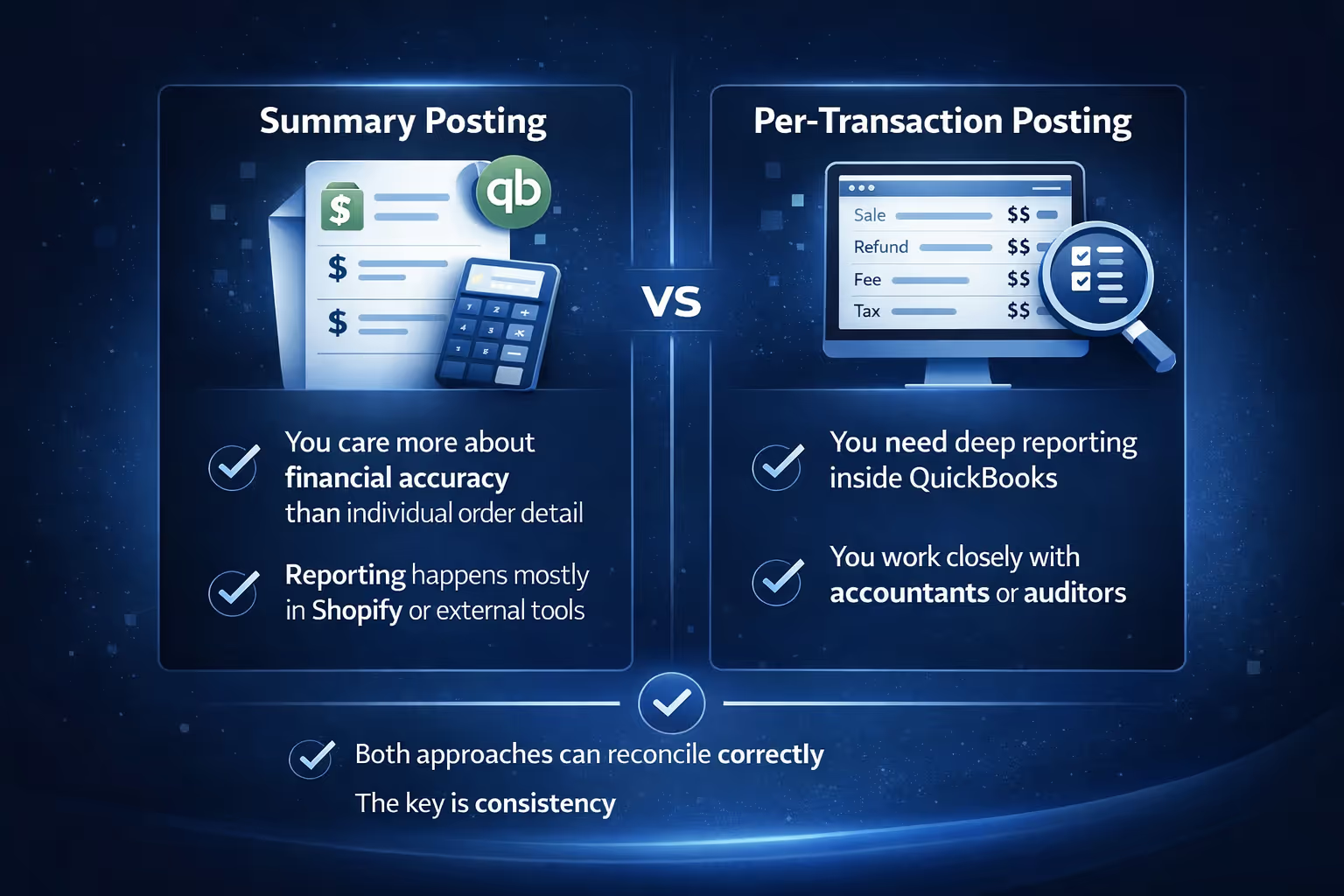
One important decision in automation is how much detail QuickBooks should store.
Summary posting groups transactions by day, payout, or period. It keeps QuickBooks clean and fast, especially for high-volume stores.
This works well if:
Per-transaction posting records every sale, refund, fee, and tax line. It creates detailed audit trails but can clutter QuickBooks.
This works better if:
Both approaches can reconcile correctly. The key is consistency.
Taxes deserve special attention because they are often the hidden cause of mismatches.
Tax collected should not inflate income. It belongs in liability accounts until remitted or withheld.
If Shopify collects and remits tax on your behalf, QuickBooks should reflect that you never owed that tax. Otherwise, your books will show liabilities you do not actually have.
Selling across regions introduces multiple tax rates and rules. Automation helps apply the correct treatment consistently across all transactions.
Ignoring tax alignment guarantees reconciliation headaches later.
Some reconciliation mistakes show up again and again, even in well-run stores. They usually start small and feel harmless, which is why they tend to repeat.
Each of these mistakes introduces small inconsistencies that compound over time and become far more difficult to untangle later.
There is no single right answer for how often you should reconcile Shopify in QuickBooks, but consistency matters more than frequency. High-volume stores usually benefit from weekly reconciliation, while smaller stores can often stay on track with a monthly review. Daily reconciliation is rarely necessary when automation is in place. The real goal is to catch issues early, not to obsess over timing.

At Extuitive, we do not handle reconciliation or bookkeeping. That work belongs in Shopify, QuickBooks, and the tools built specifically for accounting. What we do focus on is something that quietly affects reconciliation long before payouts hit your bank account: uncertainty in ads, messaging, and demand.
Many Shopify sellers run into reconciliation headaches because performance is unpredictable. Spikes and dips in sales, refund-heavy campaigns, or ads that convert poorly all create noise in your numbers. That noise eventually shows up in payouts, clearing accounts, and reports that feel harder to trust.
Our platform helps reduce that uncertainty at the creative and messaging level. We let teams generate and validate ads against large, representative consumer models before spending real budget. Instead of learning through trial and error, sellers get early signals on what is likely to convert, who it resonates with, and how demand might behave once campaigns go live.
For Shopify merchants, this often leads to more stable performance, fewer surprises, and cleaner downstream data. When campaigns are built with clearer intent and stronger validation, sales patterns tend to be easier to interpret, refunds are more predictable, and financial reporting feels less reactive.
We see our role as upstream support. We help teams move faster with more confidence so the operational side, including reconciliation, has fewer variables to fight against later. It is not a replacement for accounting tools, but for many Shopify sellers, it is a smart layer to add before the numbers ever reach QuickBooks.
Reconciling Shopify in QuickBooks is not difficult because the task itself is complex. It is difficult because the systems involved were designed for different purposes and need structure to work together.
Once you understand how Shopify payouts are built, how QuickBooks expects data, and why clearing accounts matter, the process becomes predictable. Whether you choose to reconcile manually or automate, the principles stay the same.
The real win is not saving time, although that helps. The real win is knowing your numbers are right without constantly second-guessing them. When reconciliation stops stealing attention, you get to focus on running your business instead of fixing your books.


