Best Shopify Migration Tools for a Clean, Low-Stress Move
A simple, real look at top Shopify migration tools that help stores move data without chaos.
Dec 29, 2025



Connecting AliExpress to Shopify is one of those things that sounds more complicated than it actually is. On paper, it’s about linking a massive product marketplace to your online store. In practice, it’s mostly about choosing the right setup and avoiding a few common mistakes early on.
Whether you’re testing your first dropshipping idea or trying to streamline an existing store, the goal is the same: get products into Shopify, keep orders flowing smoothly, and stay in control of pricing, inventory, and customer experience. This guide walks through how the connection works, what to consider before you start, and how to set things up without turning it into a bigger project than it needs to be.
If anything starts to sound overengineered, that’s usually a sign it can be simplified. Let’s keep it practical and move step by step.
At a basic level, connecting AliExpress to Shopify allows you to sell products from AliExpress suppliers through your Shopify store without holding inventory yourself. When a customer places an order, that order is passed on to the supplier, who ships the product directly to the customer.
That sounds simple, but in practice, the connection usually involves three moving parts:
There is no built-in, native button inside Shopify that links directly to AliExpress. The connection always happens through apps, browser extensions, or manual workflows. Understanding this early helps avoid confusion and unrealistic expectations.
AliExpress is not a universal solution. It works well in some scenarios and poorly in others.
Before touching any tools or apps, it helps to have a few basics in place.
You need an active Shopify store. A free trial is enough to start testing connections and imports, but you will eventually need a paid plan to accept orders.
An AliExpress account is required to browse products, view supplier details, and place fulfillment orders. Use a dedicated account rather than a personal one if possible.
You do not need a perfect niche, but you should avoid importing random products just because they look popular. Even a loose category focus makes product selection and pricing decisions easier.
Make sure payment methods work on both platforms and that you understand basic tax and compliance requirements in your target market.
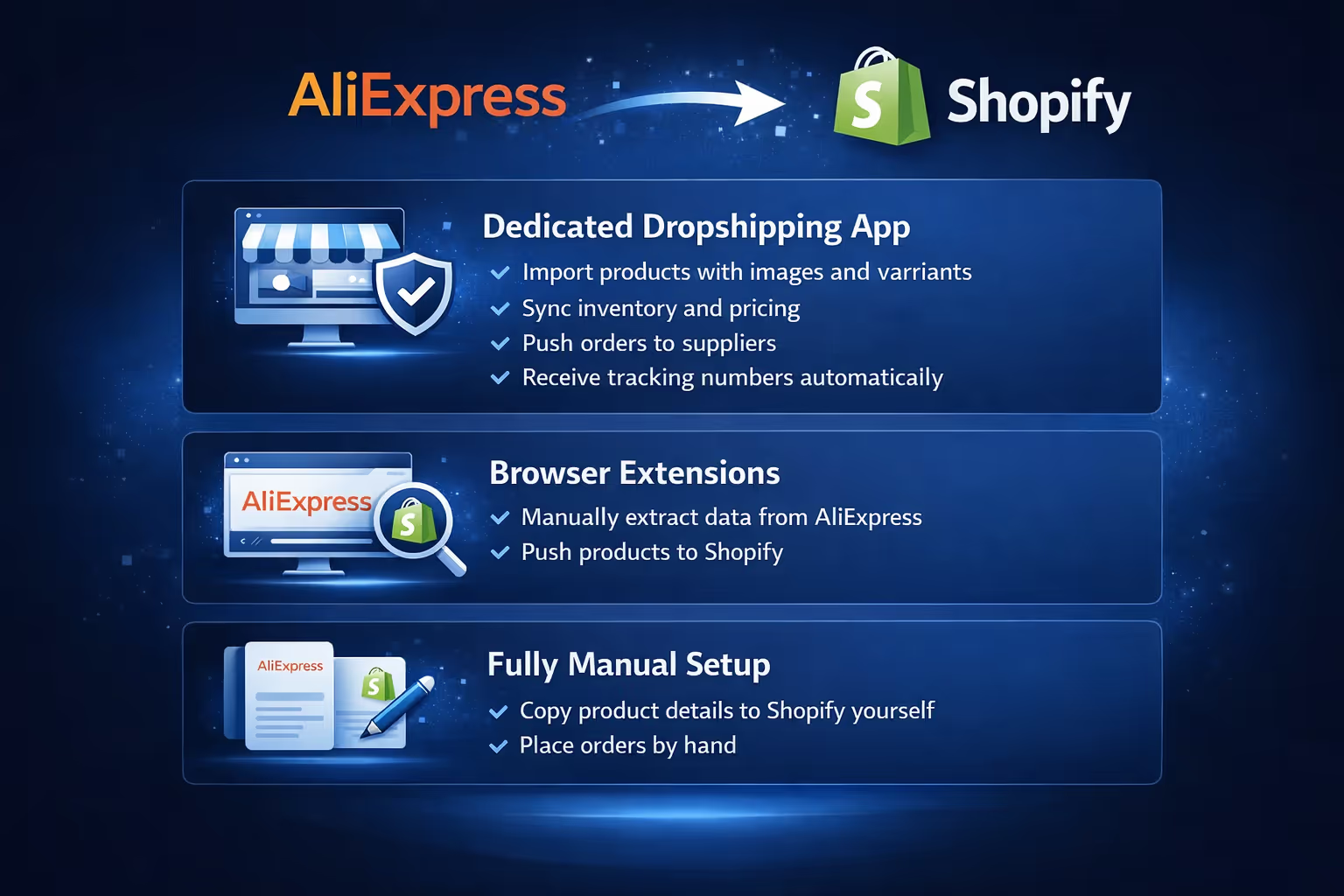
There are three main ways to connect AliExpress to Shopify. Each has trade-offs.
This is the most common and beginner-friendly approach.
Apps like DSers, AutoDS, or similar tools act as the bridge between AliExpress and Shopify. They allow you to:
This approach reduces manual work but adds a monthly app cost and some dependency on third-party software.
Some workflows rely on browser extensions that help extract product data from AliExpress and push it into Shopify.
This gives you more control over what gets imported but usually requires more hands-on management. It can work well for small stores or limited product catalogs.
Manual setup means copying product details from AliExpress into Shopify yourself and placing fulfillment orders by hand.
This is the slowest option, but it has one advantage: you see every detail. For testing a small number of products or learning the system, it can actually be useful.
Most stores eventually move to an app-based setup once volume increases.
This section assumes you are using a standard AliExpress integration app. Exact button names may vary, but the flow is consistent.
From your Shopify admin panel, go to Apps and search for your chosen integration tool. Install it and grant the required permissions.
Take a moment to review what data the app accesses. Most need access to products, orders, and store settings to function properly.
Once installed, the app will prompt you to connect your Shopify store. This usually happens automatically if you install it from within Shopify.
Confirm that the store URL is correct and that the app dashboard reflects your active store.
Some apps require you to log in to your AliExpress account inside the app interface. Others rely on browser extensions that detect your AliExpress session.
Make sure you are logged into the correct AliExpress account before importing anything.
Browse AliExpress directly rather than relying only on app recommendations. Look beyond surface metrics.
Things worth checking:
Avoid products with unclear descriptions or frequent complaints about quality.
Using the app or extension, import the selected product into your Shopify store. At this stage, treat the import as a draft, not a finished listing.
Do not publish immediately.
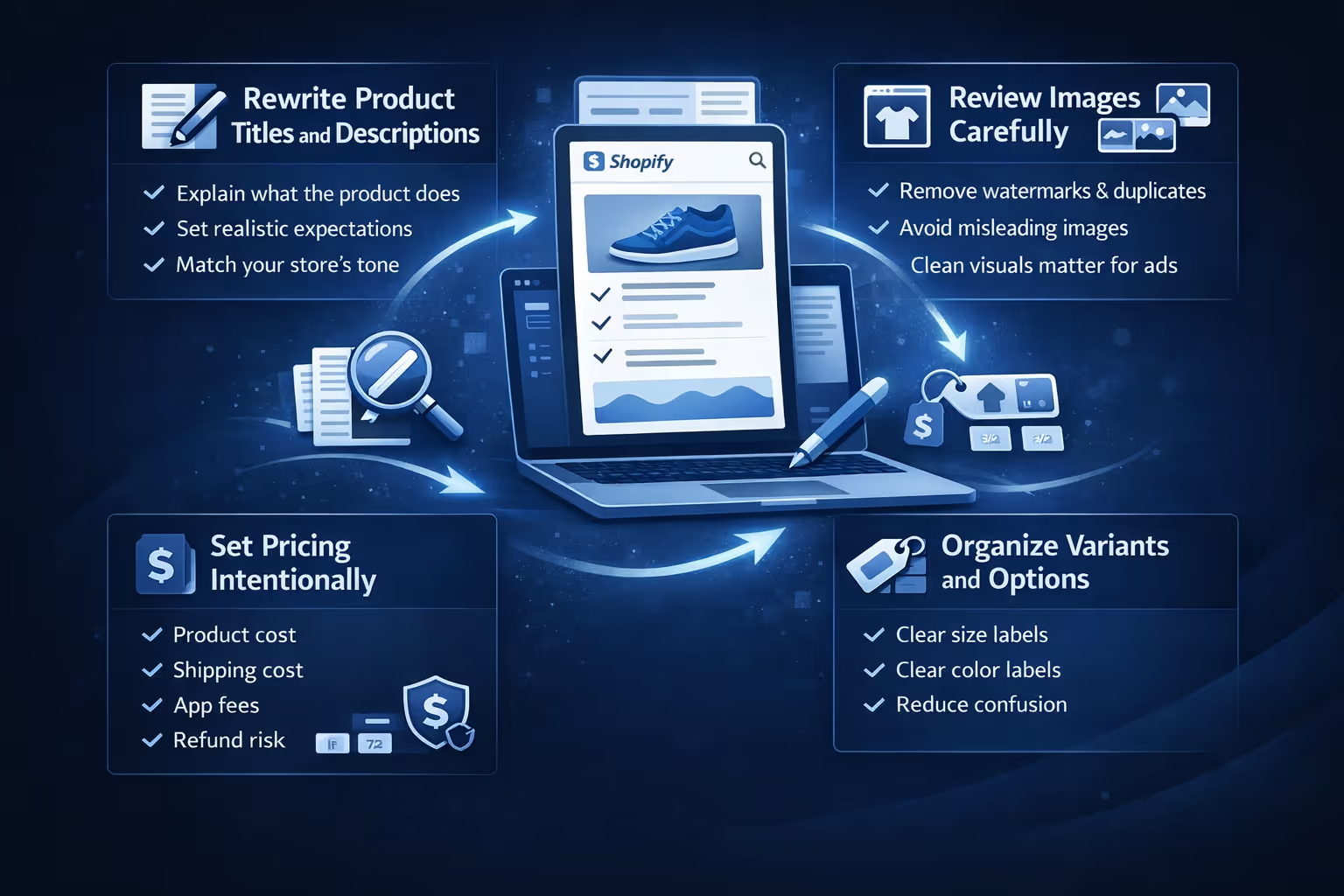
This is where many stores cut corners and pay for it later.
AliExpress titles are written for marketplaces, not brands. Shorten them, remove filler, and focus on clarity.
Descriptions should:
Use product images, but remove watermarks and duplicates if possible. Avoid images that misrepresent scale or quality.
If you plan to run ads, clean visuals matter more than you think.
Do not rely blindly on auto-pricing rules.
Consider:
Sometimes a slightly higher price with clearer positioning converts better than racing to the bottom.
Make sure sizes, colors, and options are labeled clearly. Confusing variants increase refund requests.
AliExpress inventory is not static. Suppliers adjust stock levels, pricing, and even product variations more often than most store owners expect. A product that looks stable today can quietly change next week, especially if it starts selling well across multiple stores.
Most integration apps offer inventory and price syncing, but it is not foolproof. Sync delays happen, and suppliers sometimes change listings without warning. For products that sell consistently, it is worth checking stock levels and prices manually from time to time, not just relying on automation.
If a product becomes unavailable, heavily delayed, or starts generating complaints, remove it instead of waiting and hoping it returns to normal. Leaving unstable products live usually creates more support issues than revenue. Over time, a smaller and more reliable catalog performs better than a large one filled with uncertainty. Consistency builds trust faster than variety.

Once a customer places an order on your Shopify store, the fulfillment process usually follows a predictable flow:
Automation handles most of the work, but it is still important to stay involved, especially early on. For the first few orders of any product, double-check that variants, quantities, and addresses match correctly. Supplier mistakes and mismatches tend to show up at this stage.
Monitoring early fulfillment also helps you spot slow suppliers before they affect too many customers. A few minutes of oversight can prevent long email threads and refund requests later.
Shipping times are one of the biggest friction points in AliExpress-based stores, and they are also one of the most predictable. Delays, long transit windows, and uneven tracking updates are part of the model, not exceptions.
The best way to handle this is through clear communication. Set realistic delivery expectations directly on product pages, in your checkout messaging, and in order confirmation emails. Customers are far more forgiving of slow shipping when they are told upfront what to expect.
Tracking information does not always update smoothly, especially during international transit. If tracking appears stalled, it helps to reach out before the customer does. A short, honest update builds more trust than waiting in silence. In most cases, proactive communication reduces chargebacks, support tickets, and negative reviews.
Returns with AliExpress suppliers can be inconsistent. Some suppliers offer clear, cooperative return processes. Others are slower or more restrictive, especially for international shipments.
Because of this, it is important to define your return policy before problems arise. Write it clearly on your site and keep it simple. Customers should know what qualifies for a return, what does not, and how long the process takes.
In many situations, physical returns are impractical due to shipping costs and timelines. Partial refunds, store credit, or reshipments are often more efficient and less expensive than asking customers to send items back. These scenarios should be factored into your pricing and margins from the start, rather than treated as unexpected losses later on.
Most problems show up early. Paying attention at the start is far easier than fixing issues after they grow.

Most of the mistakes above happen right before ad spend increases. Products get imported, stores look ready, and ads go live before anything is properly validated. That gap is exactly why we built Extuitive.
AliExpress makes sourcing products easy. Shopify makes launching a store easy. Deciding what to scale is not.
We connect directly to Shopify and help merchants generate and test ads using AI agents modeled after more than 150,000 real consumer profiles. These simulations show which products, messages, and creatives are likely to convert before a single dollar is spent on ads.
What this means in practice:
Instead of learning through failed campaigns and refunds, teams get feedback early and scale with more confidence. For stores sourcing products from AliExpress, this step often determines whether growth stays controlled or becomes expensive trial and error.
Connecting AliExpress to Shopify is not technically difficult, but doing it well takes judgment.
The tools are only part of the process. The real work happens in product selection, expectation setting, and day-to-day management.
If you approach the setup thoughtfully, keep things simple, and adjust as you learn, the connection can support real testing and growth. If you rush it or rely too heavily on automation, it often creates more cleanup work later.
Start small. Pay attention. Improve as you go. That approach tends to work better than any shortcut.


