The Best Shopify Development Agencies - The Ones That Actually Deliver
Tired of generic lists? Here are the top Shopify development agencies real brands trust for bulletproof stores, custom apps, and sustainable growth now.
Mar 24, 2026



Shopify handles payments for online stores in different ways depending on the setup. The main method involves Shopify Payments, which manages the flow of funds from customers to the merchant's bank account. Other options use external providers, changing how and when money arrives.
This article covers the core mechanisms behind payouts, based on standard operations. It focuses on general functionality without specific timelines or regional variations that can change.
When a customer completes an order, the payment goes through a gateway. Shopify Payments acts as the built-in option, processing cards and certain accelerated checkouts directly.
Funds move through stages: authorization holds the amount, capture confirms it, and then settlement prepares for transfer. After settlement, the net amount transfers to the designated account.
Third-party gateways handle their own processing, so funds go directly to the provider's system instead of appearing in Shopify records.

We know how frustrating it can get when Shopify payouts come in waves - big deposits one week, then almost nothing the next. A lot of that inconsistency comes down to how reliably your ads pull in new orders. When sales steady out, those payouts start hitting your account on a more predictable rhythm.
At Extuitive, we built our platform specifically for Shopify merchants who want to cut the guesswork out of advertising. We connect straight to your store, pull in your products, and let our AI agents generate dozens of ad variants - creatives, copy, visuals, everything. Then we test them against 150,000+ simulated consumer profiles trained on real behavioral data to predict which ones will actually convert before you spend a single dollar on traffic.
Once the top performers surface, we handle the launch and ongoing tracking. The whole cycle runs in minutes instead of weeks, and merchants usually see quicker ramps in orders because the ads that go live have already passed rigorous validation. More consistent orders mean funds flow through Shopify Payments without those long gaps, giving you better control over cash flow.
We have worked with stores across categories, and the pattern holds: when ad performance stabilizes, payout patterns do too. It turns that waiting game into something far more manageable.
.avif)
Shopify Payments simplifies the process by integrating everything within the platform. Merchants link a bank account during setup, and payouts send automatically after orders process.
The system calculates net funds by deducting processing rates and any adjustments. Payouts occur on a set cadence, with options for frequency in most regions.
Merchants view details in the admin section under payments, showing pending, in-transit, and completed transfers.
Shopify Payments processes standard credit and debit card transactions from major networks like Visa, Mastercard, and others. It also handles several accelerated checkout options that consolidate into the same payout system.
These accelerated methods include:
Certain configurations route PayPal transactions through Shopify Payments as well, depending on regional setup.
This integration means funds from all these methods appear in the unified payout records within the Shopify admin. Merchants avoid separate tracking for each type, as everything flows through the central processing.
Local payment methods in specific countries can also qualify if activated, though they require meeting additional criteria like minimum processed orders.
The payout account linked to Shopify Payments must be a full checking account or, in regions like the UK and Ireland, a current account capable of receiving direct transfers.
It needs to support the payout currency aligned with the store's country and Shopify's supported options.
Unsupported types include:
In the United States and Puerto Rico, merchants can designate a Shopify Balance account, which meets all criteria and routes funds internally.
This Balance option bypasses external bank delays in eligible cases. The same bank account can serve multiple stores under one owner.
Verification during setup confirms compatibility, and changes to details update through the payments settings without disrupting ongoing payouts in most scenarios.
Merchants control when payouts arrive by setting a frequency in the Shopify admin. The available options - daily, weekly, or monthly - let stores align transfers with their operational needs, such as covering daily expenses or batching for accounting.
To set or adjust the schedule:
Daily payouts suit high-volume stores with steady sales, providing frequent small deposits. Weekly works for moderate activity, consolidating funds into one transfer per cycle. Monthly fits lower-volume operations, reducing the number of transactions but delaying access.
Timing begins after payment capture, with Shopify initiating transfers on business days only. The process excludes weekends and holidays, and the receiving bank adds its own processing time, usually a day or two.
New stores often face extended initial holds for risk assessment, starting with weekly or monthly before shortening as transaction history builds. Established accounts with clean records see faster cycles.
This schedule directly impacts cash flow management. For instance, daily options minimize waiting periods during peak sales seasons, while monthly might create gaps if orders slow down. Coordinating with inventory or supplier payments becomes easier when the rhythm matches business patterns.
In regions with Shopify Balance, schedules integrate seamlessly, accelerating availability even on non-standard days. Overall, selecting the right frequency helps stabilize finances by matching payout arrivals to predictable revenue streams.
Several elements affect when funds arrive:
Shopify Balance serves as an alternative payout destination in regions where it operates. Merchants route Shopify Payments directly to this dedicated account instead of an external bank.
Upon activation, the main Balance account becomes the default payout receiver. Funds settle internally, providing access without waiting for external transfers.
Key aspects include:
Switching between Balance and an external bank updates in settings, though changes may temporarily affect payout timing. Balance handles standard Shopify Payments transactions the same way, consolidating everything in one place.
External payment providers operate independently from Shopify's system. When activated, customer payments route through the chosen gateway, and funds follow that provider's transfer process.
Shopify admin excludes these transactions from payout views. Merchants monitor deposits and details solely in the gateway's interface.
This separation adds costs, as Shopify applies extra transaction fees on orders processed outside its native system. These fees stack with the gateway's own rates.
Several providers integrate as alternatives:
Manual methods like bank transfers or cash on delivery also bypass automated Shopify tracking.
Shopify imposes no separate charge for initiating or sending payouts. The primary costs stem from per-transaction processing rates applied during order capture.
Selecting Shopify Payments eliminates additional platform transaction fees that trigger with external providers. Those extra fees vary by plan and apply to each qualifying order.
Net payout calculations incorporate:
Exports from the admin provide breakdowns of applied fees per period.
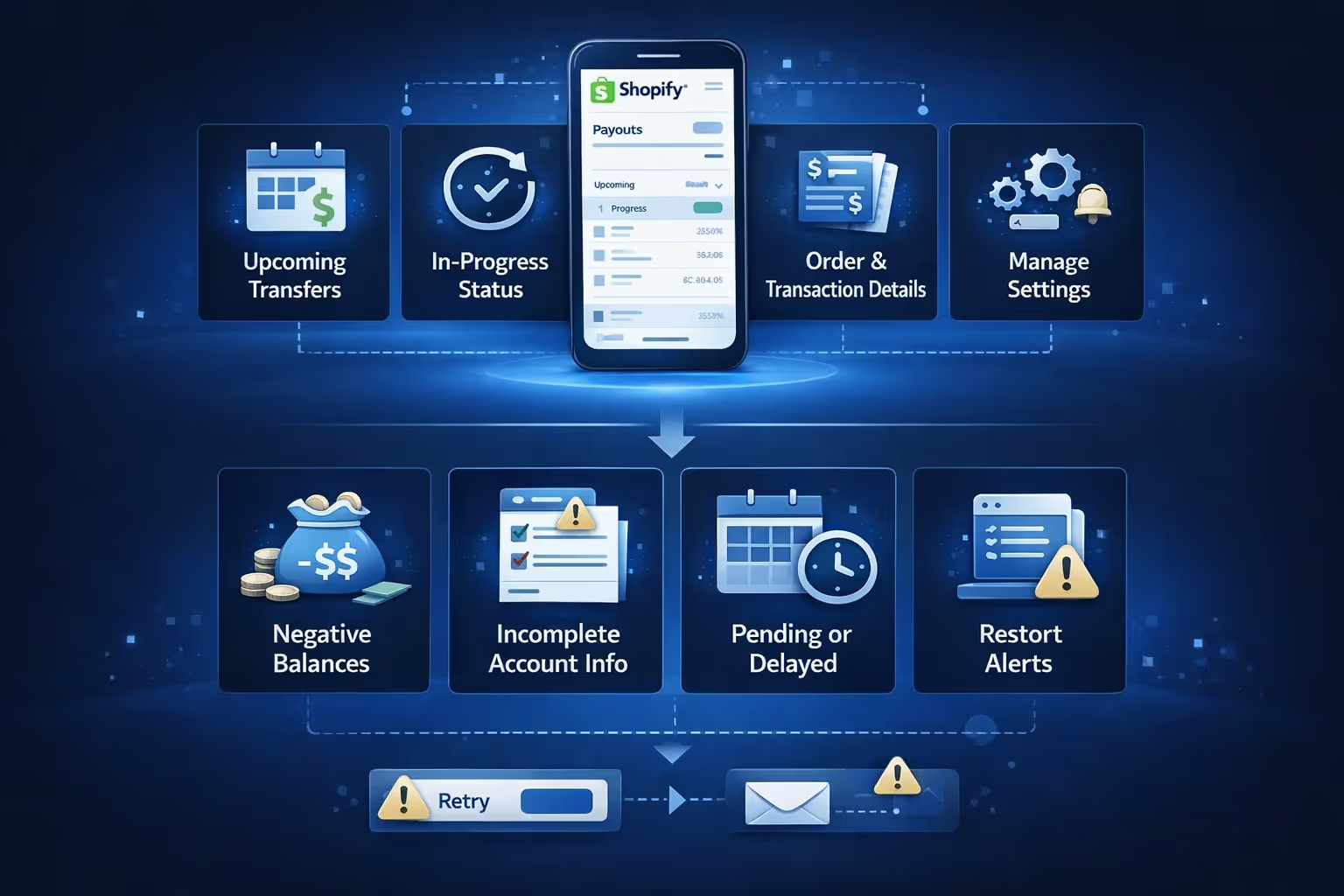
Payout oversight occurs in the Shopify admin under Settings > Payments, with a dedicated view section.
This area displays:
Management functions allow:
Exports to CSV format capture transaction lists for external records. Filters help isolate types or statuses.
Payout interruptions arise from several sources. Bank-side verification or processing holds extend arrival times beyond initiation.
Failed transfers generate admin alerts and emails explaining causes, often tied to account mismatches or insufficient details.
Common triggers include:
Resolution steps appear in banners, such as retry options or detail updates. Holds lift automatically once underlying issues clear, resuming normal flow.
Shopify's payout system centers on Shopify Payments for integrated handling, offering control over schedules and direct transfers. Third-party options provide flexibility but separate the process. Understanding the flow helps merchants manage cash effectively, with tools available in the admin for oversight.


