Does Shopify Collect Sales Tax? Let’s Clear That Up
Find out when Shopify collects sales tax, when it doesn’t, and what sellers need to handle themselves.
Jan 6, 2026



If you're running a store on Shopify, you might be wondering whether the platform reports sales tax directly to states. While Shopify provides tools to collect sales tax, it historically left reporting to the seller. However, in 2026, Shopify offers Automated Filing to handle returns for you. Additionally, for sales made through the Shop channel, Shopify automatically remits and files taxes as a marketplace facilitator. Let’s dive into the details.
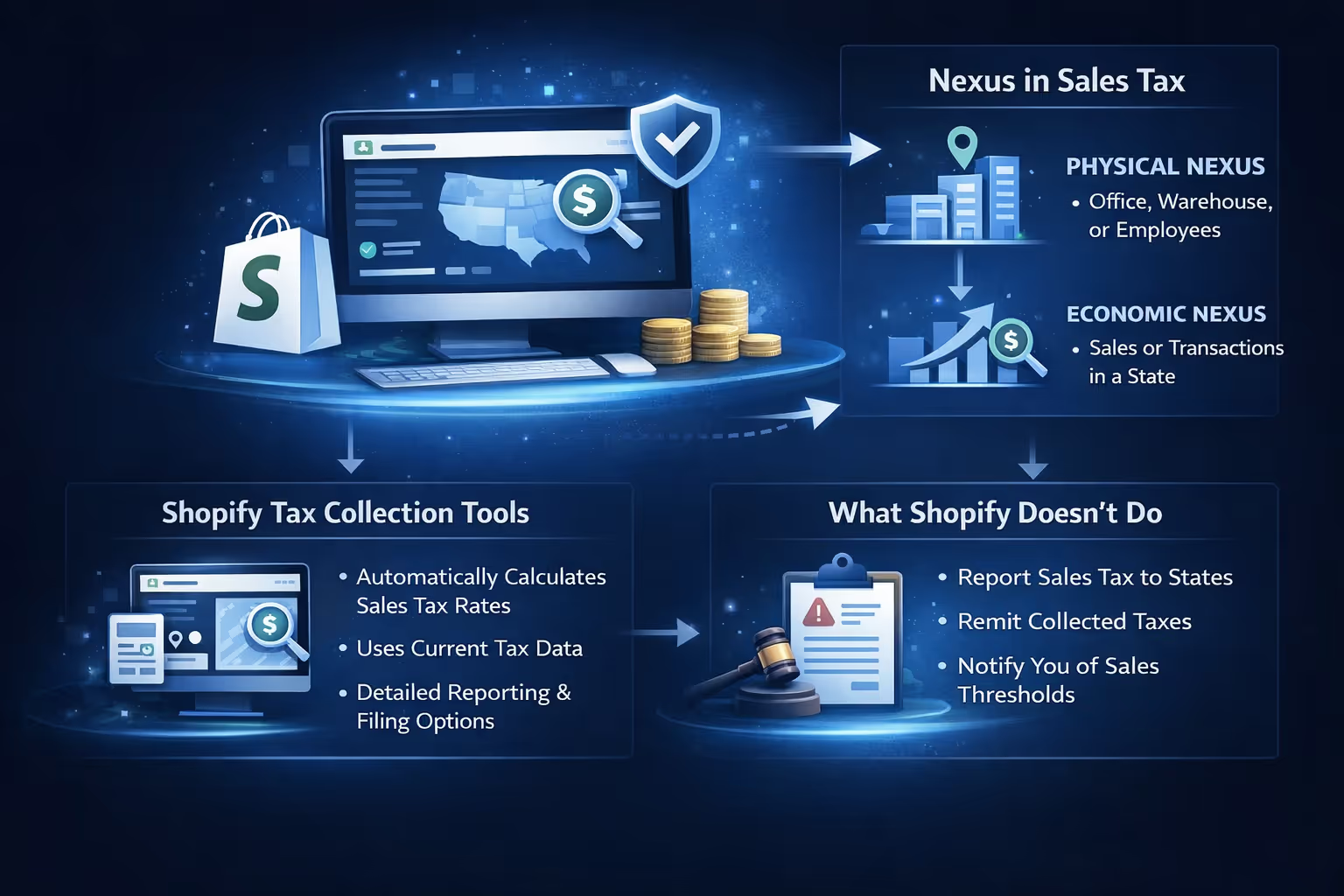
Before we dive into the nitty-gritty, it's important to understand what Shopify does and doesn’t do when it comes to sales tax. Shopify provides some built-in tools to help you collect sales tax, but it doesn't handle everything for you. The platform helps by calculating the correct sales tax rates based on your customers' locations, but it does not file taxes or remit them to the relevant authorities.
Shopify offers a feature called Shopify Tax, which automatically calculates the correct sales tax based on your customers’ shipping addresses. When you enable this feature, Shopify applies the correct tax rate for the state (or country) where the customer is located. Shopify uses up-to-date tax rates for U.S. states and some international regions, helping you stay on top of changing tax laws.
While the basic calculation is automatic, Shopify Tax also provides detailed jurisdiction-level reporting and the option to automate your tax filings directly from the admin dashboard.
It’s essential to understand what Shopify doesn’t handle when it comes to taxes. While Shopify calculates and collects sales tax, it does not:
A key concept in U.S. sales tax is nexus. Nexus refers to the level of business presence a company must have in a state before it is required to collect and remit sales tax there. There are two types of nexus:
Shopify can help you identify where you may have nexus through its tax liability insights feature, but you must still verify these thresholds for yourself. Once you reach a threshold in a state, you’re required to register for sales tax in that state, collect the tax, and file the returns.
So, here’s the bottom line: No, Shopify does not report sales tax to states.
While Shopify helps you collect the appropriate sales tax based on your customers' locations, it doesn’t send that information to state tax authorities. That’s something you’ll need to do yourself.
This means that while Shopify makes it easier for you to charge the correct sales tax rate on your transactions, you are ultimately responsible for filing tax returns and paying those taxes to the appropriate states. Depending on the state, you may need to file on a monthly, quarterly, or annual basis.
Before you can collect and remit sales tax, you need to understand where your business has nexus. This is a critical step because it determines where you’re required to collect tax. Shopify can help you get an overview of where your business may have nexus through its tax liability insights feature, but it’s still important to review the thresholds for each state.
Once you determine where you have nexus, the next step is to register for sales tax in those states. You’ll need to apply for a sales tax permit in each state where you're required to collect taxes. This process can vary from state to state, but generally, you’ll need to provide:
Once you're registered, you’ll receive a sales tax ID number, which you’ll need to enter in Shopify’s tax settings.
After you’ve registered for sales tax in the required states, you need to set up tax collection in Shopify. To do this:
Shopify helps you collect sales tax at the point of sale, but you’re still responsible for filing sales tax returns with each state where you have nexus. You’ll need to:
Most states allow businesses to file sales tax returns online, making the process easier. However, the frequency of filings and the amount of tax you owe can vary depending on your sales in that state.
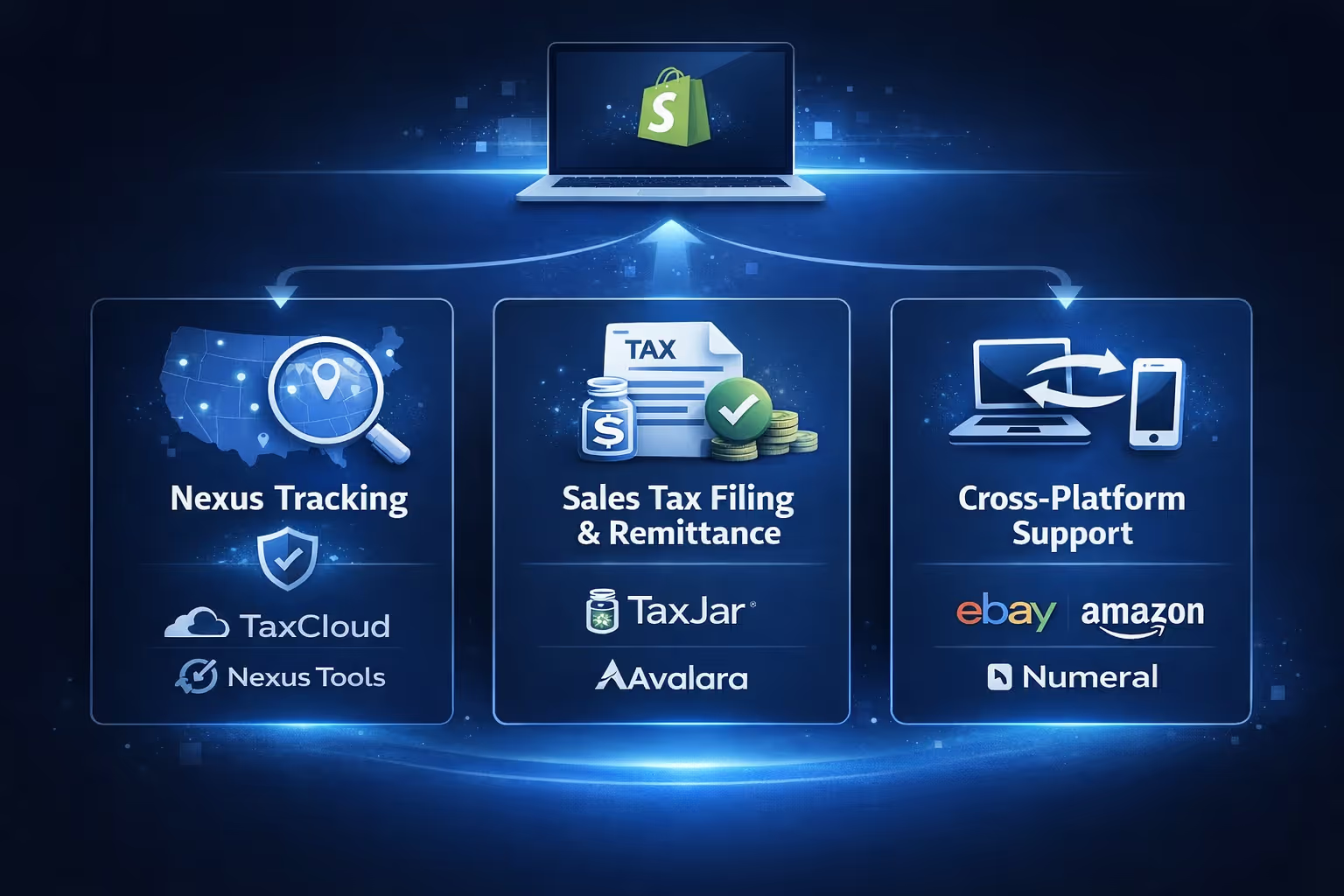
While Shopify provides the basic tools for tax collection, many businesses use third-party apps to streamline their sales tax process. These tools can help you with:
These tools simplify the complex process of managing sales tax and reduce the risk of costly errors. They’re particularly helpful for businesses selling in multiple states or across different channels.
Even with the right tools in place, there are some common mistakes and pitfalls to watch out for:

Once sales tax is set up and compliance is under control, the next pressure point for most Shopify stores is growth. That is where we come in.
At Extuitive, we help Shopify brands create, test, and launch ads without guessing or burning budget. Instead of relying on slow consumer panels or gut feeling, we use AI agents modeled after more than 150,000 real consumer profiles. These agents let us see how different audiences react to ad concepts before real money goes into distribution. The goal is simple: understand what resonates, what falls flat, and what is worth scaling.
We connect directly to your Shopify store, generate ad creatives based on your products, and test them against realistic consumer segments. That includes messaging, visuals, and positioning. You see which combinations drive interest and which ones should be dropped early. All of this happens in minutes, not weeks, and at a fraction of the cost of traditional research.
For Shopify merchants juggling compliance, reporting, and growth, this approach removes a lot of noise. You get clearer signals before launching campaigns, fewer wasted experiments, and more confidence when it is time to scale. We built Extuitive to be practical, fast, and accessible, even if AI is not your day job. The focus stays on results, not complexity.
To summarize, Shopify does not report sales tax to states. While Shopify helps with collecting sales tax by calculating the correct rates based on your customers’ locations, it’s up to you to register for tax collection, file your returns, and remit the collected taxes to the appropriate authorities.
Fortunately, Shopify provides tools to simplify the process, and there are third-party apps available to automate much of the sales tax process. By staying on top of nexus thresholds, tax registration, and filing deadlines, you can ensure your business remains compliant with state sales tax laws. It might take some work, but with the right systems in place, you can focus on growing your business instead of getting bogged down by tax obligations.


