Best AI Tools for Instagram Ads: Top Platforms to Scale Smarter in 2026
Discover the top AI platforms to create and optimize Instagram ads. Stop guessing and start scaling with smarter creatives and better targeting in 2026.
Mar 24, 2026



If you’re setting up payments on Shopify, Apple Pay is usually one of the first options people ask about. Customers expect it, especially on mobile, and store owners want to know if it’s available by default or requires extra setup.
The short answer is yes, Shopify does accept Apple Pay. But like most things with payments, there are a few conditions behind that yes. It depends on your payment provider, your store setup, and how customers are checking out. Understanding those details upfront helps you avoid confusion later, both for you and for your customers.
This guide walks through how Apple Pay works on Shopify, when it appears, and what you need in place for it to show up reliably at checkout.
Apple Pay is a digital wallet built into Apple devices like iPhone, Apple Watch, iPad, and Mac. Instead of entering card numbers and addresses, customers approve payments using Face ID, Touch ID, or a device passcode. The actual card number is never shared with the store. Apple Pay uses tokenization, which replaces sensitive card details with a secure, one-time code for each transaction.
For Shopify merchants, Apple Pay matters mainly because of speed and trust. Faster checkout means fewer abandoned carts. Familiar payment options also reduce hesitation, especially for first-time buyers who may not know your brand yet.
Apple Pay tends to perform particularly well on mobile, where typing card details can feel tedious. When customers see a single button they already trust, many are more likely to complete the purchase without overthinking it.
Yes, Shopify accepts Apple Pay for online stores and in-person sales. Apple Pay is supported through Shopify’s payment system, not as a separate, standalone payment method.
Most merchants use Shopify Payments, which supports Apple Pay in many countries. Some third-party payment providers also support Apple Pay, but availability depends on the provider and region.
Once Apple Pay is enabled, it appears automatically as an accelerated checkout option for eligible customers. You do not need to manage Apple Pay orders differently or create a separate checkout experience.
Apple Pay does not appear for every shopper by default. It shows up dynamically, based on the customer’s device, browser, and your store’s configuration. This is why one person may see Apple Pay instantly while another does not.
Apple Pay appears when a few conditions line up at the same time. The customer must use a compatible browser; while Safari offers the most native experience, Apple Pay now also supports third-party browsers like Chrome and Firefox on macOS and Windows via iPhone authentication. Your store must also use a payment provider that supports Apple Pay and have SSL enabled on the domain.
If any one of these conditions is missing, Apple Pay simply does not show. Nothing is broken. It is just not available in that context.
From the customer’s point of view, Apple Pay is designed to remove effort from checkout.
When a shopper taps the Apple Pay button, their device automatically pulls saved shipping and billing information from Apple Wallet. The full order total is shown, including taxes and shipping. The customer then confirms the purchase using Face ID, Touch ID, or a device passcode.
On iPhone and iPad, confirmation happens directly on the device. On a Mac, the customer may confirm using Touch ID or by approving the payment on a nearby iPhone or Apple Watch connected to the same iCloud account.
The entire process usually takes only a few seconds, which is exactly why Apple Pay can improve conversion rates.

At Extuitive, we work with Shopify stores that want to create and launch ads faster, without guessing what will work.
We connect directly to a Shopify store and use AI agents modeled on real consumer behavior to help brands test ad concepts before spending heavily on media. Instead of running ads blindly and waiting for results, merchants can see which messages, visuals, and audiences are more likely to drive purchase intent upfront.
What we focus on is simple:
Because Apple Pay reduces friction at the payment stage, it often improves the effectiveness of ads that bring shoppers to checkout. Our role is not to manage payments, but to help brands understand how their ads perform in the context of a fast, low-friction buying experience.
Extuitive is built to replace slow, expensive consumer research with a faster, more practical way to move from idea to live ads. For Shopify stores already optimizing checkout with options like Apple Pay, we help make sure the ads feeding that checkout are just as efficient.
From the merchant’s side, Apple Pay orders look almost identical to regular card orders inside Shopify admin.
You can fulfill, refund, and manage them the same way. The main difference appears in payment details. Because Apple Pay uses tokenization, you will not see the last four digits of the customer’s physical credit card. Instead, Shopify shows the last four digits of the Apple Pay device account number.
This is normal and expected. It does not affect refunds, disputes, or reporting.
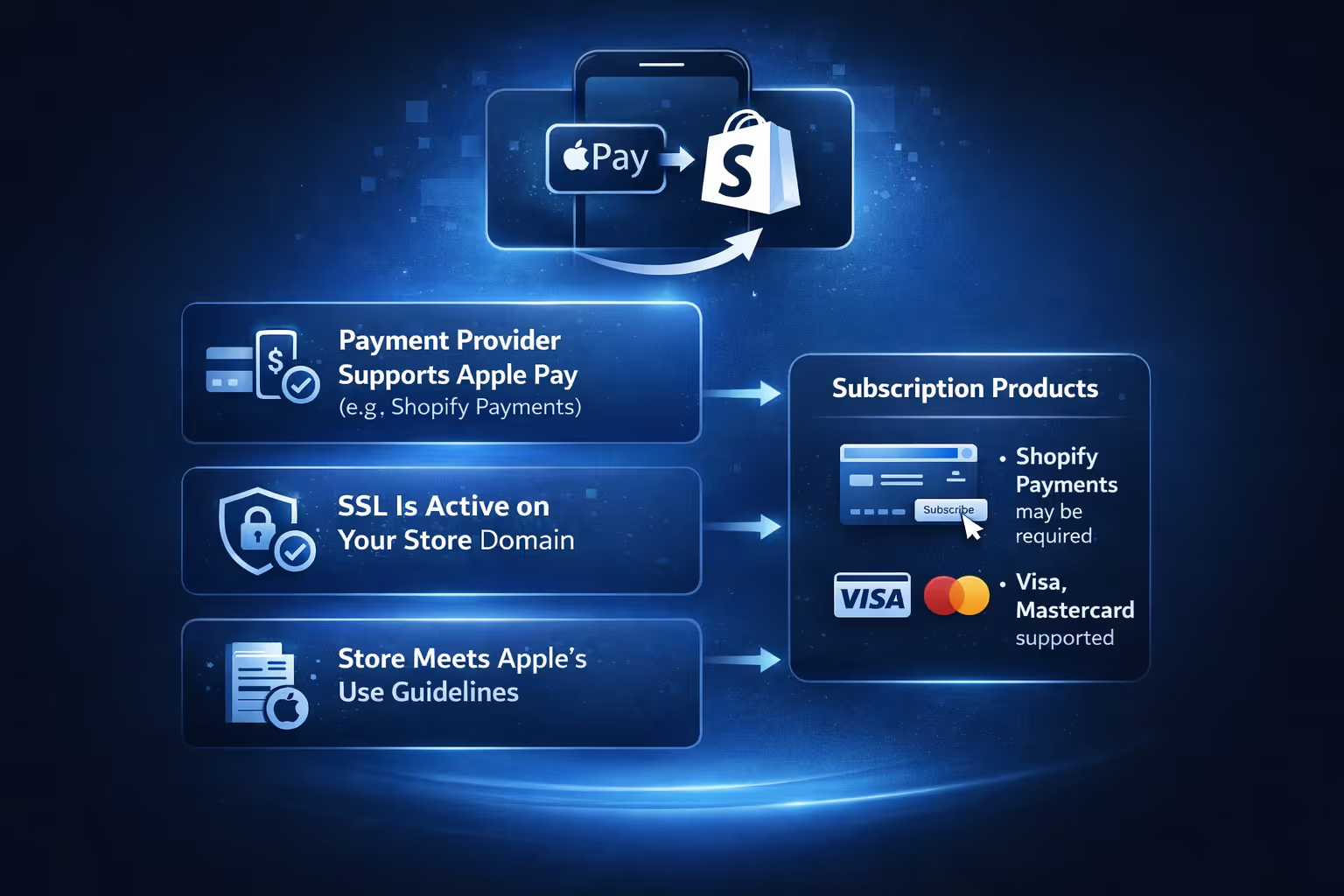
Apple Pay setup on Shopify is straightforward, but only if the basics are already in place. Most issues come from missing one requirement.
Before enabling Apple Pay, make sure:
If you sell subscription products, there are additional rules. In most cases, Shopify Payments is required, and customers must use supported card types like Visa or Mastercard. Some subscription apps do not support accelerated checkouts at all, which can block Apple Pay even if everything else is configured correctly.
If you meet the requirements, enabling Apple Pay usually takes only a few minutes.
In your Shopify admin, go to Settings, then Payments. Open the section for your credit card payment provider and click Manage. In the wallets section, select Apple Pay and save your changes.
In some regions, such as France, Apple Pay activation is found under advanced settings within Shopify Payments. The steps are slightly different, but the process still happens entirely inside the Shopify admin.
If you use Stripe, Shopify manages domain verification automatically, so you do not need to upload verification files yourself.
No, Apple Pay does not add extra fees.
Apple Pay itself does not charge merchants. You continue paying the standard processing fees set by your payment provider. If you use Shopify Payments, Apple Pay transactions are charged at the same rate as regular card payments.
This makes Apple Pay a low-risk addition. It can improve checkout speed without increasing transaction costs.
Apple Pay supports discount codes, but the timing matters.
Customers must enter discount codes before tapping the Apple Pay button. If Apple Pay appears too early in the flow, such as directly in the cart, customers may never see a place to enter a code.
This often leads to confusion and support tickets. To avoid it, many stores keep Apple Pay visible on the checkout page itself, where discount fields are clearly available.
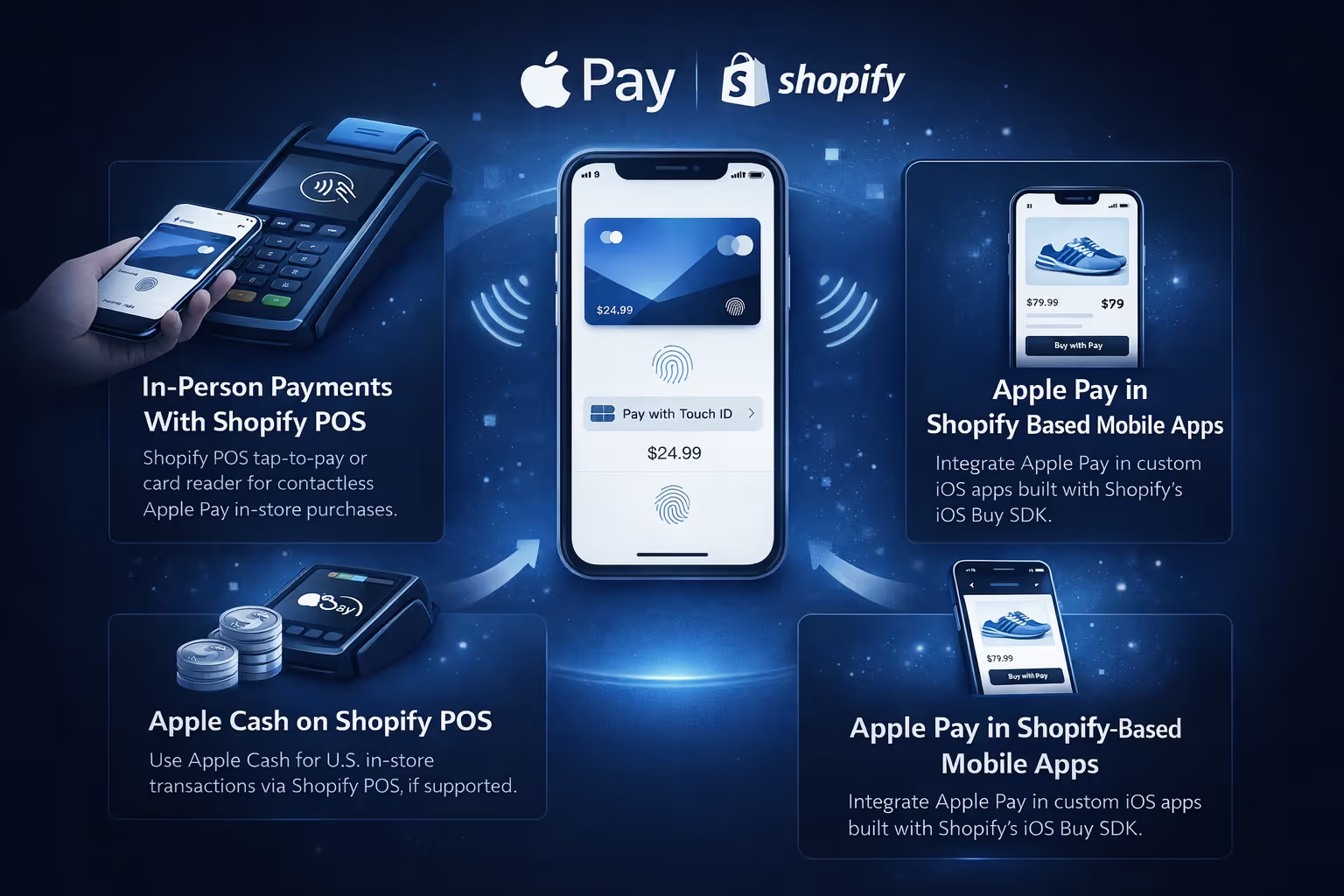
Apple Pay on Shopify is not limited to standard online checkout. Depending on how your business operates, you can also accept Apple Pay in physical locations and inside mobile apps built on Shopify.
Shopify supports Apple Pay for in-person sales through Shopify POS. With compatible card readers or Tap to Pay on iPhone, customers can pay by tapping their iPhone or Apple Watch. The payment is processed instantly, and no physical card is required.
Like other contactless payments, Apple Pay transactions in-store may be subject to limits set by banks or card networks. These limits are often higher than standard tap-to-pay card limits, but they still exist, especially for larger purchases.
For businesses based in the United States, Shopify POS may also support Apple Cash, depending on the card reader being used. This allows customers to pay using funds stored in their Apple Cash balance instead of a linked card.
Availability varies by region and hardware. Merchants outside the US should check with their payment provider to see whether Apple Cash or equivalent options are supported locally.
If your business has a custom iOS app built using Shopify’s iOS Buy SDK, Apple Pay can be offered as a payment method directly inside the app. This creates a smooth, native checkout experience for customers who prefer shopping through a mobile app rather than a browser.
This setup is more common for larger brands or businesses with dedicated apps, but it is useful to know that Apple Pay on Shopify extends beyond web checkout alone.
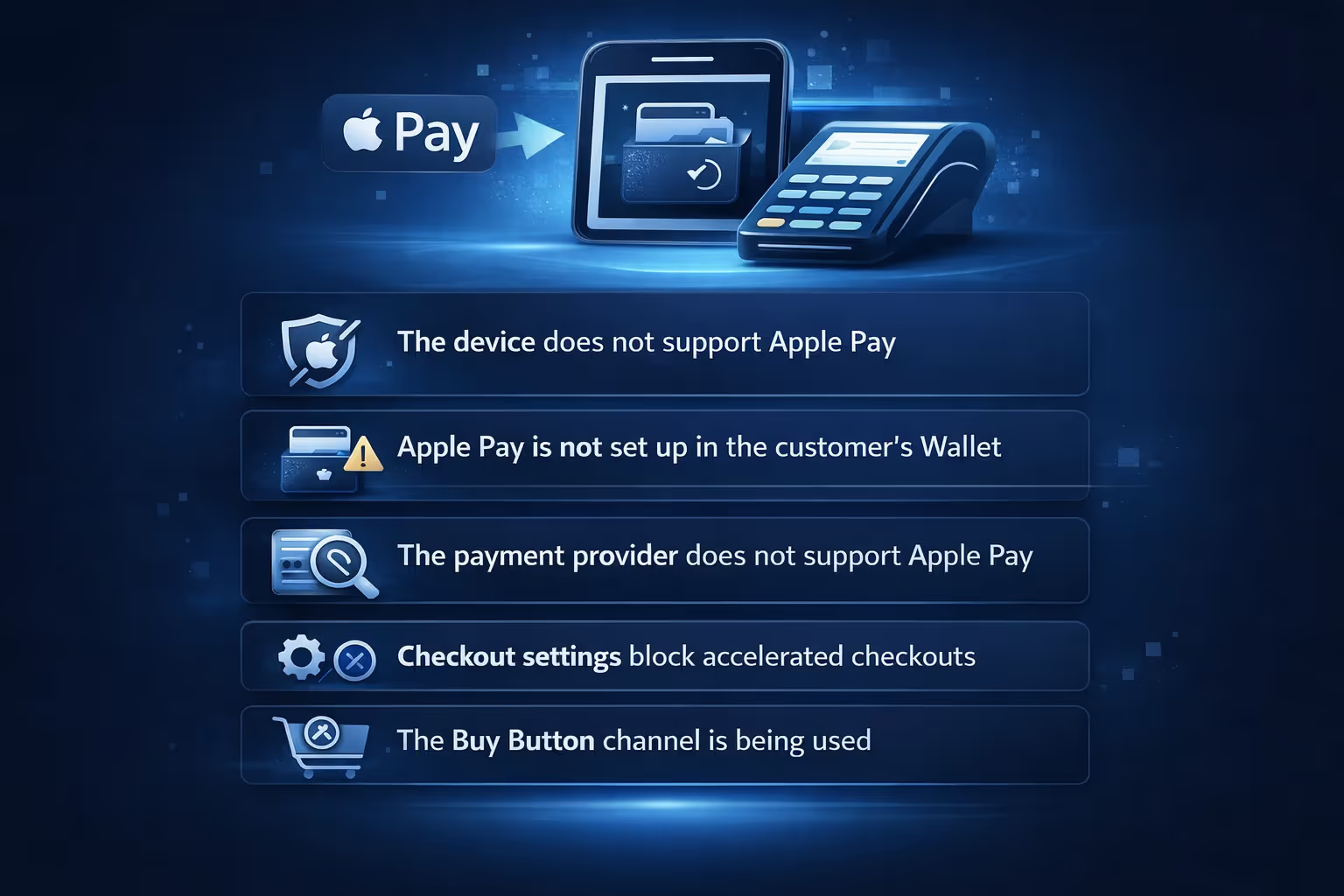
When Apple Pay does not appear, the cause is usually predictable once you know what to look for.
Common reasons include:
In most cases, Apple Pay is working correctly. It is just not available in that specific checkout scenario.
In international stores, Apple Pay issues are often tied to currency and market configuration.
If the transaction currency does not match what the customer’s Apple Pay card supports, the payment can fail. Some banks also restrict cross-border Apple Pay transactions.
Ensuring your Shopify markets and currencies are set up correctly reduces these issues, but customers may still need to use another card or payment method in certain cases.
Apple Pay is widely considered one of the safer payment methods available.
Customers authenticate every payment using biometric verification or a device passcode. Card numbers are never shared with merchants. Each transaction uses a unique token, which reduces the risk of fraud.
For merchants, this means fewer concerns around sensitive payment data and a checkout method customers already trust.
For most Shopify stores, enabling Apple Pay makes sense.
It does not add extra fees, integrates smoothly with Shopify Payments, and can improve conversion rates, especially on mobile. It also aligns with customer expectations around speed and convenience.
The main reasons not to enable Apple Pay are technical or structural, such as unsupported payment providers or subscription setups that block accelerated checkout.
Shopify does accept Apple Pay, and when it is set up properly, it works quietly and efficiently. Customers tap, authenticate, and move on. Merchants get paid without changing how they manage orders.
The key is understanding when Apple Pay appears, what it depends on, and how it fits into your checkout flow. Once those pieces are clear, Apple Pay becomes less of a feature you think about and more of a standard option your store offers without friction.
For many Shopify stores, that quiet reliability is exactly the point.


