Top Facebook Ads Agencies in India: The Standouts in 2026
Discover leading Facebook ads agencies in India for e-commerce and lead gen. From scalable Meta campaigns to high ROAS, find the top performers today.
Mar 24, 2026



You can throw a bunch of ads at Facebook and hope for the best. Or you can run a proper split test and stop guessing. A/B testing isn’t just a checkbox. When done right, it tells you exactly what’s working and what’s quietly draining your budget. This article breaks down the how, the when, and the things people usually miss, so you can stop spending to learn and start learning before you spend.

Split testing in Facebook ads has always been about choosing between options – launch both, track performance, and let the data decide. But this process depends on spend, time, and luck. At Extuitive, we believe that choosing the right creative shouldn't require running a live test at all.
We built Extuitive to replace reactive split testing with predictive intelligence. Our system analyzes your brand’s past ad performance, then evaluates new creative concepts through a custom model that reflects how your audience actually responds. Instead of launching variations, you get a clear forecast of which assets are most likely to drive CTR and ROAS before anything goes live.
In practice, this approach helps teams eliminate weak ideas early, speed up creative decisions, and reduce testing waste. Prediction accuracy reaches up to 81% in real use, with testing velocity increasing by more than 10x. For teams used to guessing their way to results, Extuitive offers a smarter path – one grounded in data, context, and confidence from the start.
Split testing, also known as A/B testing, is the process of comparing two or more variations of an ad to see which one performs better. But unlike casual testing where everything runs together, a true split test keeps each variable isolated and the audiences fully separated. That way, you can trust that the difference in performance comes from the change you made, not from noise, bias, or random chance.
Most teams launch campaigns and then optimize later. That sounds fine until you realize what’s really happening: you’re paying to find out what doesn’t work.
Split testing flips that. It gives you the chance to test ad components with real statistical control. That means no audience overlap, clean data, and confidence that the result is more than a fluke.
It’s not just about performance lifts either. Good split testing teaches you how creative, copy, timing, and placement affect outcomes. And that learning compounds. Over time, you stop guessing and start building campaigns on actual insight.
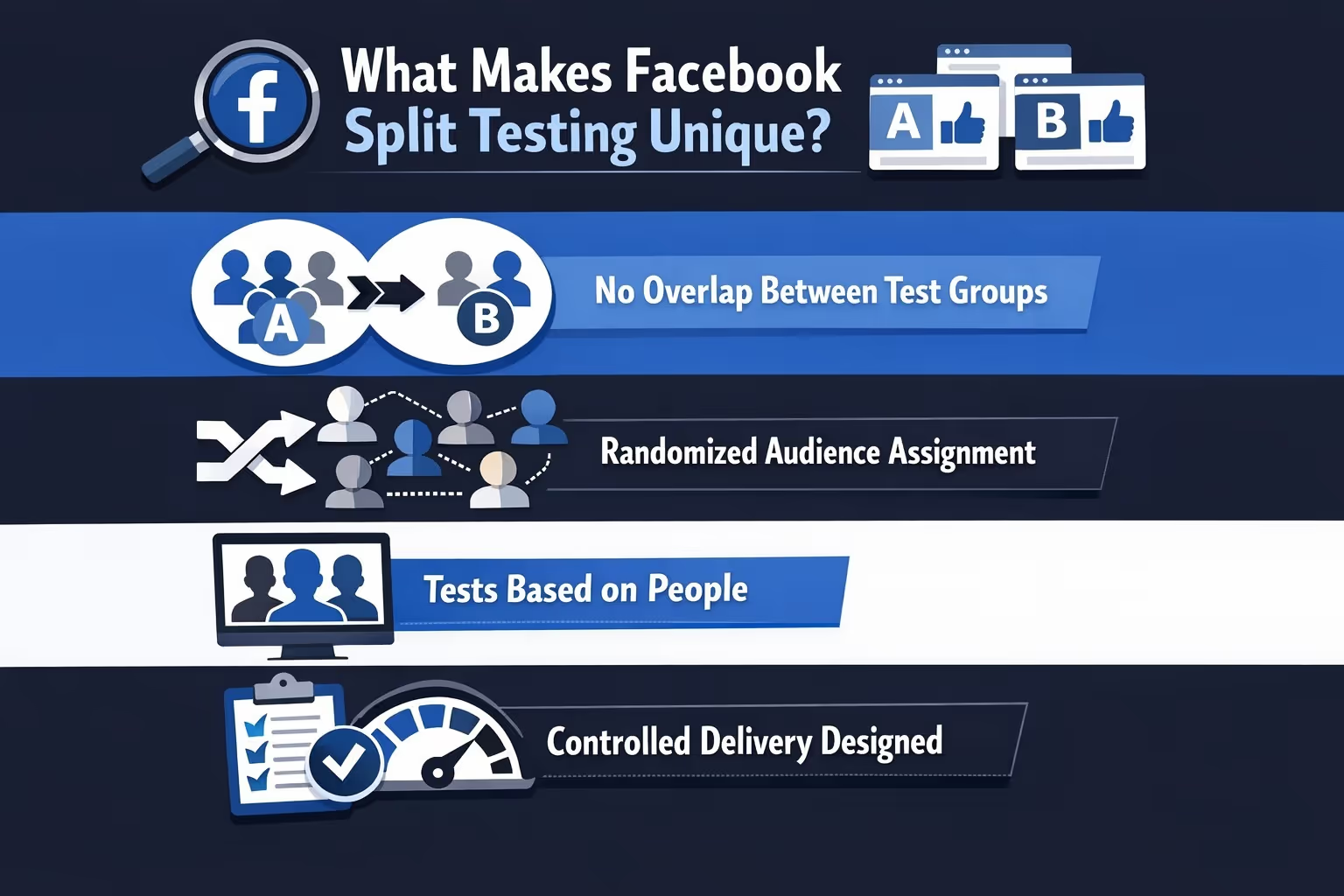
On other platforms, testing can feel loose. You try different creatives and see what wins. Facebook’s split testing framework adds more structure to the process:
This makes results easier to trust, but it also means you need to be deliberate about what you’re testing and why. You can’t just throw ideas into the mix and hope something sticks.
Not every campaign needs a formal split test. But here’s when it definitely helps:
Before increasing your ad spend, it’s smart to validate what actually drives results. Scaling on shaky creative just amplifies waste. A split test gives you a clean read on which version performs better, so your budget goes toward proven winners. Think of it as tightening the bolts before going faster.
Sometimes an ad is working, but you’re curious if it could be better. Testing new creative or copy against your current best gives you room to improve without guessing. It’s a way to pressure-test what “good” really means. Even a strong ad can be outperformed with the right tweak.
If you’re working with a team or reporting to leadership, opinions can only go so far. A clean split test cuts through debate with real numbers. It shows exactly which direction performs best, backed by data, not gut. That’s often what turns a hunch into a decision.
When your campaign performance stalls, throwing random changes at it usually makes things worse. A structured split test helps you isolate variables and find out what’s dragging you down. It could be creative fatigue, the wrong CTA, or just bad timing. Either way, testing brings new clarity to an old problem.
Split testing is less useful for early experimentation when you’re just getting a feel for direction. It’s meant to validate, not explore.
The beauty of Facebook’s structure is that you can test nearly any variable. The challenge is knowing which ones actually matter. Here’s what people typically test, and why it works:
The key is to isolate one variable at a time. If you change multiple elements between versions, your results won’t tell you what actually caused the difference.
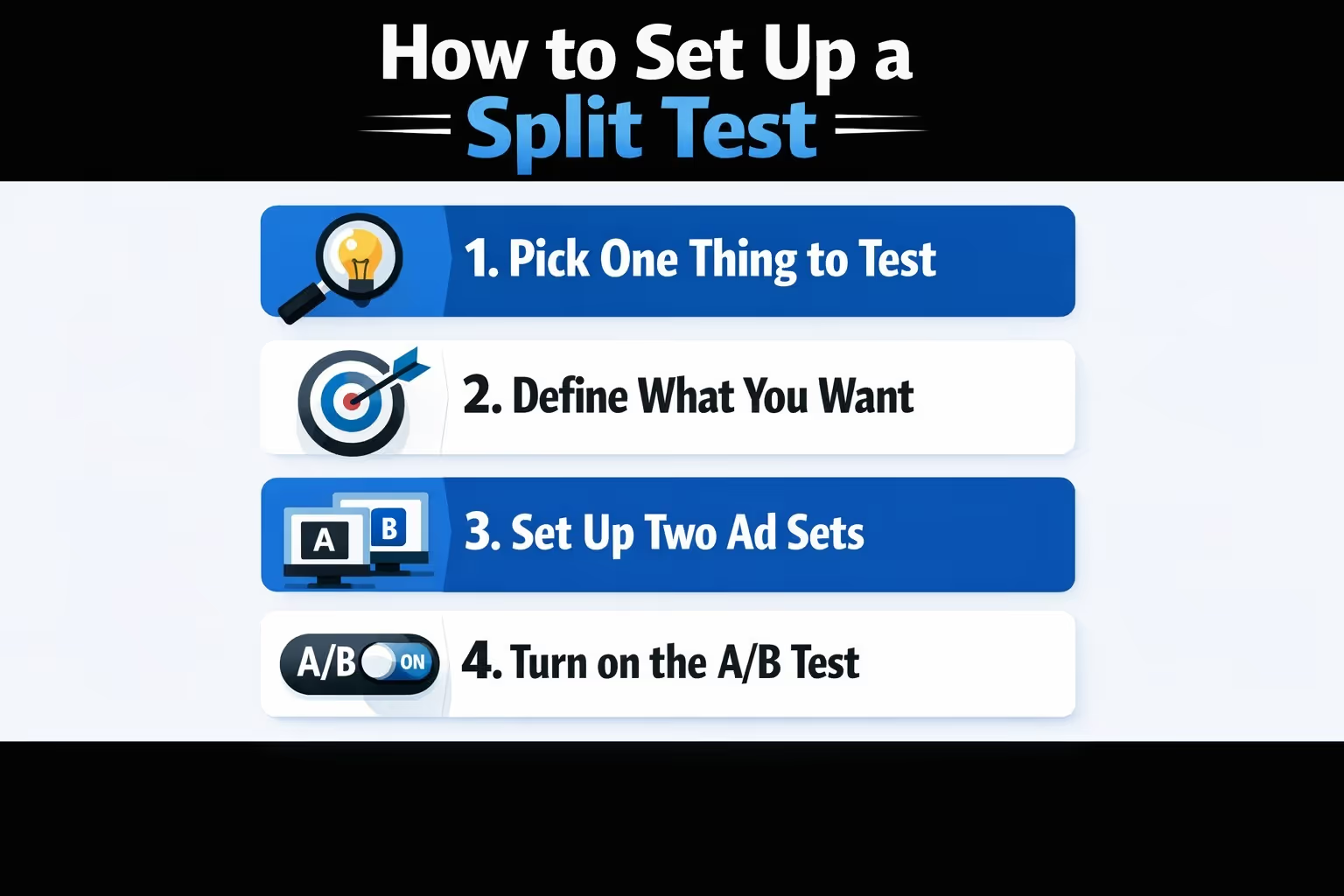
Running a split test in Meta Ads Manager is straightforward. But setting it up in a way that teaches you something? That’s where most people mess up.
Step-by-step:
Start by choosing a single variable to focus on. That might be the headline, image, CTA, or even the landing page. Whatever you pick, make sure it’s the only difference between versions. Testing multiple things at once just muddies the results.
Be clear on the goal before you launch. Are you trying to increase conversions, get more leads, or drive app installs? Your objective should guide what you test and how you measure success. If you're unclear on the outcome, the test won't teach you much.
Create two (or more) ad sets that are completely identical except for the one element you’re testing. Same budget, same audience, same placements. That’s the only way to get results you can actually trust.
To run a proper split test, use Meta’s Experiments feature in Ads Manager. It ensures random audience assignment and prevents overlap between test groups. Avoid manual setups, as they often lead to mixed signals and unreliable results.
Set your budget and test duration based on your audience size and goals. Meta’s system manages delivery across test variations and aims for fair distribution, but exact splits may vary. Ensure your test runs long enough to collect actionable results.
Once the test is live, hands off. Making changes mid-test ruins the integrity of the data. Give it time to play out so you can trust the outcome.
Facebook can indicate which ad variation is performing better once enough data has been collected. At that point, you can see which version is leading and how large the performance difference is, then use those insights to decide what to scale and what to pause.
It’s easy to set up a split test. It’s even easier to mess it up and walk away with false conclusions. These are the most common pitfalls to watch out for:
How long you should run a split test depends on your budget, audience size, and campaign objective. In many cases, tests run anywhere from a few days to a couple of weeks. The goal is to allow enough time to collect meaningful results without letting the test drift due to external factors.
In terms of spend, there is no fixed minimum budget per variation. The amount of budget required depends on audience size, objective, and conversion volume. Without sufficient data volume, results will remain inconclusive regardless of how well the test is structured.
Facebook can indicate when enough data has been collected to compare performance between variations, but advertiser judgment still matters. If a test feels underpowered or ends too quickly, it is often better to extend it than to draw conclusions too early.
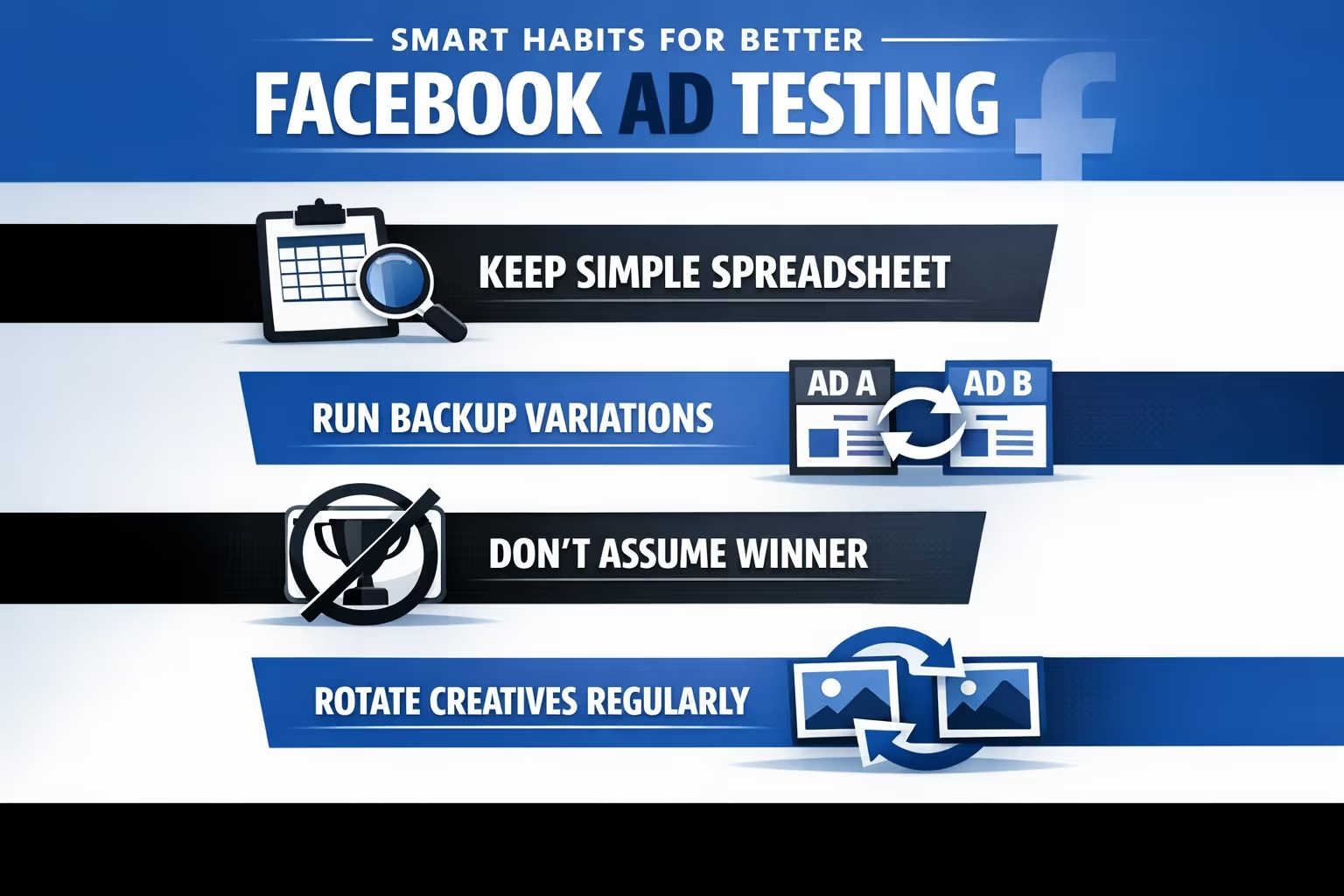
Here are a few habits that’ll make your testing life easier:
Facebook gives you the winner and the lift. But don’t stop there. Look deeper:
Split testing is just the start. It’s your job to take those signals and connect them to creative strategy, messaging, and broader campaign goals.
If you’re serious about performance, testing should be baked into your process. Not every week, but consistently.
You don’t need to run five tests at once. Start with one a month. Then move up as you get comfortable. The more you test, the less you guess.
If you’re juggling other channels or short on time, keep it simple:
That’s it. Four-week cycles that give you structure without burnout.
Split testing isn’t a growth hack. It’s a discipline. One that saves you money, teaches you what works, and makes you a smarter advertiser.
If you're running Facebook ads without it, you're basically paying to stay confused. But if you use it right, split testing becomes a quiet edge that compounds over time.
Treat it like an investment in learning, not just performance. You’ll get better results. And more importantly, you’ll understand why.


