How to Pause Your Shopify Store: A Quick and Easy Guide
Sometimes, taking a break from selling can be just what your Shopify store needs. Whether you're dealing with a slow season or just need some time to regroup, pausing your store temporarily can keep things running smoothly. In this guide, we’ll walk you through the process of pausing your Shopify store, including what to expect and how to do it right. Ready to hit pause? Let’s dive in.
What Does It Mean to Pause Your Shopify Store?
Pausing your Shopify store allows you to suspend sales while still maintaining access to certain features, like product management and store customization. It’s a way of temporarily halting operations without closing your account entirely. Shopify provides a specific plan for this called the "Pause and Build" plan, which ensures that your store remains active on a lower-cost plan, even if you’re not actively making sales.
When you pause your store, customers won’t be able to complete purchases, but they can still browse your products. This is an excellent option for stores that are seasonal, need time for updates, or are going through a period of restructuring.
Why You Might Want to Pause Your Shopify Store
There are a variety of reasons why you might consider pausing your store, and understanding your own needs is essential. Here are some common scenarios where pausing your Shopify store could be a smart move:
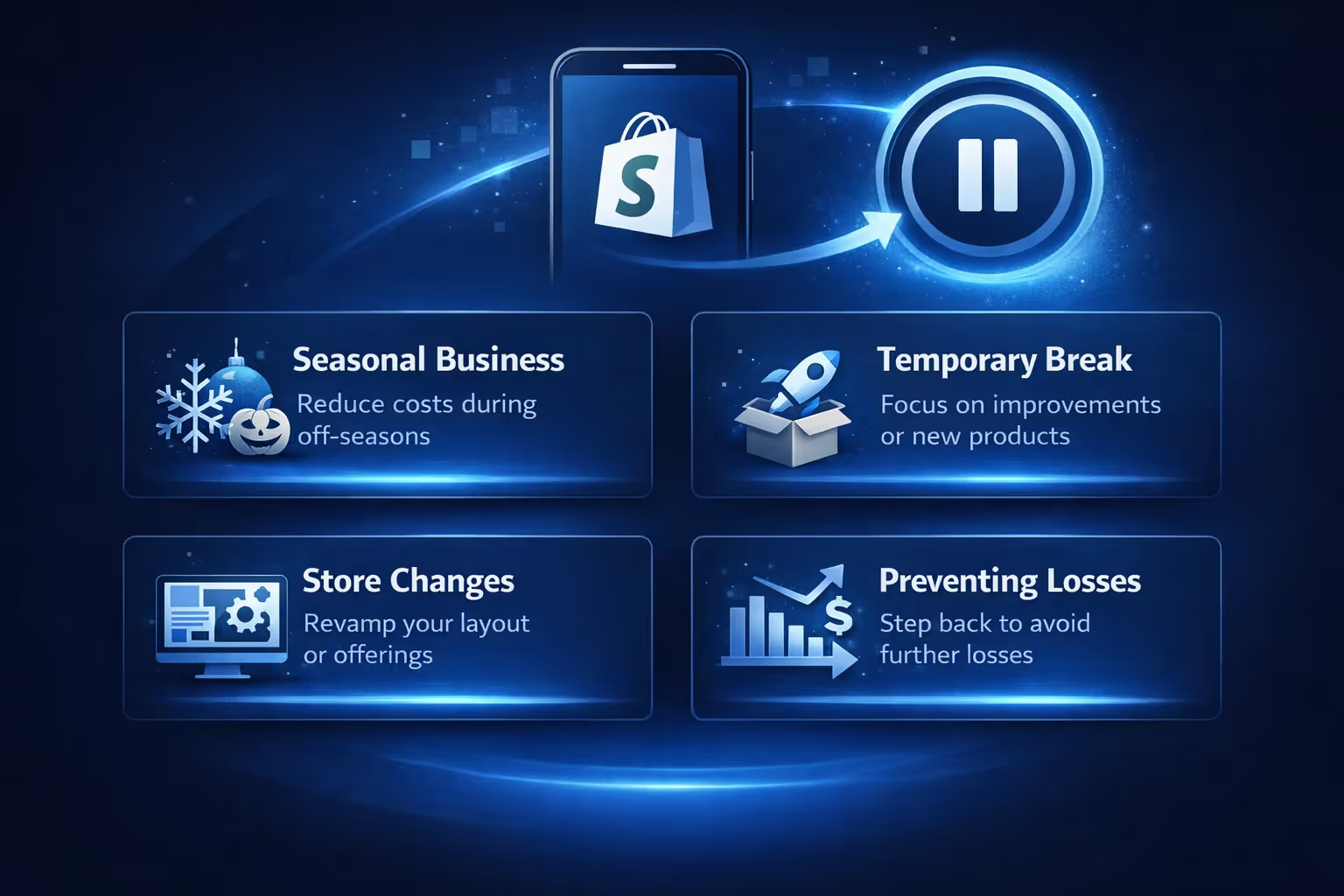
Seasonal business: If your store is only relevant during certain times of the year, such as a holiday-based business, pausing it during the off-season allows you to save on fees while still keeping your store intact.
Temporary break: Whether you’re launching a new product or working on your branding, pausing the store gives you the time and space to make improvements without worrying about sales in the meantime.
Undergoing store changes: If you need to rework your store's layout, product offerings, or pricing, pausing it can give you the breathing room to complete your updates without the pressure of managing live transactions.
Preventing losses: If sales are low and you’re unsure of the next steps, pausing your store is a temporary solution to prevent further losses while you figure out a new strategy.
Benefits of Pausing Your Shopify Store
Pausing your Shopify store can offer several advantages, especially if you need some time away from full operations. Here are the primary benefits:
Lower costs: The Pause and Build plan comes with a reduced subscription fee, allowing you to save money while not actively selling.
No sales pressure: By pausing your store, you’re free from the pressure of daily sales and customer interactions.
Access to your Shopify admin: Even when your store is paused, you can still access your Shopify admin panel, update product listings, and work on store management.
Customer visibility: Customers can still browse your store, view products, and engage with your content. This means your store remains in the public eye while you're taking a break.
How to Pause Your Shopify Store: Step-by-Step Guide
Pausing your Shopify store is a straightforward process, but it’s essential to follow the right steps to ensure everything goes smoothly. Here’s a simple guide to help you pause your store:
1. Log in to Your Shopify Account
To begin pausing your Shopify store, the first step is to log in as the store owner. You must be the store owner to access this option, so make sure you have the necessary credentials. Once you're logged in, you’ll be able to access the Shopify admin panel where all the store settings are managed.
2. Go to the Plan Settings
Once logged in, head to the Settings section in your Shopify admin panel. This can be found at the bottom left corner of your admin screen. After clicking on Settings, you’ll be directed to various options for managing your store. Look for and click on the Plan option to proceed to the subscription settings.
3. Select the Pause and Build Plan
In the Plan section, you'll see your current subscription details along with an option to either cancel or change your plan. Click on Cancel plan, enter your password when prompted, and click Cancel plan again to view available options. From the available options, select the Pause and Build plan. This plan allows you to pause your store temporarily while still retaining access to essential features, such as editing products and managing your store behind the scenes, but without the ability for customers to make purchases.
4. Review Plan Details
Before confirming the change, carefully review the plan details to ensure it fits your needs. The Pause and Build plan allows you to keep your store running at a reduced cost while you can still make updates and manage your products.
5. Confirm the Pause
Once you’ve reviewed the details, click Switch to Pause and Build to officially pause your store. If you’re using the mobile app, the steps are similar. Log in, go to settings, tap Cancel plan, enter your password when prompted, tap Cancel plan again, select the Pause and Build plan, and tap Switch to Pause and Build.
6. Final Check
Make sure you deactivate any third-party apps that have recurring charges, as you may still be billed for those even while your store is paused. Additionally, if you had a custom plan, remember that you’ll need to select a new one when reopening your store.
What Happens When You Pause Your Shopify Store?
After you pause your Shopify store, several things will happen, including the deactivation of certain features and access to others:
Features That Are Paused:
Checkout is deactivated: Customers will no longer be able to complete purchases through your checkout system.
No use of Point of Sale (POS): Sales through the POS system will be disabled.
No discounts or gift cards: You won’t be able to offer discounts or use gift cards during the paused period.
Third-party integrations are paused: Services like Facebook and Google for publishing products or running ads will be unavailable.
Features You Can Still Access:
Access to your Shopify Admin: You can still log in to your admin panel to make changes, update your products, and manage your store.
View your storefront: Customers can continue browsing your online storefront, but they won’t be able to make purchases.
Analytics and reports: You can access basic reports and monitor your site’s performance during the pause.
How to Customize Your Store During the Pause
Even though you’re not actively selling, you can still make adjustments to your store during the paused period. Here are some customization options:
Hide product information: If you don’t want customers to attempt to purchase products during the pause, consider customizing your product pages to hide prices or add a note that the store is temporarily closed.
Password-protect your store: If you’d prefer to keep your store entirely private while it’s paused, you can add a password to restrict access to your products. This ensures that only those with the password can see your store.
Update store design: This is the perfect time to make changes to your store’s theme or add new content without the pressure of live transactions.
Leverage Predictive Ad Performance with Extuitive
As you pause your Shopify store and plan for the next steps in your business, it might be the right time to think ahead about how to optimize your ad performance when you reopen. That’s where we at Extuitive come in. With our advanced AI-driven forecasting tools, we help businesses like yours predict the real-world performance of your ads before you even launch them. This ability to forecast allows you to confidently plan your marketing strategy and focus on what works best for your store, ensuring that you hit the ground running when you decide to reopen.
Our Extuitive’s platform provides you with valuable insights into your ad campaigns, helping you predict which ads will perform well and which ones might need adjustments. Whether you're rethinking your marketing approach while your store is paused or getting ready for a big reopening, we provide the confidence you need to make the right choices for your business.
Integrating predictive ad tools like Extuitive into your business plan can give you a competitive edge. As you navigate through the pause period, this is an ideal opportunity to refine your strategies and ensure your ads are set up for success when your store is back in action. Ready to take your marketing to the next level? Our Extuitive's predictive tools are a smart move.
What to Do When You’re Ready to Reopen Your Store
When you’re ready to start selling again, reopening your Shopify store is easy. Here’s what you need to do:
1. Log in to Your Shopify Account
Just like when you paused your store, the first step to reopening it is to log in as the store owner. Only the store owner has access to make changes to the store’s settings, including reopening it. After logging in, you'll be directed to your Shopify admin panel where you can manage all aspects of your store.
2. Choose a New Plan
Once logged in, navigate to Settings > Plan in your admin panel. Since the plan you were previously on is no longer valid, you’ll need to choose a new one that suits your business needs. Review the available plans and select one that aligns with your current goals and budget. Shopify offers different tiers, so pick the plan that makes the most sense for your business moving forward.
3. Remove the Store Password (Optional)
If you had set a password to protect your store while it was paused, you can now remove it. This is an important step if you want your customers to have access to your products again. Simply go to Online Store > Preferences, and remove the password protection. You can also customize the message customers will see when they visit your store.
4. Start Selling Again
After you’ve selected your new plan and removed any password restrictions, your store will be reopened and ready for business. You can begin accepting orders again and resume normal operations. Whether you’re launching new products or simply picking up where you left off, your store is back in action.
Things to Keep in Mind When Pausing Your Shopify Store
While pausing your Shopify store can be a helpful option, there are a few things to keep in mind to ensure everything goes smoothly:
Subscription fees: The Pause and Build plan still comes with a reduced subscription fee, but you will continue to pay for apps and other services that are active.
Third-party apps: As mentioned, third-party apps may continue to run during the pause, and you may be billed for them unless you cancel them separately.
Reopening requirements: Your previous plan is no longer valid, so it’s important to be ready to pick a plan that fits your needs.
No sales or new orders: While your store is paused, you won’t be able to make sales or process orders. Make sure to plan your pause accordingly.
Conclusion
Pausing your Shopify store can be an excellent way to temporarily step away from operations without completely closing up shop. Whether you're making seasonal adjustments, updating your products, or just taking a break, the Pause and Build plan offers a flexible solution to manage your business while keeping costs low. By following the steps outlined above, you can pause your store smoothly and reopen it when you're ready to start selling again.
FAQ
1. What happens when I pause my Shopify store?
When you pause your Shopify store, your checkout is deactivated across all sales channels. Customers can still browse your products, but they won’t be able to make any purchases. You’ll also have access to your Shopify admin, so you can continue managing your store, updating products, and preparing for when you're ready to reopen.
2. Can I make changes to my store while it’s paused?
Yes! While your store is paused, you can still edit your products, update your theme, and work on any improvements. It’s a great opportunity to make changes without the pressure of managing live transactions. You can even adjust your marketing strategy for when you’re ready to reopen.
3. Will I be charged while my store is paused?
You’ll be charged a reduced subscription fee when you switch to the "Pause and Build" plan. However, it’s important to remember that any third-party apps you have with recurring charges may still bill you, so you might want to review and pause those separately if you don’t need them.
4. How do I reopen my Shopify store after pausing it?
Reopening your store is simple! When you’re ready, just log in to your Shopify admin, choose a new plan (since your old plan becomes invalid after pausing), and you’ll be able to start selling again. If you set a password on your store while it was paused, you’ll need to remove it before customers can access it again.
5. Can I pause my store for any length of time?
While there isn’t a set maximum duration for how long you can pause your store, the Pause and Build plan is typically meant for short-term breaks. It's perfect if you're looking for a temporary solution – whether you're in between seasons or taking time to restructure your business.
6. Are there any features I can’t use when my store is paused?
Yes, some features will be disabled while your store is paused, including checkout, Point of Sale (POS), discounts, abandoned cart recovery, and third-party integrations like Facebook and Google. However, you’ll still have access to your admin and basic reports, so you can manage your store behind the scenes.
How much are you wasting on Meta ads? Connect your ad account. See your ad efficiency.