Shopify Theme Development Agencies: What These Teams Really Do
A simple look at the top Shopify theme development agencies and how they help stores run smoother.
Mar 24, 2026



If you're running a Shopify store, you know that driving traffic is just half the battle. The real challenge? Turning visitors into buyers. That's where optimizing your conversion rate comes in. A higher conversion rate means more sales from the same amount of traffic, leading to a better return on your marketing efforts and an overall stronger business. But how do you actually increase that all-important conversion rate?
In this guide, we'll walk you through some practical, easy-to-implement strategies that have worked for successful Shopify stores. No fluff, just proven tactics that can make a real difference in your sales numbers. Ready to turn more clicks into customers? Let's dive in!
In simple terms, a conversion rate is the percentage of visitors to your Shopify store who complete a desired action, such as making a purchase, signing up for your newsletter, or filling out a contact form. For e-commerce stores, the primary goal is typically to convert visitors into paying customers.
To calculate your conversion rate, you divide the number of conversions (e.g., purchases) by the total number of visitors and multiply by 100. For example, if 100 people visit your store and 3 make a purchase, your conversion rate is 3%.
Your conversion rate directly impacts your revenue. A higher conversion rate means you're turning more of your traffic into sales without necessarily increasing your ad spend or driving more visitors. Improving this rate is one of the most efficient ways to boost your store's profitability and overall success.
Now that we’ve covered the importance of conversion rate, let’s dive into some strategies you can implement to improve it. These tactics are designed to enhance the shopping experience, streamline the purchasing process, and ultimately encourage more customers to hit that "buy" button. From optimizing your store speed to leveraging AI for ad performance prediction, these actionable steps can help you see measurable improvements in your conversion rate and, by extension, your sales.
Before jumping into solutions, it's important to understand your current conversion rate. This is the baseline that will help you measure the success of your efforts. The average conversion rate for Shopify stores tends to fall between 1.5% and 3%, but it varies depending on the industry and other factors.
Why knowing your rate matters:
Once you know your conversion rate, you’ll be able to set specific goals for increasing it, such as raising your conversion rate from 1.5% to 2% by the end of the quarter.

Page speed is one of the most crucial factors when it comes to conversion. If your Shopify store is slow to load, visitors are likely to leave before they even see your products. Research shows that a delay of just one second in page load time can reduce conversions.
How to improve store speed:
A fast website improves user experience, boosts your SEO rankings, and, most importantly, increases your chances of converting visitors into customers.
With a growing trend in mobile shopping, it’s crucial to ensure your store is optimized for mobile users.
When optimizing your Shopify store for mobile, focus on creating a seamless and fast shopping experience. Mobile users value a smooth, quick checkout process, so it’s important to reduce the number of steps required to complete a purchase. Offering mobile-friendly payment options, such as Apple Pay or Google Pay, can make the checkout process even more convenient.
Additionally, ensure that your product pages are optimized for smaller screens. This means making sure that your product images load properly and are easy to view, and that your descriptions are clear and easy to read on mobile devices.
It’s also essential to regularly test your mobile site across different devices and browsers. Doing so ensures that everything is functioning correctly and provides the best experience for your customers, no matter what device they’re using.
One of the easiest ways to encourage a first-time visitor to make a purchase is to offer an incentive. Discounts, free shipping, and exclusive deals can nudge hesitant buyers into taking the plunge.
Ways to incentivize first-time buyers:
By offering something extra, you create a sense of urgency and value, which can significantly increase conversion rates, especially for first-time customers.
An overly complicated checkout process is one of the most common reasons for cart abandonment. If customers are asked to fill out too many fields or navigate through a confusing process, they’re likely to leave without completing their purchase.
How to simplify your checkout:
The simpler and faster the checkout process, the more likely customers are to complete their purchases.
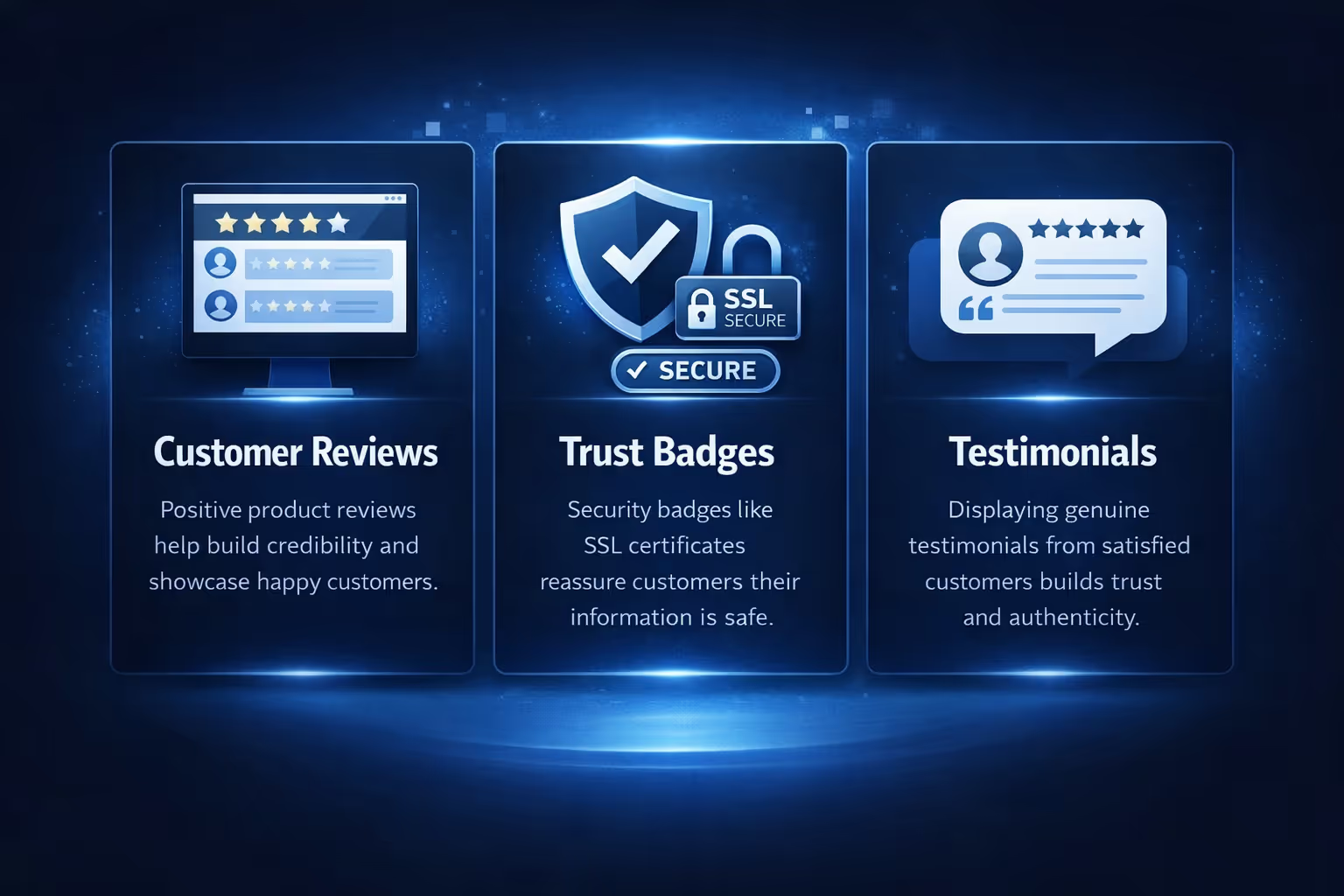
Trust is a huge factor in online shopping. Many customers hesitate to buy from unfamiliar stores because they’re unsure if the company is reliable. Adding social proof, such as customer reviews, ratings, and testimonials, can help build credibility and reassure visitors that your store is trustworthy. Here is how to build trust on your Shopify store:
Displaying product reviews on your product pages provides social proof that others have bought and enjoyed your products. Positive reviews help build credibility and can reassure hesitant buyers, increasing their confidence in making a purchase.
Adding security badges, like SSL certificates, to your checkout page gives customers peace of mind that their personal and payment information is protected. These badges are simple yet essential for ensuring your visitors feel secure while shopping on your site.
Sharing testimonials from satisfied customers on your homepage or product pages builds trust and authenticity. Real feedback from past customers helps new visitors feel more confident in your store, encouraging them to make their first purchase.
A/B testing, or split testing, involves testing two versions of a page or feature to see which performs better. This can help you identify what works best for your audience and optimize your store accordingly.
What to A/B test on Shopify:
By testing various elements of your store, you can fine-tune your design and user experience to maximize conversions.

At Extuitive, we help Shopify store owners take the guesswork out of advertising by predicting ad performance before launching any campaign. With our powerful AI-driven prediction engine, we forecast real-world ad performance, allowing businesses to test and predict how their ads will perform based on historical data. This means no more gambling with ad spend – we provide accurate insights on which ads are likely to succeed and which may need adjustments.
By integrating our technology into your Shopify store, we make it easier for you to target the right audience every time. Our AI models help you fine-tune your audience targeting, ensuring that you’re reaching the most likely buyers and boosting both click-through rates and return on ad spend. Additionally, we enable you to test a large volume of creatives quickly and efficiently, ensuring that every ad campaign is optimized before going live.
With Extuitive’s forecasting capabilities, you can scale your ad campaigns with confidence, knowing which ads are worth your investment. This predictive approach not only saves you time but also helps you achieve higher conversion rates by reaching the right customers with the right message at the right time. By using data-backed insights to guide your ad strategy, we help you make smarter, more effective decisions that will ultimately improve your Shopify store’s performance.
Shopping cart abandonment is a major issue for Shopify stores. Many customers add items to their cart but leave without completing the purchase. The good news is that abandoned cart emails can help you win back these potential buyers.
How to recover abandoned carts:
By retargeting customers who have shown interest in your products, you can recover potentially lost sales and increase your conversion rate.
Personalization is a powerful way to make customers feel special and valued. When you tailor the shopping experience to individual preferences, customers are more likely to make a purchase.
Personalizing your Shopify store can significantly enhance the shopping experience for your customers. By using AI or machine learning, you can recommend products based on a customer’s browsing or purchase history, making it easier for them to discover items they’re likely to be interested in.
Additionally, you can display dynamic content that adjusts based on the customer’s behavior or preferences, such as personalized product recommendations, discount offers, or shipping reminders, all of which can help keep them engaged. To further personalize the experience, segmented email campaigns allow you to send tailored offers based on past purchases or browsing behavior, encouraging repeat purchases and fostering customer loyalty.

Increasing your Shopify conversion rate starts with attracting the right kind of traffic. Search engine optimization (SEO) helps you rank higher in search engines and attract visitors who are already interested in your products.
SEO tips for Shopify:
By attracting high-quality traffic through SEO, you’re more likely to bring in visitors who are already primed to make a purchase, increasing your conversion rate.
Increasing your Shopify conversion rate isn’t a one-time task – it’s an ongoing process that requires constant optimization and testing. By implementing the strategies outlined in this article, you can create a more seamless, engaging shopping experience for your customers, which will ultimately lead to more sales. Whether you’re improving page speed, optimizing the checkout process, or using personalization, the key is to continually refine your approach based on what works best for your audience. Stay focused on providing value to your customers, and the results will follow. Happy selling!


