Marketing Ideas for Schools That Drive Enrollment in 2026
Discover proven marketing ideas for schools to boost enrollment. From SEO strategies to social media tactics, learn what works for independent and public schools.
Jun 6, 2026



Discounts look simple on the surface. Click a few buttons, set a percentage, share a code. But anyone who’s actually run a Shopify store knows that small details matter more than expected. Who can use the code. When it expires. Whether it stacks with other offers. And whether it quietly eats into your margins.
This guide walks through how to create a discount code on Shopify in a clear, practical way. No shortcuts, no hype, and no assumptions that you’re running a massive brand. Just the real steps, what each option actually does, and a few things worth thinking about before you hit “Save.”
On Shopify, a discount code is more than a number off at checkout. It is a rule set.
Each discount you create defines who can use it, what it applies to, when it is active, how often it can be redeemed, and whether it can combine with other offers. Those rules matter just as much as the percentage or dollar amount.
The common mistake is treating discounts as one-off promotions. In reality, Shopify stores accumulate discounts over time. Old codes get reused. Staff apply custom discounts. Automatic discounts overlap with manual ones. Margins get chipped away slowly, not all at once.
Understanding that context is what keeps your discount strategy sustainable.
All discount creation and management starts in the Shopify admin.
From your dashboard, navigate to Discounts. This is where you create, edit, duplicate, deactivate, or delete discounts. Every discount you ever run will pass through this section, including automatic discounts and POS discounts.
If you use Shopify POS, discounts created here can apply both online and in-store, depending on how they are configured. That connection is powerful, but it also means mistakes travel faster if you are not careful.
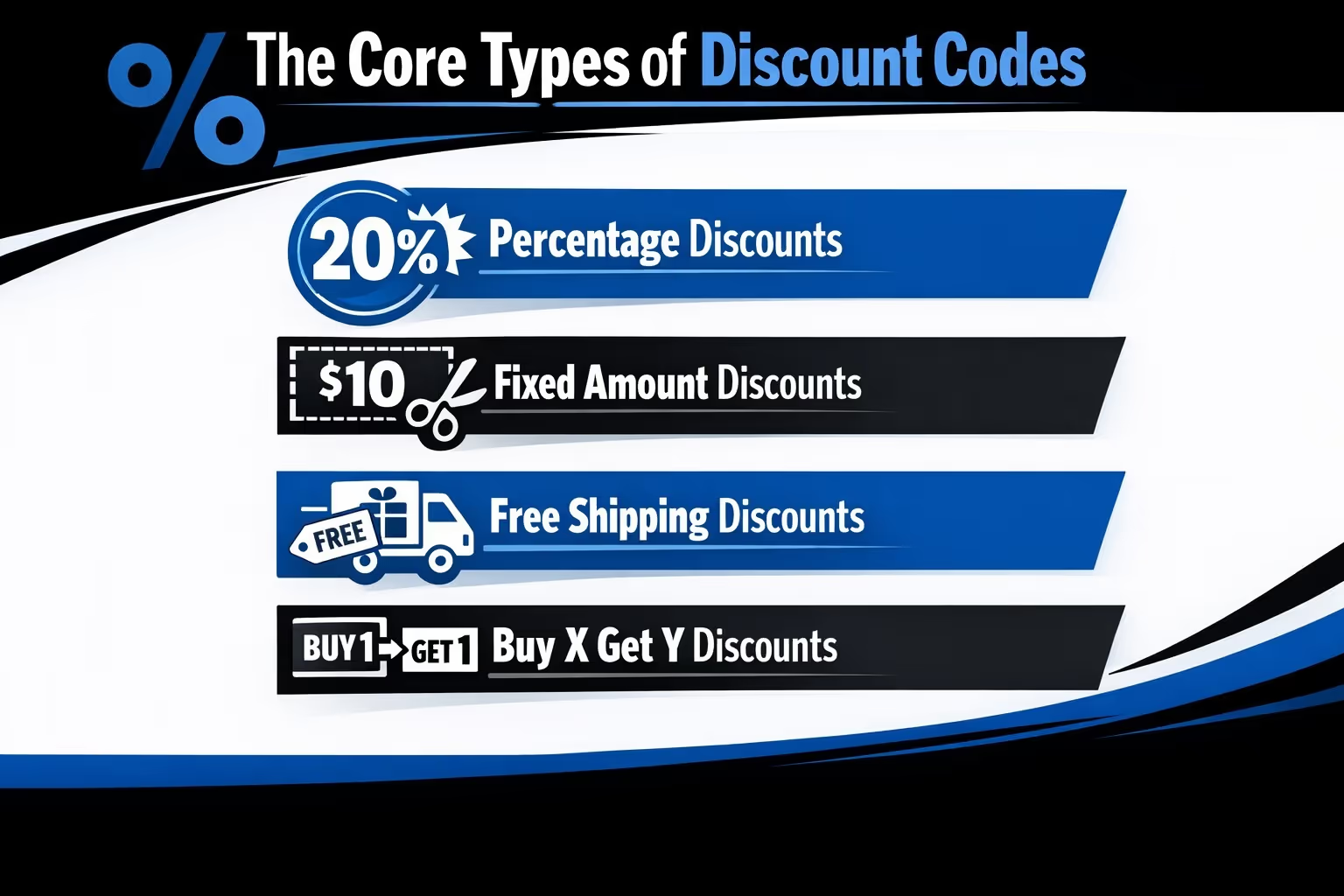
Before creating anything, it helps to understand the tools Shopify gives you. Each discount type solves a different problem. Using the wrong one usually costs more than it helps.
Percentage discounts reduce the price by a fixed percent. Examples include 10 percent off, 20 percent off, or 50 percent off.
These are effective for driving volume quickly, especially during sales events. They are also the most dangerous for margins if applied storewide without limits.
Percentage discounts scale with price. That means your highest-margin products often take the biggest hit unless you restrict where the discount applies.
Fixed amount discounts subtract a set dollar value, such as $10 off or $25 off.
These are easier to control because the cost is predictable. They work well for encouraging slightly larger carts or clearing mid-priced items without slashing premium products.
Free shipping discounts remove shipping costs instead of reducing product prices.
This is often the safest discount type for stores that care about brand perception or sell higher-end items. Customers perceive strong value, but your product pricing stays intact.
Free shipping can still hurt margins if shipping costs are high, so it works best when paired with minimum order values.
Buy one get one free or buy two get one half off promotions are powerful for increasing order size and clearing inventory.
These discounts require more setup but give you control over which products move and how much margin you give up per order.
Now let’s walk through the actual process, with context around each choice.
In your Shopify admin, go to Discounts and click Create discount. Choose Discount code.
This creates a code that customers must enter manually, rather than an automatic discount.
Manual codes give you more visibility and control. They are easier to track, easier to limit, and harder to accidentally apply sitewide.
You can let Shopify generate a random code or create your own.
Custom codes are usually better. They are easier for customers to remember and easier for you to recognize later in reports.
Keep names clear and intentional. Codes like SPRING10 or VIP25 tell you exactly why they exist. Avoid vague names that will confuse you months later when reviewing performance.
Select percentage, fixed amount, free shipping, or buy X get Y.
This is where margin thinking matters.
Before entering a value, ask yourself:
Discounts work best when the value matches the goal, not when it simply feels generous.
This is one of the most important steps and one of the most overlooked.
You can apply discounts to:
Applying discounts to everything is easy, but it is rarely the smartest option. Targeting collections or products protects your strongest sellers and gives you control over where the cost lands.
If you want to move slow inventory, apply discounts only to that inventory. If you want to increase cart size, apply discounts to orders over a threshold instead of slashing product prices.
Minimum requirements protect your margins by ensuring discounts are earned, not given away.
You can require:
Minimums encourage larger orders and prevent customers from using discounts on single low-value items. Even small thresholds can make a big difference over time.
Shopify lets you decide who can use a discount, and this choice has a direct impact on how expensive that promotion becomes over time. You can make a discount available to everyone, restrict it to specific customer segments, or limit it to individual customers only.
Customer segments are especially useful when margin control matters. Instead of running public discounts, you can target first-time buyers, loyal customers, or shoppers who have not purchased in a while. That way, discounts stay focused on behavior you want to encourage, rather than becoming a blanket price cut for anyone who finds the code.
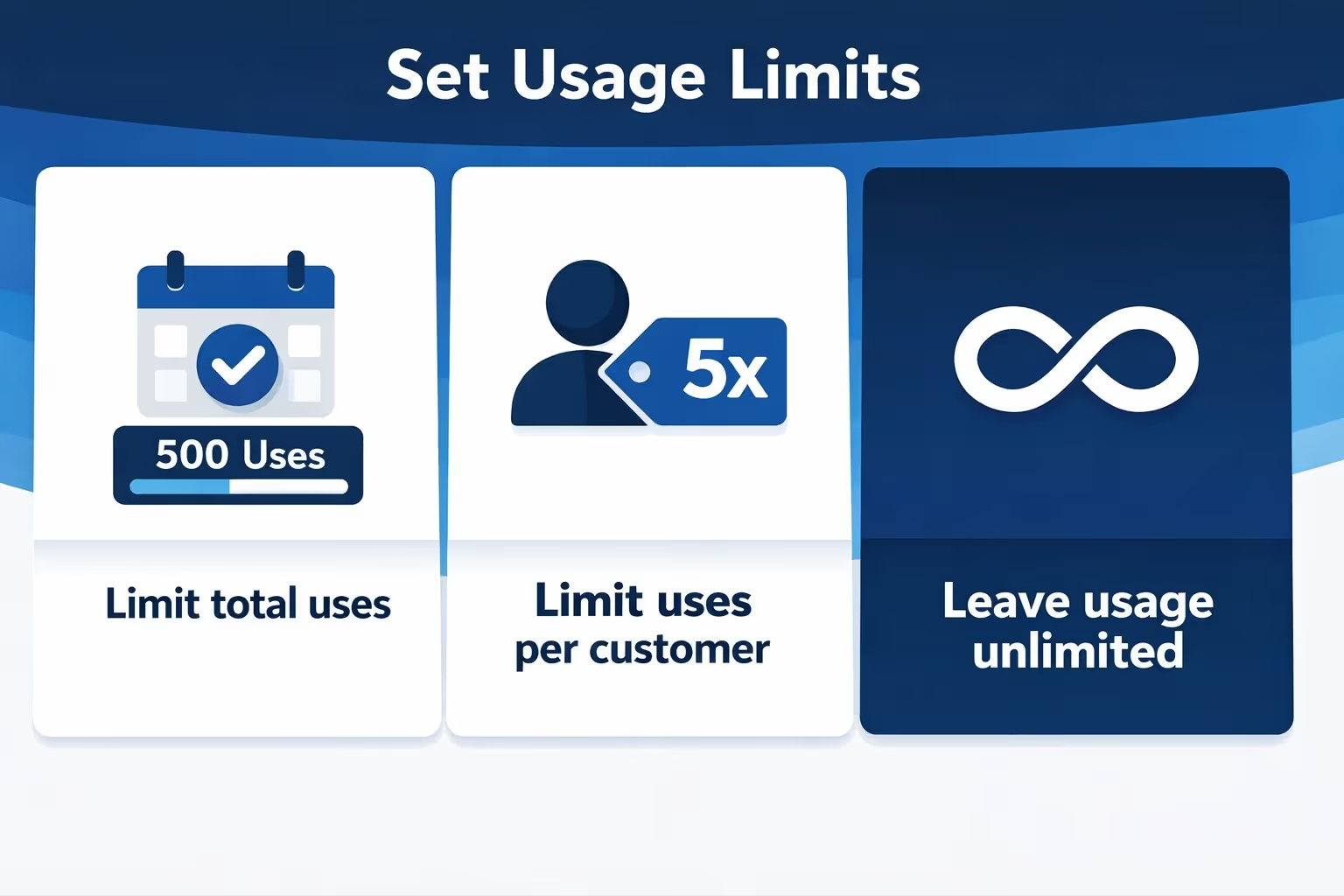
Usage limits prevent discounts from being abused.
You can:
Unlimited discounts sound generous but often backfire. A code shared publicly can spread far beyond its intended audience.
Usage limits give you control without needing constant monitoring.
Always set an end date.
Discounts without end dates have a habit of becoming permanent by accident. They get forgotten, reused, or combined with new offers months later.
Scheduling also helps with reporting, since you can clearly see performance within defined windows.
After saving the discount, take a moment to test it yourself. Add eligible products to the cart, apply the code, and make sure the right items are discounted, the minimum requirements behave as expected, and the discount does not combine with other offers in ways you did not intend.
This quick check only takes a few minutes, but it can save you hours of cleanup later, especially if a mistake slips into a live promotion.
Discount codes require customers to enter a code at checkout. This extra step gives you more visibility and control. You can see when and where a discount is being used, limit who can access it, and track its performance more clearly over time.
If margin control matters, discount codes are usually the safer option. They are harder to apply accidentally and easier to pause or retire once a promotion ends.
Automatic discounts apply at checkout without a code. From the customer’s perspective, this feels smooth and friction-free, especially during short promotions or seasonal events.
The downside is reduced visibility. Customers may not realize why the price changed, and staff can forget that an automatic discount is still active. If it overlaps with other promotions, the impact on margins can go unnoticed. Automatic discounts work best when the rules are simple, the timing is tight, and the promotion is actively monitored.
Shopify allows certain discounts to stack, depending on your settings.
This is powerful but risky.
A single discount rarely causes margin issues. Stacking discounts often does. For example, a line-item discount combined with a cart discount can quietly double the impact.
Before allowing combinations, calculate the worst-case scenario. Assume a customer uses every allowed discount at once. If that outcome still works financially, you are safe. If not, tighten the rules.
If you sell in person, Shopify POS introduces another layer.
Staff can apply custom discounts at checkout if they have permission. This flexibility helps close sales but can also lead to inconsistency.
Set clear internal rules for when staff can apply discounts and how much they can override. Review POS discount reports regularly. Small manual discounts add up quickly across many transactions.
Discounts should be reviewed, not just launched.
In Shopify, you can track discount performance through Analytics and Reports. Look beyond revenue alone.
Pay attention to:
A discount that increases revenue but lowers repeat purchase rates may not be worth it. The goal is long-term health, not short-term spikes.
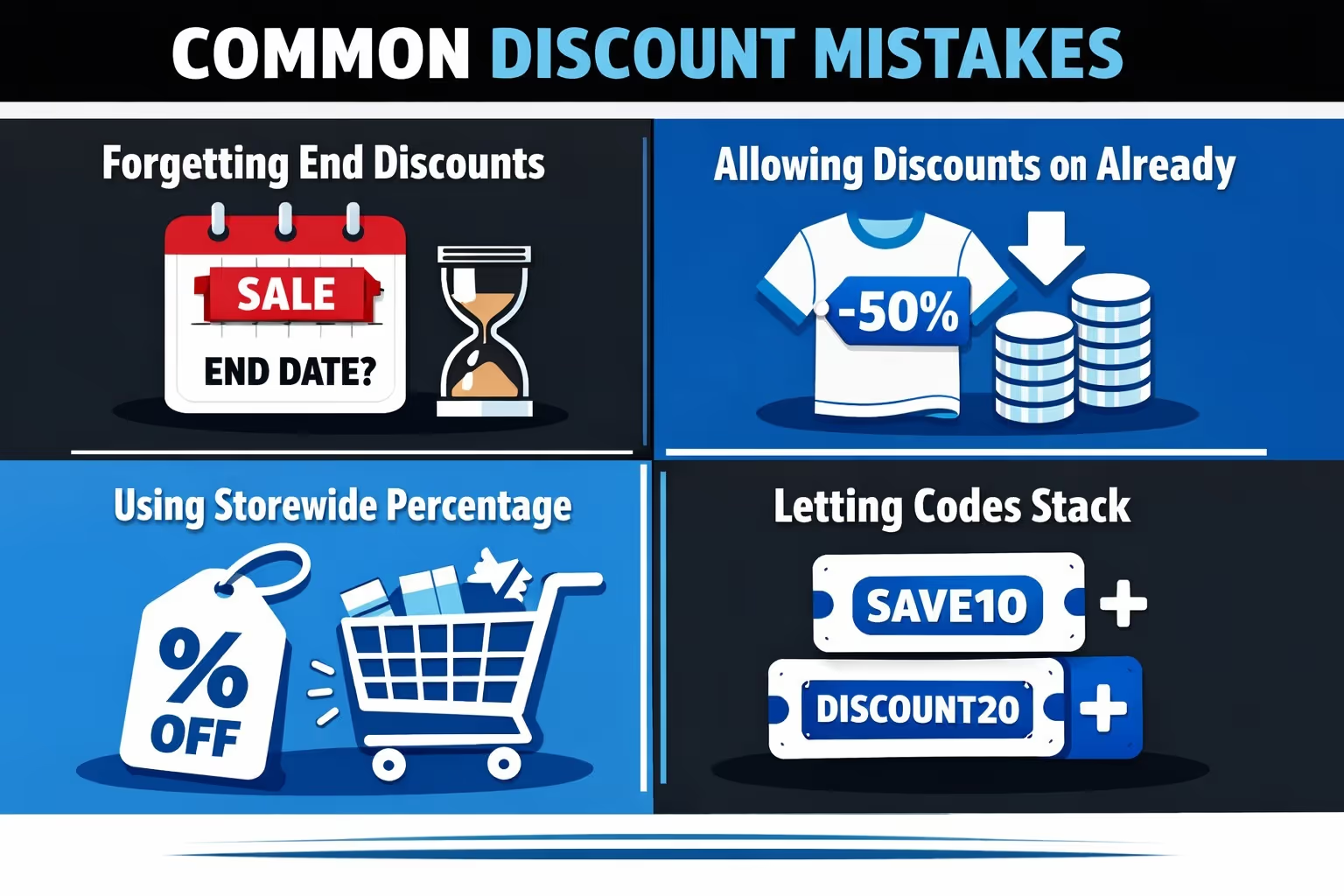
Most margin problems come from small oversights, not aggressive sales.
Common issues include:
Avoiding these mistakes does not require advanced tools. It requires attention and a habit of reviewing what is active.
Discounts work best when they are tied to a specific goal. They make sense when you need to clear seasonal or aging inventory, encourage a first purchase from new customers, increase average order value through minimum thresholds, reward loyalty, or support a campaign with a clear start and end date. In these cases, a discount acts as a nudge, not a crutch.
Discounts tend to create problems when they are used to compensate for weak product-market fit or applied constantly without a clear strategy. They can also do damage when they replace proper pricing decisions or mask deeper conversion issues such as unclear value, poor product presentation, or friction in checkout. In those situations, lowering the price only hides the real problem instead of fixing it.
Knowing when not to discount is just as valuable as knowing how to create a discount in the first place.

At scale, discounts are no longer just pricing decisions. They are traffic decisions. Every promotion raises the same question: will this actually work, or will budget be spent finding out?
That is where we come in.
At Extuitive, we help Shopify brands forecast ad performance before launch. Instead of testing discounts, creatives, and campaigns live, we use AI models validated against real campaign results to predict what is likely to win. The goal is simple: stop testing losers and focus spend on what has a higher chance of performing.
Our prediction engine evaluates creatives, messaging, and targeting signals ahead of launch. Forecasts are measured against a brand’s own historical averages and best performers, not generic benchmarks, which makes the insights practical and actionable.
We also emphasize audience relevance. Intelligent targeting helps brands reach shoppers who are more likely to convert, not just click. When discounts are involved, that alignment helps protect margins by reducing wasted spend.
For brands running frequent promotions, scaled prediction allows teams to review large volumes of creatives quickly and make decisions before money is spent. Fewer guesses. Better launches. More control over performance.
Creating a discount code on Shopify is technically easy. Creating one that supports your business instead of quietly draining it takes a bit more thought.
Shopify gives you the tools to control eligibility, timing, scope, and combinations. Using those tools intentionally is what separates healthy promotions from accidental margin leaks.
Treat discounts as part of your system, not as quick fixes. Review them regularly. End them on time. And always know why a discount exists before you launch it.
That is how discounts stay useful instead of becoming expensive habits.


