Top Autonomous AI Agents: Which Platforms Lead the Way
Discover the leading platforms powering autonomous AI agents that plan, decide, and execute complex tasks. Explore how these tools help businesses scale smarter and faster in 2026.
Apr 10, 2026



If you’ve ever looked at a Shopify payout in QuickBooks and thought, “This number doesn’t make sense,” you’re not doing anything wrong. Shopify fees are just layered in a way that doesn’t translate cleanly into accounting software by default.
Shopify bundles subscription charges, payment processing fees, refunds, and adjustments into payouts that hit your bank as one number. QuickBooks, on the other hand, expects everything to be broken out and categorized correctly. When those two worlds collide, things get messy fast.
This article walks through how to categorize Shopify fees in QuickBooks in a way that actually reflects what’s happening in your business. No shortcuts, no accounting jargon overload. Just a clear approach that keeps your revenue honest, your expenses visible, and your books easy to reconcile later.
Shopify does not operate like a traditional payment processor. Customers pay per order, but Shopify groups activity into payouts that may cover several days. Each payout blends sales, fees, refunds, adjustments, and taxes into a single deposit.
QuickBooks expects those elements to exist independently. Income, expenses, and liabilities are meant to be recorded separately and often on different dates. When everything is forced into one bank transaction, the accounting stops representing reality.
This is not a software problem. It is a structural mismatch that needs to be handled intentionally.
Never record a Shopify payout as sales revenue.
That single shortcut is responsible for most Shopify accounting issues. It hides processing costs, distorts income, and almost always leads to sales tax being handled incorrectly. It also makes margin analysis unreliable because expenses are silently netted out of revenue.
Accurate Shopify accounting always begins with gross sales, not the net amount deposited into your bank account.
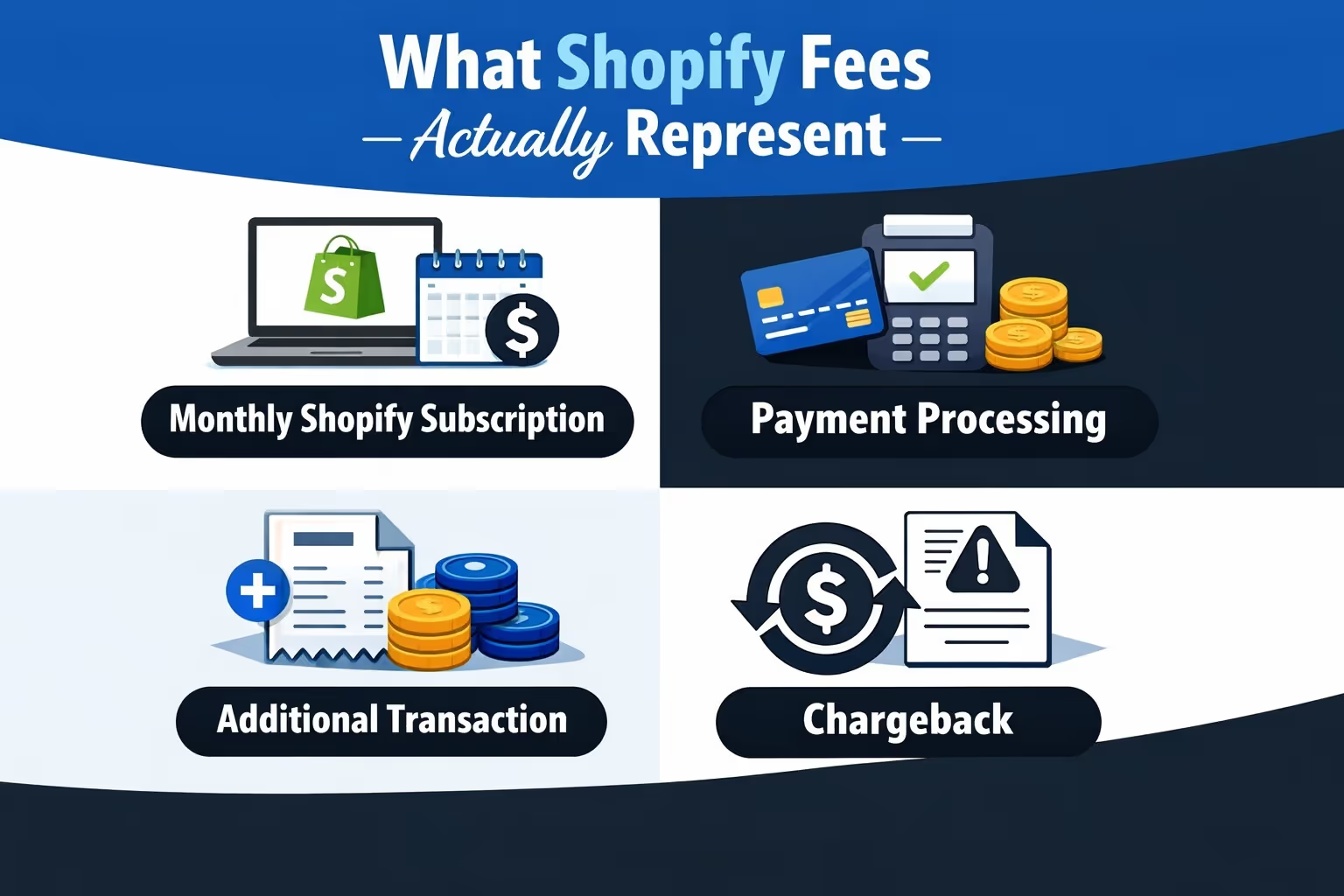
Shopify fees are not one thing, and treating them as a single expense hides important information.
Most stores encounter several distinct cost types, including:
Some of these costs scale with sales volume. Others remain fixed regardless of performance. Separating them allows you to understand where margins are actually being lost.
You do not need an overly complex chart of accounts, but you do need one that mirrors how Shopify actually behaves. When the structure is right, categorization becomes routine. When it is not, every payout feels like a workaround.
The goal here is not to track every cent in isolation. It is to separate money by role: revenue, expenses, liabilities, and timing.
Shopify sales should not be mixed with other income sources. Create dedicated income accounts that clearly show what customers paid before any deductions. Product sales and shipping charges should live in separate income accounts so you can see how much revenue comes from products versus fulfillment-related charges.
This separation makes margin analysis far more reliable later on.
Shopify-related costs should not be lumped together. Processing fees behave differently from fixed subscription costs, and transaction fees only apply in certain setups. Giving each category its own expense account allows you to see which costs scale with volume and which ones stay flat.
That visibility matters when evaluating pricing, promotions, or payment methods.
Sales tax should never appear as income. It belongs to tax authorities, not your business. A dedicated sales tax payable liability account ensures collected tax is tracked properly and cleared when remitted.
This also prevents overstating revenue and avoids confusion during tax filing.
The clearing account is the most important piece of the structure. It sits between Shopify activity and your bank account and exists purely to handle timing differences.
At a minimum, QuickBooks should include:
Once this structure exists, categorization becomes predictable instead of reactive. You stop forcing payouts to fit your books, and instead let the books reflect how Shopify actually moves money.
The clearing account is the foundation of accurate Shopify accounting.
Its purpose is to manage timing differences. Sales occur when customers place orders. Cash moves later, after Shopify deducts fees and applies refunds. The clearing account sits between those events.
Sales increase the clearing account balance. Fees and refunds reduce it. Payouts move the remaining balance into your bank account. When everything is recorded correctly, the clearing account settles back to zero over time.
Without this account, reconciliation becomes an ongoing workaround instead of a process.
Sales should always be recorded at the full amount the customer paid, before any deductions.
Product revenue belongs in a Shopify sales income account. Shipping charges should be recorded separately so you can evaluate whether they cover fulfillment costs. Discounts should reduce revenue directly rather than being buried in expenses.
Sales tax must be recorded as a liability, not income. That money is collected on behalf of tax authorities and should never inflate revenue.
All of these entries affect the clearing account, not the bank account, because Shopify still holds the funds at this stage.
Payment processing fees behave very differently from most other Shopify-related costs. They scale directly with sales volume, which makes them one of the most important expenses to track accurately. Recording them correctly is essential if you want your numbers to reflect reality rather than averages.
Processing fees increase every time a customer places an order. Treating them as a reduction of revenue hides how much you are actually paying to accept payments. Recording them as expenses keeps revenue honest and makes margins easier to analyze.
Keeping these fees separate also prevents them from being confused with fixed platform costs, which behave very differently over time.
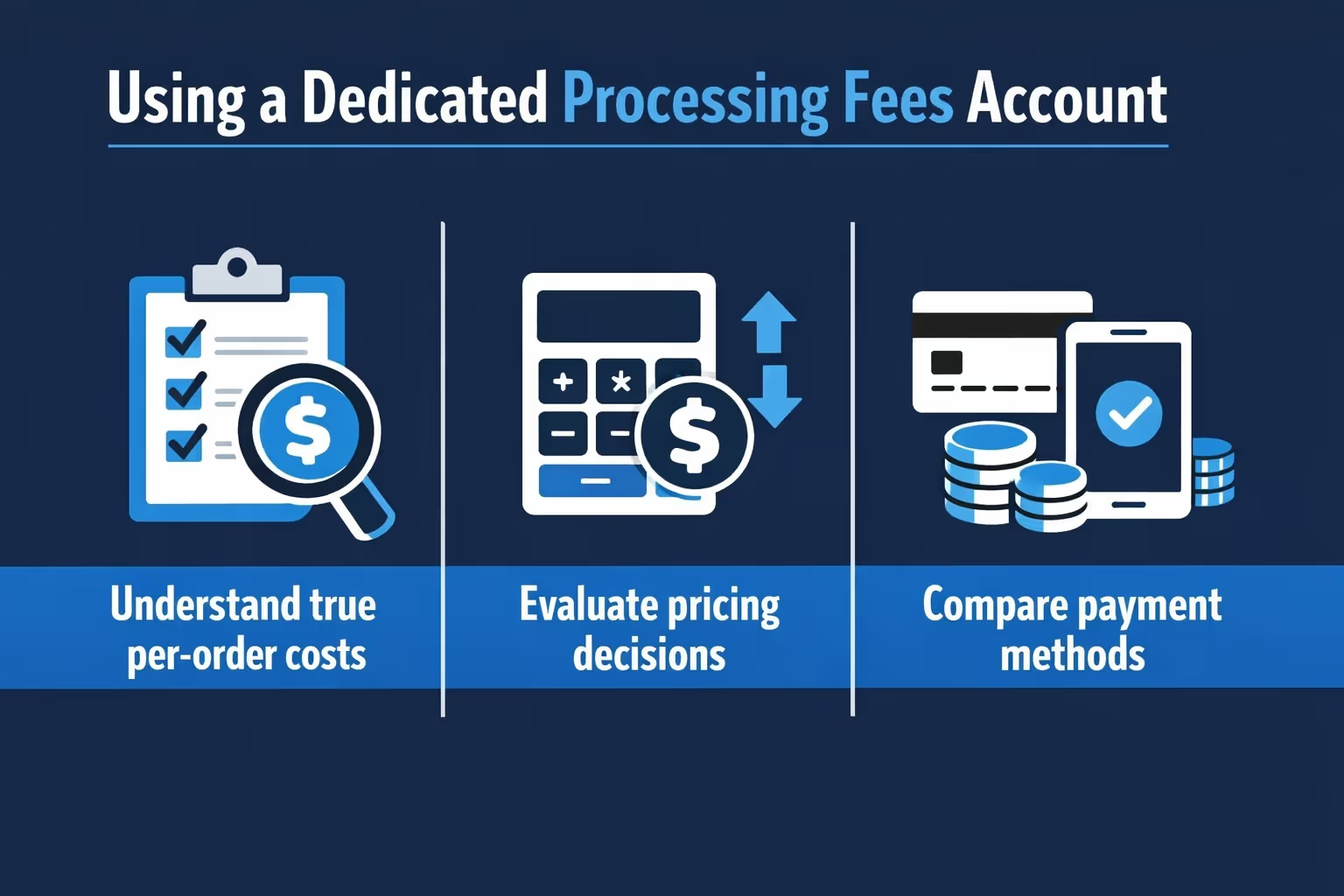
A dedicated payment processing or merchant fees account allows you to evaluate performance more clearly. With this setup, it becomes easier to:
When these fees are netted against revenue or combined with other expenses, their impact disappears inside the totals. That weakens reporting and makes it harder to spot trends that affect profitability.
Shopify subscription fees behave very differently from transaction-based costs. They are fixed expenses that stay the same whether you process ten orders a month or ten thousand. Because of that, they need to be treated differently in your accounting.
These fees should be recorded as software subscriptions or ecommerce platform expenses, not mixed with payment processing or transaction fees. Keeping them separate preserves a clear line between fixed and variable costs. That distinction becomes especially important as your store grows and volume starts to fluctuate.
When subscription fees are isolated, it is easier to evaluate whether your current Shopify plan still makes sense for your business. You can see how much of your monthly overhead comes from platform access versus how much scales with sales activity. Without this separation, platform costs get buried in totals and become harder to assess objectively.
Clear categorization here also supports better forecasting. Fixed costs like subscription fees are predictable, which makes them easier to plan around. Mixing them with variable fees removes that predictability and weakens the accuracy of profit projections and budgeting decisions.
Refunds and chargebacks should never overwrite history. Editing or deleting original sales may feel faster in the moment, but it breaks the integrity of your records and makes long-term analysis unreliable.
The original sale should always remain intact. When a refund is issued, it is recorded as a new transaction that reduces revenue and reverses any related sales tax. This keeps the timeline clear and shows exactly when and why money moved out of the business. Chargebacks follow the same principle, but the associated chargeback or dispute fee is recorded as an expense rather than a reduction of income.
Handling refunds this way preserves a complete audit trail. It also allows patterns to emerge over time. If refunds start increasing, or if certain products generate more disputes than others, that information stays visible in your reports instead of being hidden inside modified entries.
Sales tax does not belong to your business. It is collected on behalf of tax authorities and should never inflate your income figures. Treating sales tax as revenue is one of the fastest ways to distort financial statements and create issues during tax filing.
Proper handling requires:
In some jurisdictions, Shopify acts as a marketplace facilitator and handles tax collection and remittance for you. In those cases, the tax never truly passes through your business and should not appear as a payable liability in your books.
Jurisdiction rules vary, but the underlying principle stays consistent. If the money is not yours to keep, it is not income, and it should not be treated as such in QuickBooks.
When Shopify sends a payout to your bank account, no new income is created. At that point, the revenue was already recognized earlier when customers placed their orders. The payout is simply the final movement of cash, not a sales event.
In QuickBooks, this payout should be recorded as a transfer from the Shopify clearing account to your bank account. Nothing more. If income is recorded again at this stage, revenue becomes overstated and fees effectively disappear from your reports.
A properly maintained clearing account should gradually return to zero as payouts are recorded. If a balance remains after all payouts have settled, it usually indicates that something was missed. Common causes include unrecorded fees, refunds applied to later payouts, or transactions posted directly to the bank instead of the clearing account.
This step is mechanical, but it is critical. When payouts are recorded correctly, your bank balance, clearing account, and income statement stay aligned without manual adjustments.
Shopify activity rarely aligns neatly by date, and this is one of the main reasons accounting feels confusing at first. Sales, fees, refunds, and payouts all operate on different timelines, even though they are part of the same transaction flow.
A sale placed on the last day of the month may not be paid out until the following month. A refund issued today may reduce a payout several days later. Fees can be applied before cash moves or after it has already been deposited. None of this is unusual, but it can distort reports if timing is not handled properly.
The Shopify clearing account absorbs these timing differences. By separating when revenue is earned from when cash moves, your income statement reflects actual performance instead of payout schedules. Without this separation, month-end numbers become misleading and trend analysis loses accuracy.
Handled correctly, timing differences stop being a problem and start behaving like what they are: a normal part of how Shopify processes money.
Manual categorization can work in the early stages of a Shopify store, especially when order volume is low and transactions are easy to follow. Entering data by hand gives full control and can feel manageable at first. The problem is that this approach becomes increasingly fragile as the business grows.
As volume increases, manual processes introduce risk. Small mistakes compound, consistency slips, and reconciliation takes longer each month. What once took minutes starts consuming hours, and errors often go unnoticed until reports no longer make sense.
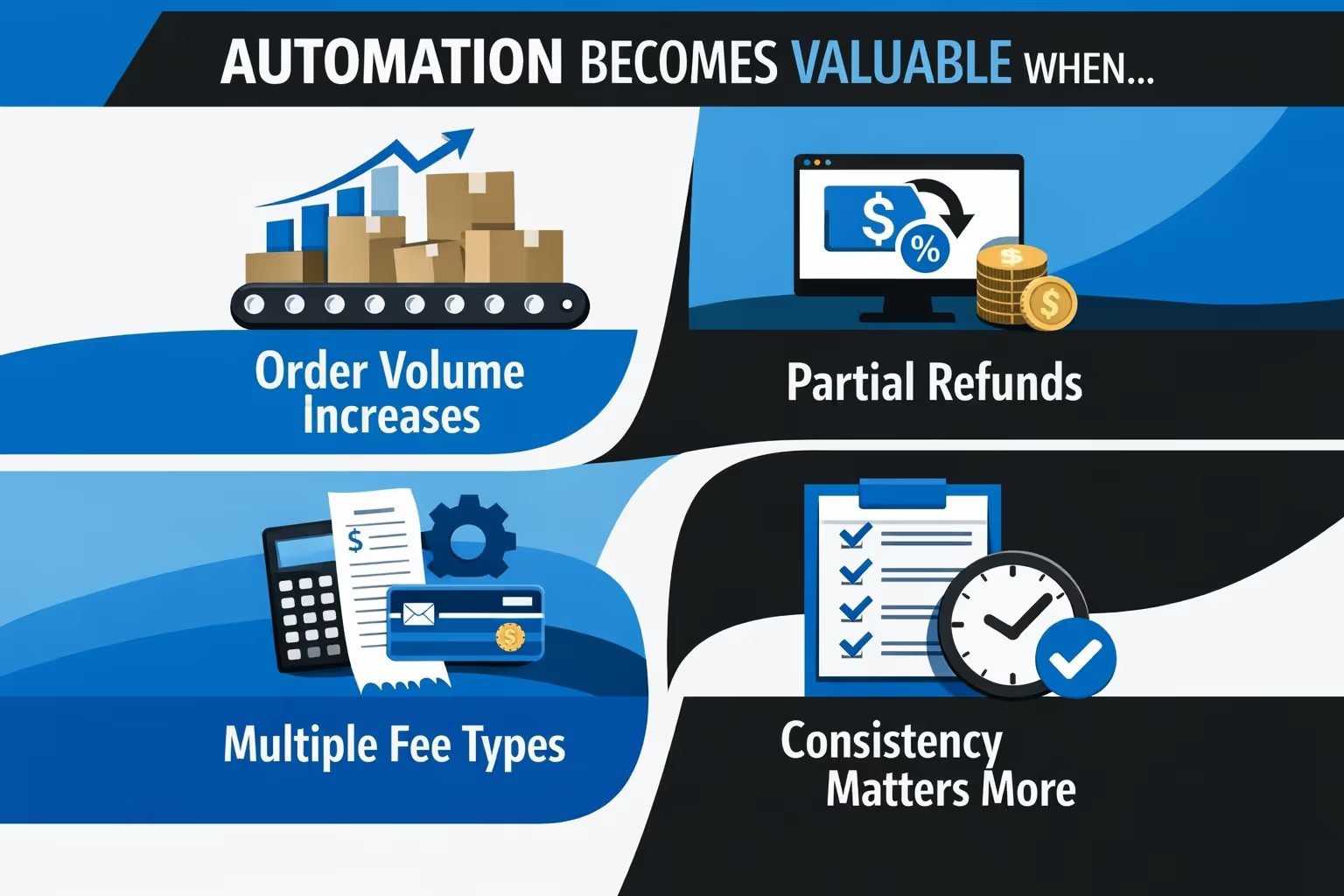
Automation becomes valuable when:
Automation does not fix poor structure. It only applies rules at scale. If accounts are set up incorrectly or logic is unclear, automated tools will simply repeat those mistakes faster. When the underlying structure is solid, automation reinforces accuracy and frees up time without sacrificing control.

Once your accounting is clean, the next problem usually becomes obvious: wasted ad spend. We see this all the time with Shopify brands. Teams launch campaigns, wait for results, then shut things down after budget is already gone. We built Extuitive to remove that guesswork before it gets expensive.
Our platform predicts real-world ad performance before anything goes live. We use AI models trained and validated on live campaign data to forecast how ads are likely to perform compared to your historical averages and top performers. Instead of testing everything and hoping something sticks, brands use Extuitive to identify which ideas are worth backing and which ones should never reach launch.
This changes how teams approach growth. You still test, but you test fewer concepts and with far more confidence. That leads to higher CTR, stronger ROAS, and faster learning cycles without burning budget on obvious losers. For Shopify brands that already care about accurate numbers in QuickBooks, forecasting ad performance upfront is the natural next step toward running a tighter, more efficient operation.
Categorizing Shopify fees in QuickBooks does not have to feel confusing. It becomes confusing when net shortcuts replace clear structure.
Once you separate gross sales from fees, use a clearing account correctly, and respect timing differences, the noise disappears. What remains is a financial picture you can rely on when making real business decisions.


