Meta Agency Ad Accounts for Rent: Companies Advertisers Work With
A look at companies that provide Meta agency ad accounts for rent and why advertisers turn to them when scaling campaigns.
Mar 20, 2026



Shopify makes it surprisingly easy to turn an idea into an online store. Whether you're selling handmade candles or building a full-blown product brand, Shopify gives you the tools to get started fast and the ability to grow at your own pace. But what actually happens behind the scenes? How does Shopify help you go from zero to checkout-ready? Let’s break it down in real terms, minus the tech fluff.
At its core, Shopify is a cloud-based ecommerce platform. That means everything runs online – no software to install, no servers to maintain, no worrying about updates or hosting. All you need is an internet connection and a product (or idea for one).
But it’s more than just a website builder. Shopify gives you tools to:
All from one dashboard.
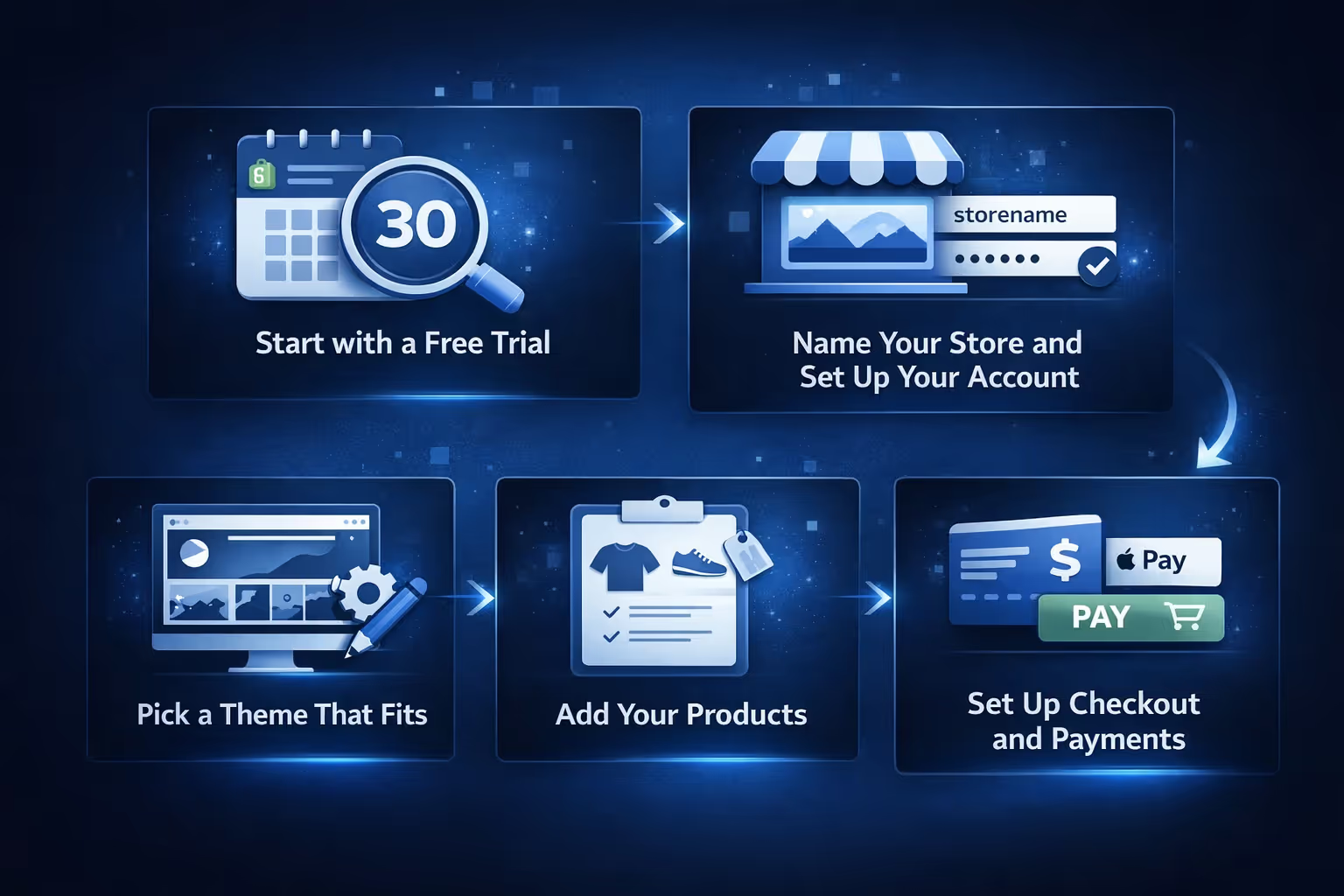
Getting started with Shopify is meant to be fast – not in a “rush through it” way, but in a “let’s launch something real without dragging it out for weeks” kind of way. If your product and content are ready, you can usually get a store up and running in just a few hours. Here’s how the process usually plays out.
Shopify gives you a chance to try the platform before you commit. You can test the core features, explore the backend, and see how it feels without paying anything up front. It’s a low-pressure way to see if it fits your workflow.
Once you're in, the first thing you'll do is choose a store name and create an account. Don’t worry too much about the name right away – it’s easy to change later if inspiration hits. After setup, you’ll land in the Shopify dashboard, which is your control center for everything.
Next, it’s time to choose how your store will look. Shopify offers a mix of free and paid themes, all customizable. Shopify’s theme editor lets you customize sections and settings within themes, which makes it beginner-friendly without looking basic.
With your theme in place, you can start uploading products. Each listing can include images, descriptions, prices, and variants like size or color. Shopify also gives you tools to track inventory and organize items into collections for easier browsing.
Before you go live, you’ll need to configure how customers will pay and how you’ll handle orders. Shopify offers accelerated checkout options like Apple Pay or Google Pay when using Shopify Payments and supported themes and devices. You can also set up tax rules, shipping zones, and delivery options based on where you sell.
Once your store is up, managing products is mostly a matter of keeping things organized. Shopify lets you:
Shopify can integrate with dropshipping or print‑on‑demand services via apps, and some offer real‑time inventory syncing depending on the service.
One of Shopify’s biggest selling points is its checkout. It’s clean, fast, and optimized for conversions, meaning fewer abandoned carts.
Some features baked into Shopify Checkout:
For shoppers, it feels like a modern, trustworthy buying experience. For sellers, it’s hands-off – no plugins needed, no extra configuration.
Once a customer places an order, it shows up in your Shopify admin almost instantly. From there, everything you need is right in front of you. You can open the order to review details, check what’s been purchased, and make updates if needed. Whether you're packing the order yourself or using a fulfillment partner, the platform helps you stay on top of what needs to go out and when.
Shopify makes shipping easy to manage without bouncing between tools. You can print shipping labels directly from your dashboard, monitor delivery progress, and send out confirmation emails with tracking info – all in one place. It connects with major carriers like USPS, UPS, FedEx, and DHL, and depending on where you're based, you can often access discounted rates. If you offer local delivery or allow customers to pick up in-store, those options are built into the checkout setup.
Returns are also handled within the system. You can generate return labels, follow the return process as items come back, and automatically restock what’s eligible. It’s all designed to help you keep things moving smoothly behind the scenes, so customers stay informed and your team isn’t stuck chasing details.
.avif)
This is where Shopify stops being “just a store” and becomes a real business tool.
Built-in marketing features include:
Shopify also supports SEO out of the box:
And yes, social media is part of the picture. You can sync your Shopify store with Instagram, Facebook, and even sell directly through product tags in posts and stories.

Marketing a Shopify store is one thing. Knowing which ads will actually resonate with your audience before you’ve spent a dollar is another. That’s where we come in.
At Extuitive, we help Shopify merchants create and validate high-performing ads using AI agents modeled after real consumer profiles. Instead of relying on guesswork or burning through budget on ads that may or may not work, our platform gives you clarity up front. We generate ad concepts tailored to your products, predict purchase intent, and help you launch only the ones with real potential to convert. It’s fast, cost-effective, and built to scale with your store.
You don’t need to be an expert in ad tech or consumer psychology to use Extuitive. Just connect your Shopify store, and we’ll take care of the heavy lifting. Our goal is simple: help you find the right message, for the right audience, with minimal friction. Whether you're a first-time seller or running a high-growth brand, we’re here to make sure your ads work as hard as your products do.
The Shopify App Store is a major part of what makes the platform flexible. It’s where you go when your store needs something extra.
A few examples of what you can add with apps:
There are thousands of apps – some free, some paid – and many are built by Shopify partners, so they’re designed to fit right in with your store.
For developers or larger brands, Shopify also supports:
Shopify plans range from entry-level to enterprise. Here’s the general layout in case you’re going to pay monthly (if yearly, you may count on a discount):
Additionally, you have access to two other plans: Retail for €79 EUR/month and Starter for €5 EUR/month.
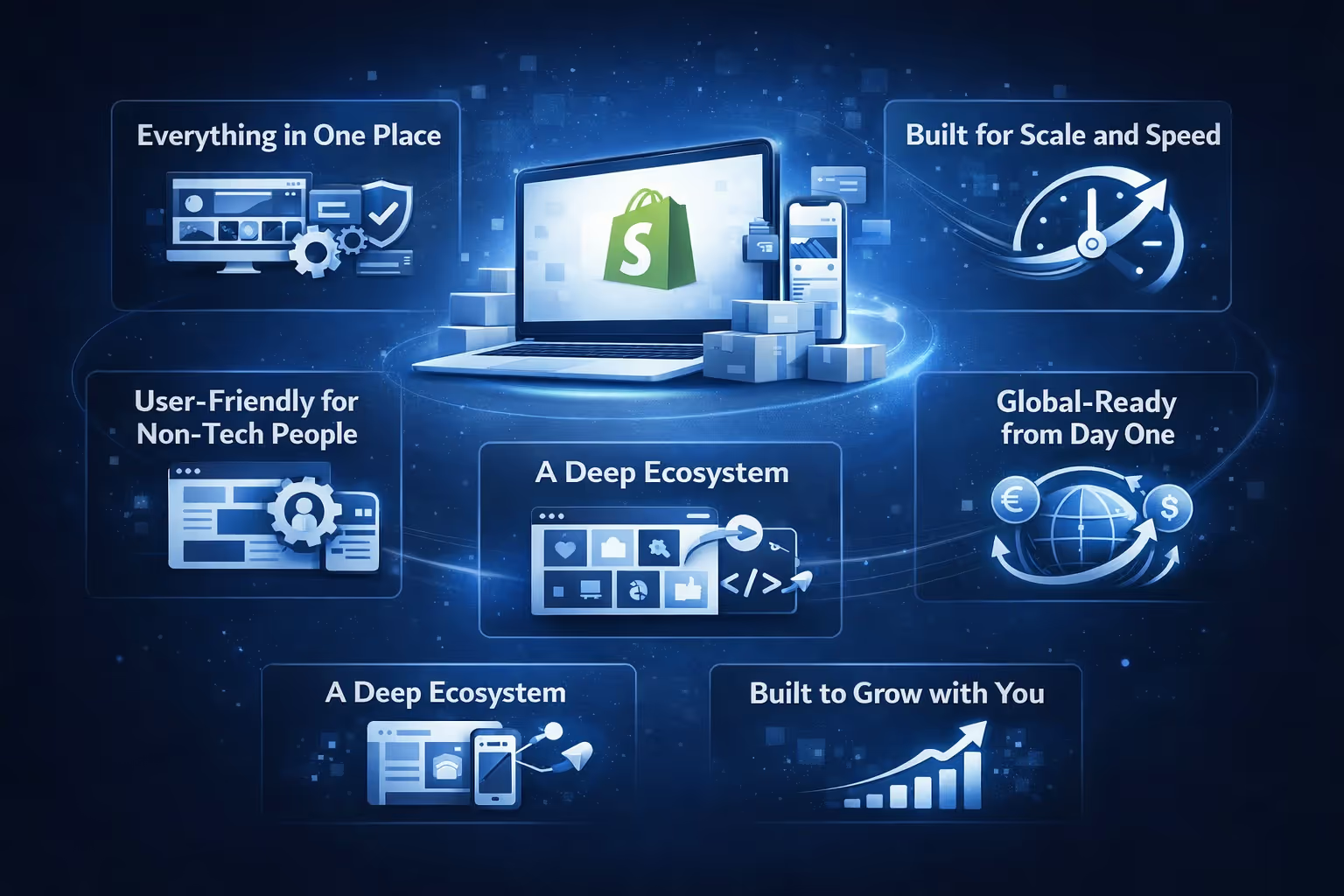
There are plenty of ecommerce platforms out there, but Shopify has carved out a reputation for doing things differently. That difference shows up not just in features, but in how it all comes together for real sellers.
With Shopify, you don’t need to cobble together ten tools just to get a store online. Hosting, security, checkout, payments, inventory, and design are all built into the platform. That means less time troubleshooting and more time selling.
Shopify handles infrastructure behind the scenes, so your store stays online and fast no matter how big it gets. There’s no need to worry about server issues, updates, or traffic spikes – it’s designed to scale as your business grows.
You don’t need to be a developer to use Shopify. The interface is clean, the setup is guided, and most of the decisions you have to make come with helpful defaults. It’s one of those platforms that feels usable right away, even if you’re starting from scratch.
Beyond what Shopify builds itself, there’s a huge ecosystem around it. The App Store is full of tools that plug directly into your store. Developers can build on it, agencies can support it, and there's a large network of experts if you ever need a hand.
Shopify isn’t just for one region or one type of market. It supports multiple currencies, languages, and works in numerous countries. If international growth is part of your plan, the platform is already set up for it.
Maybe the biggest reason people stick with Shopify? It doesn’t box you in. You can start with one product and scale to thousands. You can keep things simple or customize every detail later. No need to switch platforms when you get bigger – you just keep building.
If you’re looking for a way to sell online without hiring a developer, managing your own servers, or figuring out payment gateways from scratch, Shopify offers one of the cleanest solutions out there.
It handles the messy backend stuff so you can focus on your products, your customers, and your marketing. And while it’s not the cheapest option if you go all-in with apps and premium features, the time and frustration it saves often make up for the cost.
It’s not magic. But it’s pretty close to the kind of tool that lets anyone, anywhere, turn a product idea into a real business.


