How to Promote Your Shopify Store for Free Without Spending a Dime
No budget? No problem. Learn practical, free ways to get traffic and grow your Shopify store without paid ads.
Feb 4, 2026



Sales tax is one of those topics that tends to sneak up on new Shopify store owners. You’re focused on launching products, setting up your storefront, maybe even tweaking your theme, and suddenly you’re hit with questions like: “Do I need to collect sales tax?” or “Does Shopify handle this for me?”
The short answer? Sometimes. The full answer depends on where you’re selling, how your store is set up, and which tools you're using inside Shopify. Let’s break it down without the jargon, so you know exactly what Shopify takes care of, and what still lands on your plate.
Shopify isn’t a marketplace like Amazon or eBay. Those platforms are required by law to collect and remit sales tax on your behalf. Shopify, by contrast, is an ecommerce platform. It gives you the tools to run your store, but you're the one responsible for setting up tax collection, unless you're using a very specific feature.
Here’s how it breaks down:
So no, Shopify doesn’t just collect taxes on all your sales by default. But yes, there are built-in features that can help if you turn them on.
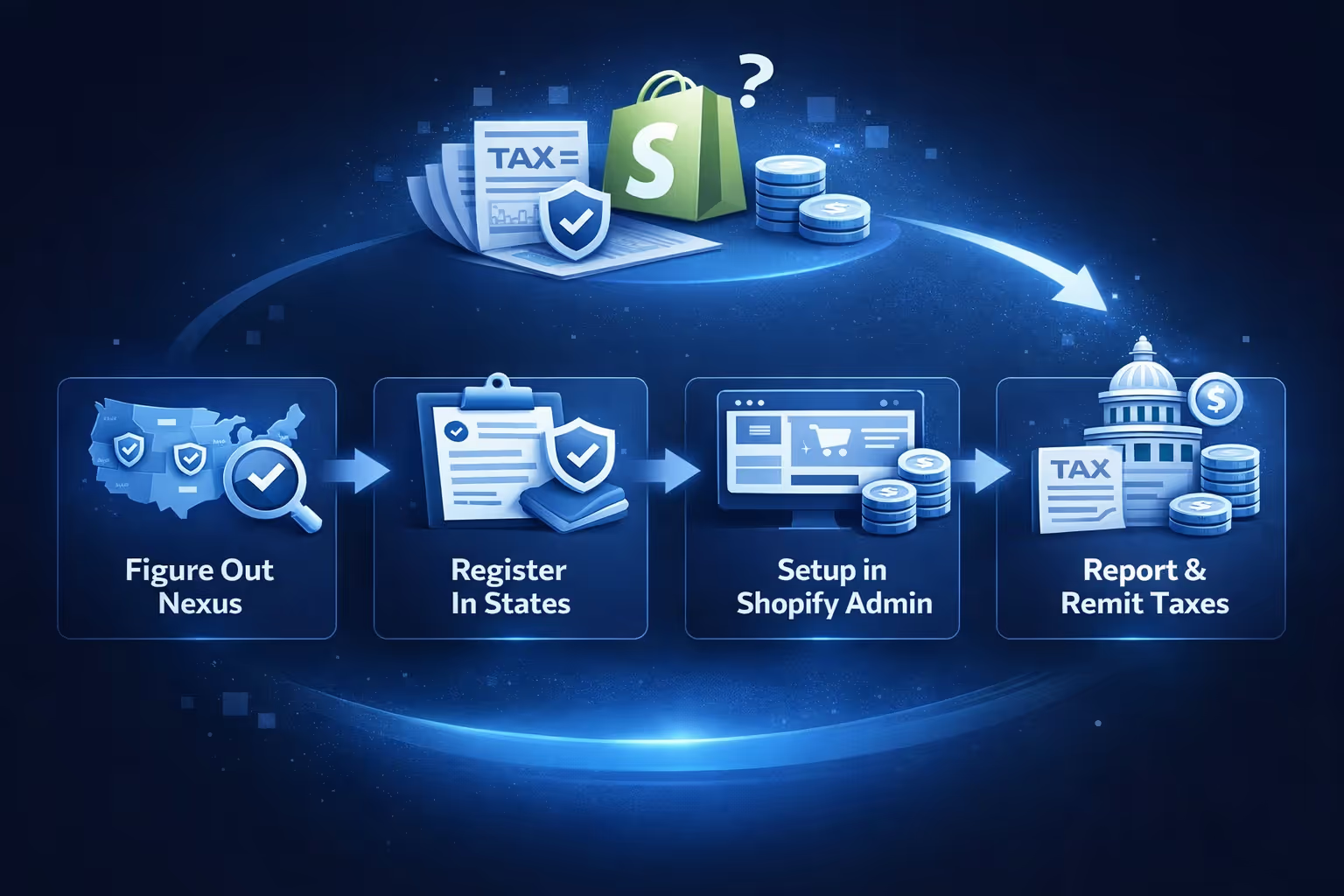
The root of the confusion is that Shopify sits in a different legal category. It’s a platform, not a marketplace facilitator (except in the case of the Shop App). That means it doesn’t have an automatic legal obligation to collect tax unless you tell it to.
So when you create a Shopify store, you start with a clean slate – no tax settings, no automatic collections. You need to:
Unless you’ve set this up yourself, taxes aren’t being collected at checkout. That’s a big deal.
Nexus is the legal term for having a "significant presence" in a state. Once you cross a certain threshold, the state expects you to collect and remit sales tax.
There are two types:
This applies if you:
This kicks in based on sales volume. For example:
If you hit the threshold in a state and don’t collect tax, you could owe back taxes, and possibly penalties, even if it wasn’t intentional.
Shopify’s Tax Liability Insights tool can track where you’re close to hitting nexus, which is a big help. But again, it won’t collect tax until you set it up to do so.
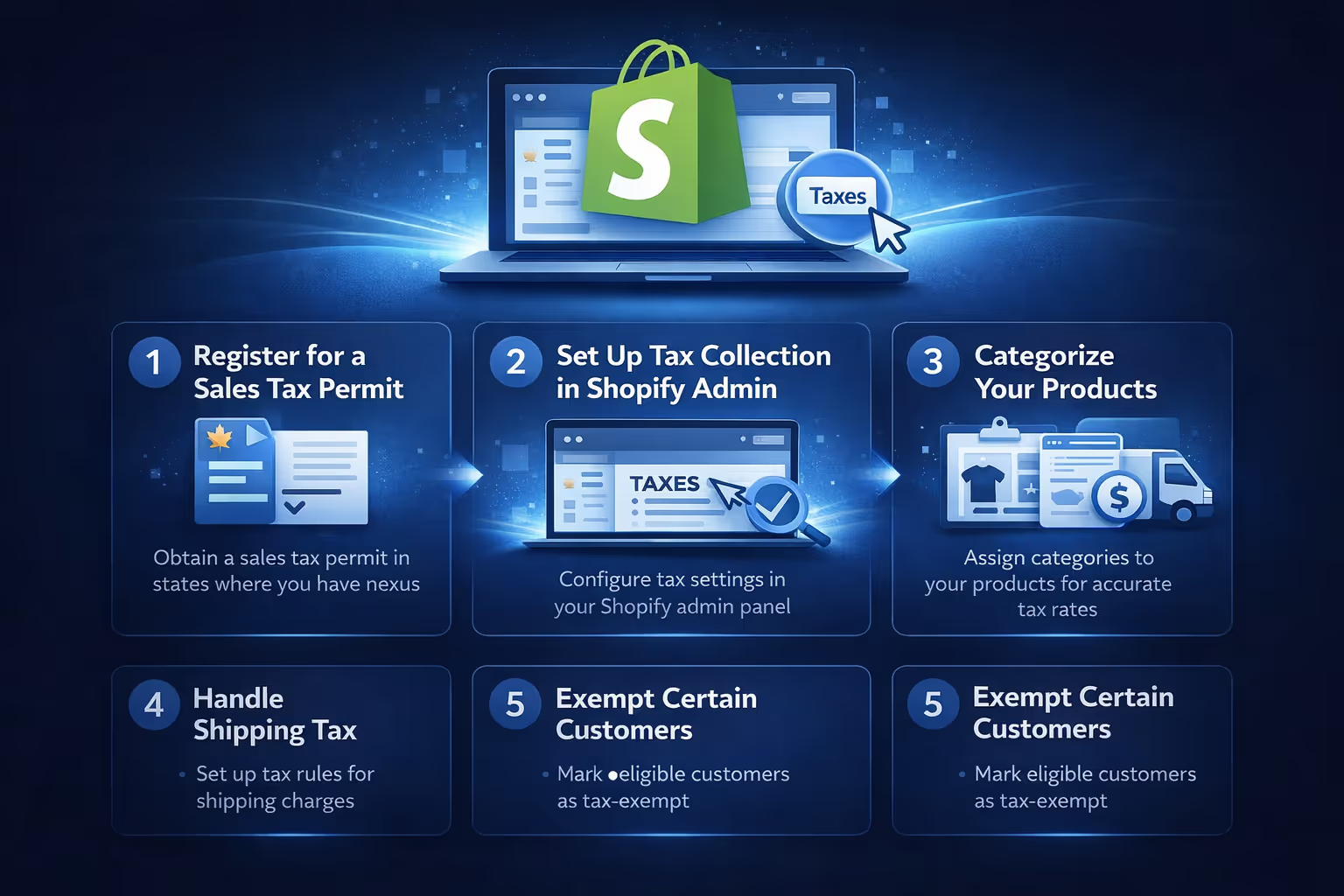
If you’re selling in the U.S. and want to stay compliant, here’s the path forward.
Before you collect anything, you need to be registered in each state where you have nexus. It’s illegal to collect tax without a permit, even if you plan to remit it. Every state has its own process and fee, but many let you register online.
Once you’re registered:
Shopify will now begin collecting tax from customers in those states based on their shipping address.
Sales tax isn’t just about location. Some products are exempt or taxed differently. For example:
Shopify lets you assign categories to your products, which improves the accuracy of the tax rates applied.
If you skip this step, Shopify tries to guess based on your product title and description, which isn’t ideal.
In many states, shipping charges are taxable if they’re part of the order. Shopify can automatically calculate this, but if you need special rules, you can override shipping tax behavior manually.
If you sell to resellers, nonprofits, or government entities, you may not need to collect sales tax. You can mark these customers as tax-exempt in Shopify (under their customer profile), but you’ll need to keep a valid exemption or resale certificate on file in case of an audit.
The one major exception is the Shop App.
Starting January 1, 2025, any orders placed via the Shop App (not your regular store) will have sales tax automatically:
This includes:
The tax is collected under SC Commerce Services Inc., not under your business name.
Consider, this doesn’t apply to Shop Pay on your website, just orders placed directly through the Shop App. Product tax overrides and customer exemptions don’t apply here. Taxes are calculated based on Shopify’s product categorization.
Shopify Tax also offers automated filing. Here’s how it works:
This is optional, but it’s a big time-saver, especially if you’re collecting tax in more than a few states. No spreadsheets, no state portals, no missed deadlines.
Let’s say you sell on both Shopify and Amazon. In that case:
So yes, you can have a mix of self-managed and auto-collected tax depending on the sales channel. Keep your records clean, and consider using a tax reporting tool to help organize everything.

At Extuitive, we know how much time and energy can go into setting up the back end of your store, especially when sales tax compliance is involved. But staying compliant is just one part of the equation. What really moves the needle is how well your store connects with real buyers.
That’s where we come in. We’ve built a platform that helps Shopify sellers create, test, and launch high-performing ads in minutes. Using AI agents modeled after over 150,000 real consumer personas, we take the guesswork out of messaging and creativity. Whether you’re selling sustainable bedding, supplements, or snacks, we help you find your audience fast and show them the right ad without wasting time or budget on trial and error.
While Shopify Tax makes it easier to manage your obligations, we help you focus on the part that actually grows your revenue. You plug in your store, and we handle ad generation, validation, and performance tracking – all built for Shopify from the ground up. If you're juggling tax setups, inventory tools, and multi-state compliance, you shouldn’t also have to second-guess your marketing. That’s what we're here for.
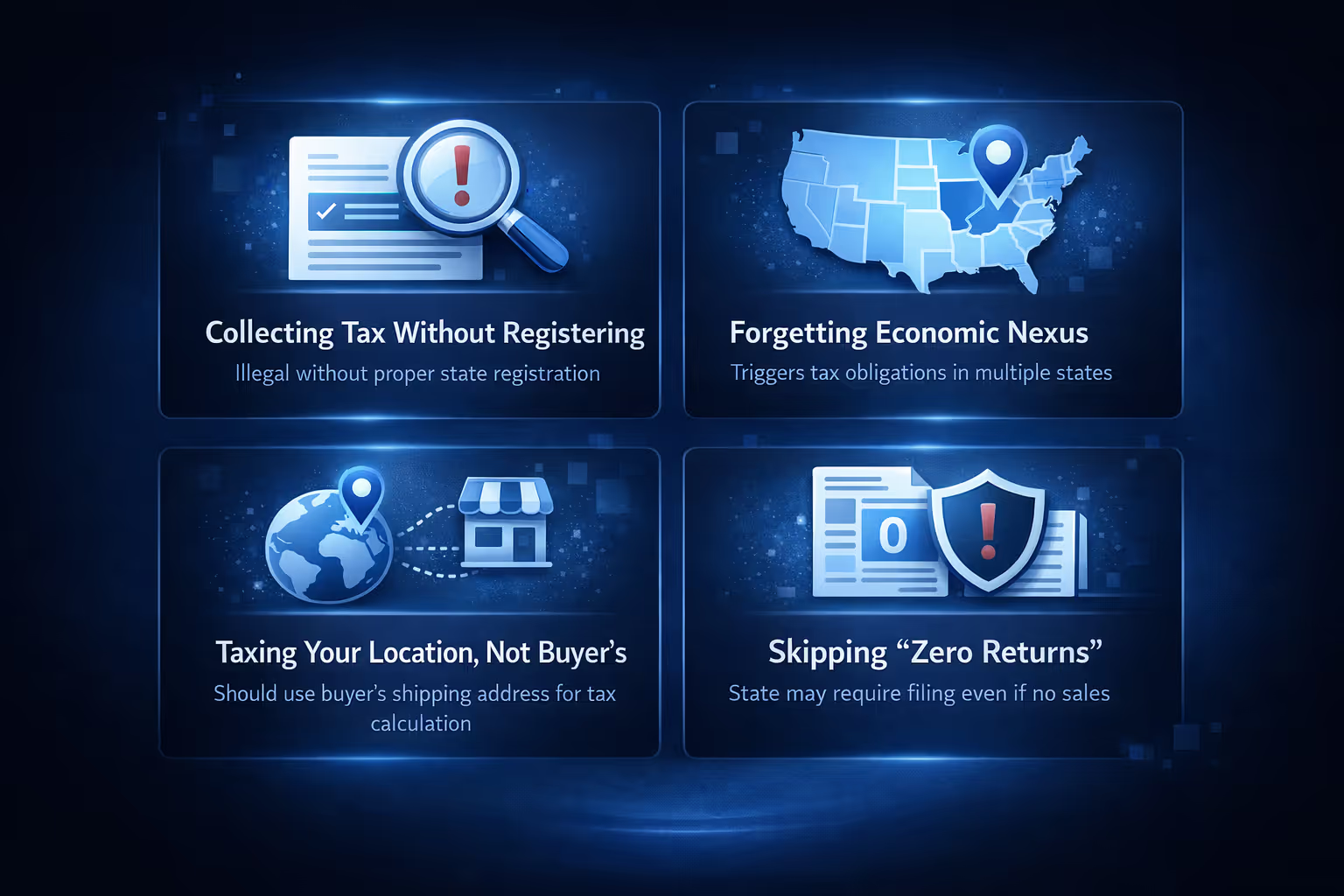
Here are a few things that trip up sellers, especially when growing fast:
Shopify gives you the tools to manage sales tax, but it won’t handle the whole process unless you actively set it up. If staying compliant is something you're serious about, and it should be, don’t wait until a tax notice shows up to get organized. If you're selling in just one state, the manual tax setup inside Shopify is often enough. But once you’re working across state lines, using Shopify Tax is worth considering. It automates calculations and, if you opt in, even handles filing in the states that support it.
Make sure your product categories are accurate, because tax rates can vary based on what you're selling and where it’s going. Also, keep an eye on your nexus thresholds – Shopify helps track them, but the responsibility to act still falls on you. Orders coming through the Shop App are handled a bit differently since Shopify takes care of tax collection and filing there. It’s smart to track those separately, just to avoid confusion.


