Best OpenClaw Alternatives 2026: Security to Speed
Explore top OpenClaw alternatives in 2026. Compare NanoClaw, Nanobot, memU, and more for security, performance, and real-world execution.
Apr 8, 2026



Running a shop on Etsy can be a great way to start, but at some point, you might want more control over how your store looks and how you grow. That’s where Shopify comes in. It gives you your own branded storefront, access to serious marketing tools, and the flexibility to scale up without feeling boxed in by marketplace limits.
But if you’ve already built up a product catalog on Etsy, you’re probably wondering – can you move everything over without starting from scratch? The short answer: yes, and you’ve got a few ways to do it. Whether you’re making a one-time switch or planning to sell on both platforms, we’ll break down how importing from Etsy to Shopify actually works, and what to watch out for along the way.

Before diving into the how, let’s talk about the why. What makes sellers want to migrate from Etsy to Shopify in the first place?
Here are a few common reasons:
With Shopify, your store stands on its own. You get your own domain, your own design, and full control over how your brand is presented. There's no competing seller listings crowding the page.
Shopify comes packed with built-in tools to help you grow. You can manage SEO, run email campaigns, recover abandoned carts, and track performance with real-time analytics – all from one place.
As your business grows, Shopify grows with you. Whether you're adding more products or expanding to platforms like Instagram and Google Shopping, the system can handle it without breaking a sweat.
When you sell on Etsy, customer data stays with Etsy. On Shopify, it’s yours, which means you can build lasting relationships, create custom marketing flows, and actually own your audience.
Now let’s talk about how to actually make the move.
Importing listings means transferring your product information – titles, descriptions, prices, SKUs, images, variants, and more – from one platform (Etsy) to another (Shopify). This can be a one-time migration or part of an ongoing sync, depending on your business needs.
There are two main ways to import Etsy listings into Shopify: manual CSV import and third-party apps with automation.
Each has pros and cons, and not every option works for everyone. Let’s break them down.
If you're doing a one-time move or have a manageable number of products, the manual import method might be all you need.
Manual import works well if you’re tech-savvy, don’t mind a bit of spreadsheet editing, and are okay with a one-time migration.
If the manual route feels a bit too hands-on, you can automate most of the process using third-party tools from the Shopify App Store.
Several apps specialize in Etsy integration. They allow you to import all listings (with images, variants, SKUs), sync inventory between Etsy and Shopify, map Etsy categories to Shopify collections, and set pricing rules (e.g., markup on imported items).
If you're planning to keep selling on Etsy while building your Shopify store, using an integration app is usually the smarter path. It helps prevent inventory conflicts and saves hours of manual work.
Previously, for sellers who want to manage both Etsy and Shopify from one dashboard, Shopify offered a native integration tool called Shopify Marketplace Connect (also known as Codisto). However, now native Etsy support in Marketplace Connect is deprecated for new users. So, if you want to manage both Etsy and Shopify from one dashboard, consider using third-party integration apps from the Shopify App Store. Since native Shopify Marketplace Connect no longer supports new Etsy integrations, you can use a third-party integration app to handle inventory and order syncing across both stores
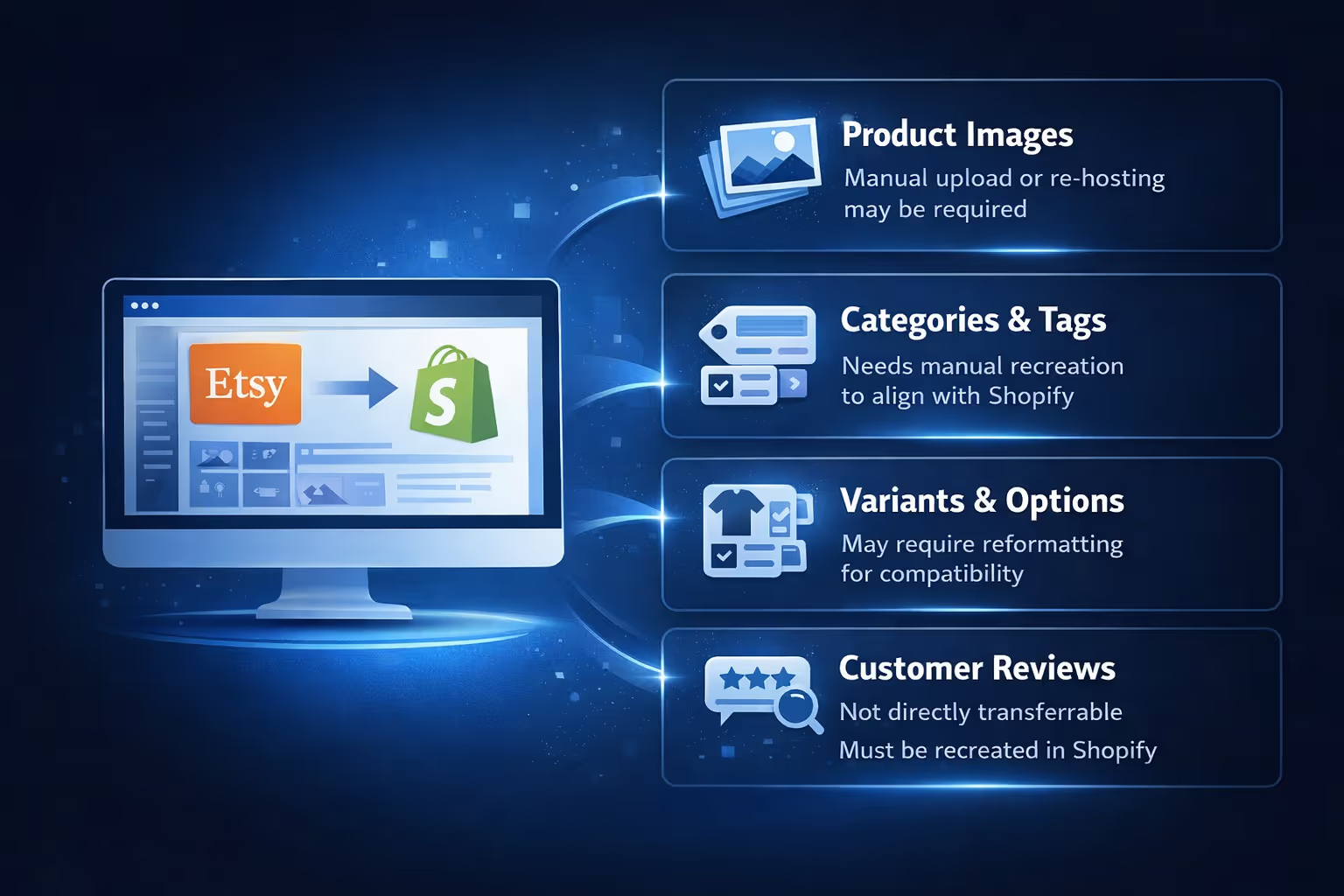
Not everything from Etsy makes it cleanly into Shopify, no matter which method you use.
Here are some things to watch for:
Expect some cleanup after any migration. It’s rarely perfect out of the box.
This depends on the state of your Etsy store and how much of it you want to replicate.
Import everything if you’ve spent a lot of time on product data, your listings are well-optimized, or you want consistency across platforms.
Start fresh if your Etsy listings are outdated or poorly structured, you’re rebranding or reworking your product strategy, or you’d rather build new collections and pages from scratch.
For many sellers, the best approach is a hybrid: import what works, improve what doesn’t.
To avoid frustration during the transition, here are a few things I recommend:

If you're moving from Etsy to Shopify, chances are you're thinking about how to bring in traffic once the store goes live. That’s where we come in. At Extuitive, we help brands predict how their ads will perform before spending a dollar. No guesswork, no wasted budget. Just clear, validated insights.
We built our platform for Shopify sellers who want to move fast and stay ahead. Using our AI models, you can forecast real-world ad results across multiple creatives, audiences, and channels – all before you hit publish. Whether you're importing your first product line or scaling an existing catalog, we help you make smarter decisions about which ads will convert and which ones won’t.
Our engine looks at what actually drives performance based on live campaign data. You’ll get predictions tied to real outcomes like click-through rates and return on ad spend, not just impressions or vague benchmarks. It's especially useful if you're testing new creative directions after your migration or launching your first set of paid campaigns post-Etsy.
Yes, you can absolutely import Etsy listings into Shopify. Whether you take the manual route or use an app, the tools are there. It just depends on how much control you want, how many products you’re dealing with, and whether you plan to keep selling on both platforms.
That said, no import method is completely hands-off. Expect to spend some time reviewing and refining your listings. But once it’s done, you’ll be in a much stronger position to grow your business with the tools and flexibility that Shopify provides.
If you're serious about taking your shop to the next level, moving off Etsy and into your own branded store is a smart step. Just make sure your migration process is as intentional as the business you’re building.


